Whop can connect a service offer to payment, bookings, files, and a client workspace. It works best when you decide what the customer is buying before choosing the apps. A clear deliverable is more useful than a portal filled with empty tabs.
Disclosure: AdsX owner Dennis Hegstad is employed at Whop. AdsX may earn a commission from qualifying businesses referred through our signup links. This article uses public sources reviewed October 4, 2026; examples are illustrative unless stated otherwise. Editorial policy.
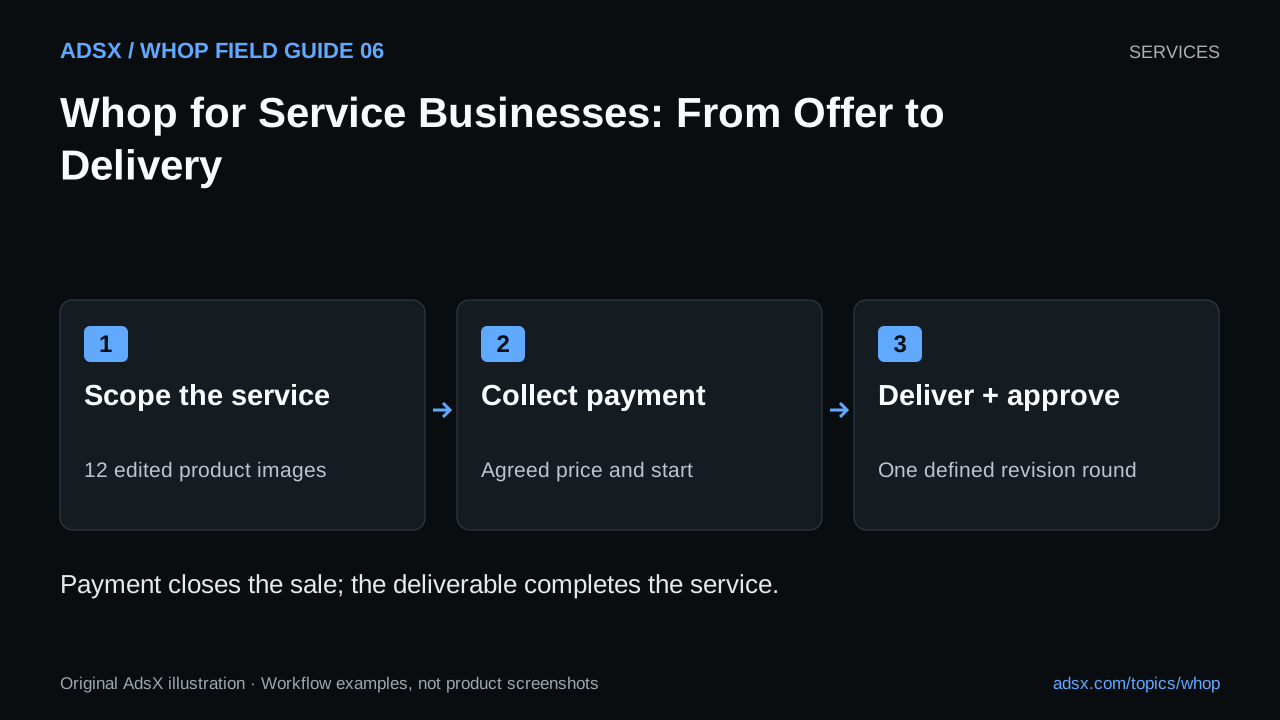
Original AdsX illustration.
Choose where Whop belongs in the service
Whop’s agency services documentation describes both payment collection and delivery through private client spaces. You can keep an existing project-management process or use Whop apps for more of the customer experience. That is a workflow decision, not a requirement to move every tool.
Consider a freelance product photographer selling a listing-image package. Payment might happen through Whop while the actual shoot and image editing happen elsewhere. The client space can hold the brief, appointment information, and final files. Whop does not perform the photography or decide whether the work meets the brief.
| Service component | Example promise | What the customer needs to see |
|---|---|---|
| Inputs | Photograph three supplied products | Shipping instructions and a deadline for the brief |
| Deliverable | Twelve edited images | File format, dimensions, and permitted use |
| Review | One consolidated revision round | How to submit feedback and what counts as a revision |
| Completion | Final files after approval | Delivery location and support period |
These are illustrative package terms. Choose commitments you can fulfill consistently.
Build one offer before building a catalog
Write the offer in a paragraph: who it is for, what they provide, what you deliver, and when delivery begins. If the schedule starts only after products arrive, say that. “Seven days” means little without a starting event.
Next, separate included work from optional work. Reshooting a product because the client changes its packaging is different from correcting an editing mistake. Price an add-on or quote it separately instead of letting the checkout description imply unlimited revisions.
Whop’s product setup guide covers product details, pricing, and app access. Use a one-time purchase for a defined project or recurring billing for a continuing service. A monthly charge alone does not define the monthly deliverable; our consulting retainer guide explains that distinction.
Connect payment to the next action
Decide what happens after a successful payment. A photo client may need to complete a brief before booking a call. A consultant may need the booking first. Put that next step near the top of the client experience.
For a negotiated project, review the invoice workflow. For a standard offer, a product checkout link may be enough. Do not make the customer buy the same service again when they reach the calendar.
If you deliver through Whop, grant access only to the apps included in the purchased product. Check with a customer-level account that the buyer can find the brief and files. An administrator seeing everything is not evidence that client permissions are correct.
Keep a delivery record
Maintain a small record for each project: agreed scope, payment state, inputs received, promised date, files delivered, and approval. That record helps answer a late-delivery question without reconstructing scattered messages.
Start with a manageable pilot. Ask whether clients understood the offer, reached the correct workspace, and knew what to do next. A useful improvement might be clearer shipping instructions rather than another app.
Whop is a reasonable option to evaluate when payment and client access are becoming fragmented. If your current delivery system works, connect it deliberately instead of rebuilding it on launch day. Create your Whop business through AdsX’s referral link, then configure one service and walk through its customer journey before promoting it.
Find the guide for your business
The right setup depends on what you deliver. These guides apply documented payment and booking features to specific workflows; they do not imply dedicated industry software or guaranteed account approval.
Home services and trades
Package local work, confirm the scope, and connect payments to completed visits.
- HVAC Businesses: Sell a Clear Maintenance Plan
- Auto Detailing: Packages, Deposits, and Repeat Visits
- House Cleaning: First Cleans and Recurring Visits
- Pressure Washing: Quote the Surface Before Taking Payment
- Lawn Care: Sell a Service Schedule You Can Deliver
- Plumbers: Separate Callout Fees from Repair Quotes
- Electricians: Scope Visits, Quotes, and Milestone Payments
- Handyman Businesses: Sell a Bounded Work Session
- Painting Contractors: Quotes, Changes, and Progress Payments
Beauty and appointment businesses
Make consultation, service selection, booking time, and the remaining balance clear.
- Nail Technicians: Price the Appointment You Actually Need
- Hair Stylists: Consultations, Color Quotes, and Deposits
- Estheticians: Keep Payments and Client Care Separate
- Brow Artists: Build a Clear Appointment Menu
- Lash Artists: Full Sets, Fills, and Booking Capacity
Teaching, fitness, and pet care
Define sessions, recurring plans, attendance, and realistic delivery capacity.
- Pet Groomers: Booking Payments Without Oversimplifying the Job
- Dog Walkers and Pet Sitters: Plans with Clear Visit Entitlements
- Personal Trainers: Package Sessions and Coaching Separately
- Tutors: Sell Lessons with Clear Learning and Booking Terms
- Music Teachers: Lesson Blocks, Recitals, and Practice Support
Freelancers and independent professionals
Scope projects, manage revisions, and price continuing work with visible limits.