A Whop agency portal should give each client a clear place to find their work without exposing another client’s files or your internal discussions. Start with an access map, then add the apps that support it.
Disclosure: AdsX owner Dennis Hegstad is employed at Whop. AdsX may earn a commission from qualifying businesses referred through our signup links. This article uses public sources reviewed October 4, 2026; examples are illustrative unless stated otherwise. Editorial policy.
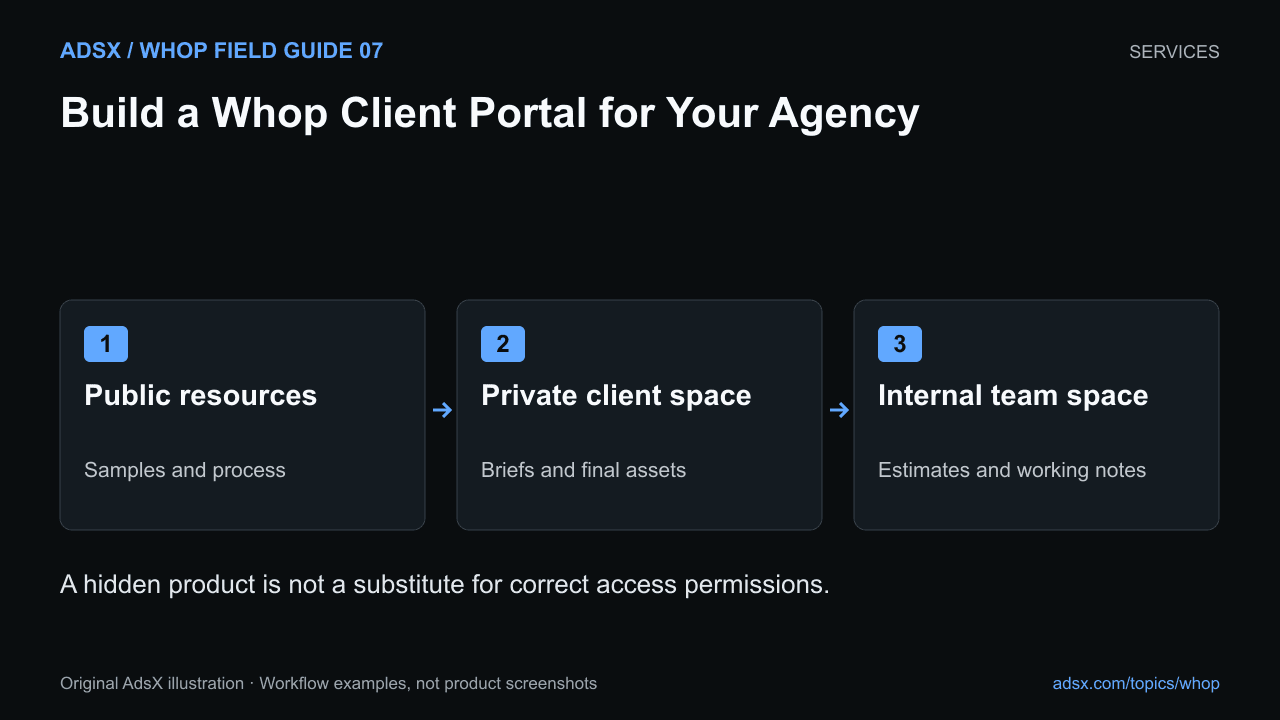
Original AdsX illustration.
Separate three kinds of information
Whop’s agency documentation describes free prospect spaces and private paid client portals. Those spaces serve different audiences. A sales example may be public; an unfinished client design usually should not be.
Here is an illustrative access map for a small creative agency:
| Material | Prospects | Client A | Client B | Delivery team |
|---|---|---|---|---|
| General process and samples | Yes | Yes | Yes | Yes |
| Client A brief and files | No | Yes | No | Assigned staff |
| Client B brief and files | No | No | Yes | Assigned staff |
| Internal estimates and notes | No | No | No | Authorized staff |
This is the desired policy, not a claim that one setting automatically implements it. Choose a workspace and product structure that can enforce the separation, then verify each audience’s view.
A hidden listing controls discoverability. It does not prove that a shared app or file is private. If two clients can access the same content area, hiding the product page does not separate their documents.
Give the portal a simple structure
Start with four destinations: Start here, Current work, Files, and Questions. A new client should find their next task without opening every app.
The welcome material should identify the project owner, the next milestone, the required client inputs, and the place for feedback. Keep the authoritative deadline in one place. Repeating dates in a chat, file title, and pinned post creates opportunities for contradictions.
For files, use a naming convention such as client-project-deliverable-v02. Separate work in progress from approved assets. A downloadable file can be retained outside your portal, so access removal is not a way to recall copies already downloaded.
Check staff access separately
Client access and dashboard team permissions are different. Whop’s team role documentation describes preset and custom roles. Review the actual permissions before assigning someone an operational role; job titles do not reliably describe what an account can do.
A designer who needs project content may not need control over payments, refunds, or payouts. A support agent may need member information without broad business administration. Give each person the permissions required for their work and review them when responsibilities change.
Run a client-level acceptance check
Use an appropriate test setup or authorized customer account, not just the owner view. Confirm that Client A can find their deliverables, cannot open Client B’s materials, and knows how to request a revision. Repeat the check after changing app access or product tiers.
Also check the end of a project. Decide which files the client should download, how long portal access lasts, and where future support requests go. Handle payment cancellation separately from content retention; our refund and cancellation guide explains the operational differences.
Keep the portal proportional to the project
A one-hour consultation rarely needs a complex client portal. An ongoing creative engagement with repeated approvals may benefit from one. Choose the structure around the actual delivery burden, using the service-business guide to define the offer first.
Start a Whop business through AdsX’s referral link if this workflow fits your agency. Build one sample project and verify its permissions before inviting your first paying client.