A customer can encounter different prices for the same Whop offer depending on how they purchase it. Before calling that a pricing mistake, identify the purchase channel and payment record. The amount displayed to the buyer, the platform deduction, and the money available to the seller answer different questions.
Whop's iOS purchase documentation, reviewed October 23, 2026, describes Apple in-app processing for one-time purchases below $700. It says subscriptions and one-time purchases of $700 or more use Whop checkout instead. Treat this as Whop's documented implementation, not a universal statement about every app or region. Verify the actual checkout before quoting a customer.
Disclosure: Dennis Hegstad works at Whop. AdsX may earn compensation from qualifying Whop referrals through our partner link. We have not made an iOS purchase or tested a payout for this guide.
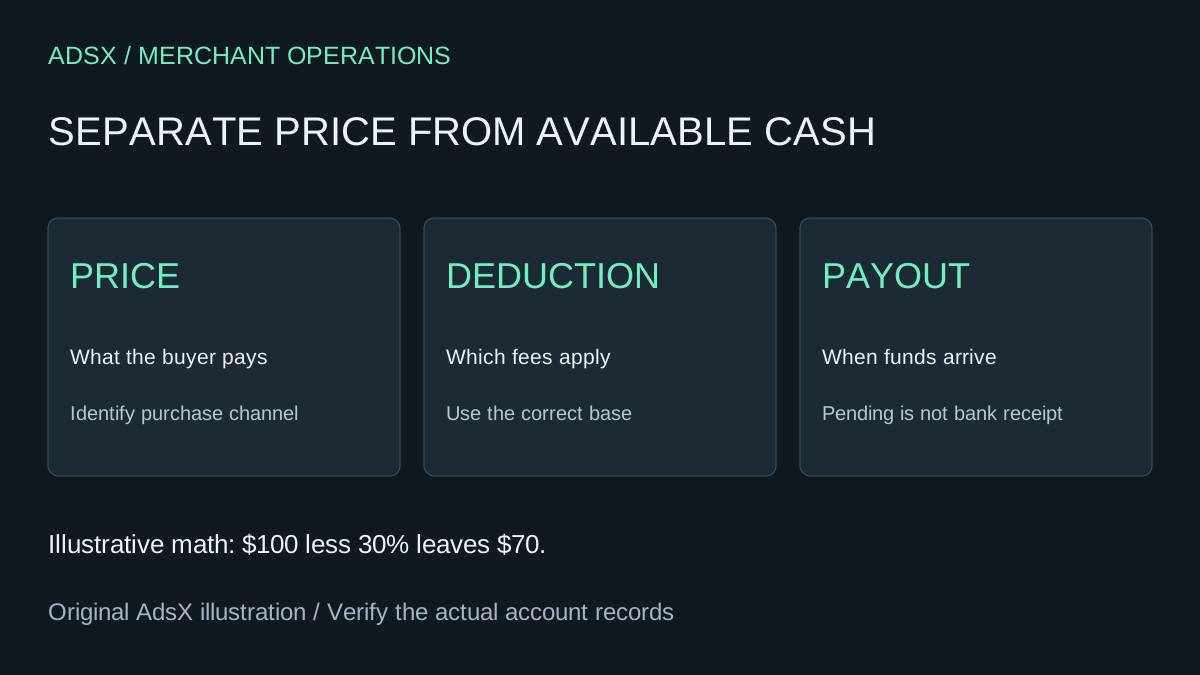
Original AdsX purchase-channel illustration.
Why a 30% deduction requires more than a 30% markup
Whop documents a 30% Apple fee and an approximately 42.86% price increase for the affected purchases. The percentage increase and the percentage deduction use different starting amounts.
Here is an original illustration using a $70 base amount. If the desired amount after a 30% deduction is $70, the displayed amount would be $100: $100 multiplied by 70% leaves $70. Adding only 30% to $70 would produce $91, and 70% of $91 is $63.70.
| Illustrative calculation | Buyer amount | Amount after the assumed deduction |
|---|---|---|
| Add 30% to $70 | $91 | $63.70 |
| Divide $70 by 0.70 | $100 | $70 |
This demonstrates the arithmetic only. It is not a quote for a live offer, a tax calculation, or a promise about the seller's final proceeds. Rounding, other applicable charges, refunds, and account terms belong in the actual transaction review.
Explain the purchase path before debating the number
When a customer asks why a price differs, identify the product, offer, currency, and channel. A browser running on an iPhone is not the same purchase path as Apple's in-app purchasing system. A screenshot of an amount without that context is incomplete evidence.
Use clear language: “Please compare the same offer and currency in the checkout you intend to use. The iOS in-app purchase may have a different displayed price.” Do not imply that the customer already paid an incorrect amount just because the website shows another figure.
Keep published landing pages clear about their advertised price. If an offer has multiple purchasing paths, support should know how to explain each without promising a discount or refund that the business cannot authorize.
Budget on available funds, not only sales
Whop's documentation says Apple-processed payments can remain pending for up to 75 days before remittance to Whop. That is a timing distinction, not an extra sale. Do not record pending sales and the later payout as separate revenue events.
Consider a fictional course business that owes a contractor $400 next week. A pending balance larger than $400 does not establish that it can meet that obligation. The owner needs a separate available-cash view and a due-date schedule, even when the sales dashboard looks healthy.
Read the Whop payout-status guide before treating a dashboard status as bank receipt. Keep transaction date, status, payout reference, and bank confirmation connected. Avoid promising a specific bank-arrival date based solely on the longest timeline in a general documentation page.
Route refund questions to the actual payment provider
Whop directs Apple in-app purchase refunds to Apple. Apple's refund instructions explain how to request a review and state that eligibility can vary. Submission does not mean approval, and an approved request may still take time to reach the payment method.
First match the customer's receipt to the purchase. If it was not billed through Apple, do not send the customer into an Apple refund flow simply because they used an iPhone. The Whop refund and cancellation guide covers the broader operational distinction between a payment adjustment and continued access.
Keep one support record for the question
Record the offer, purchased amount and currency, payment provider, date, and the next responsible team. Avoid asking customers to share full card details or unnecessary account information. A clear reference and an accurate description are more useful than collecting unrelated screenshots.
For sellers evaluating Whop, review the full cost framework alongside channel-specific treatment. Start a Whop business through AdsX's referral link if it fits the offer, then check the actual purchase path before advertising a single price across every surface.