A Whop payout marked Completed is not the same as money already appearing in your bank account. Check the payout’s timeline and destination, then reconcile it with the bank record. Repeating a withdrawal or changing account details before understanding the status can make the investigation harder.
Disclosure: Dennis Hegstad works at Whop and owns AdsX. AdsX may earn a commission from qualifying businesses referred through our signup links. Public sources were reviewed October 16, 2026. Examples are illustrative, not merchant account tests. Editorial policy.
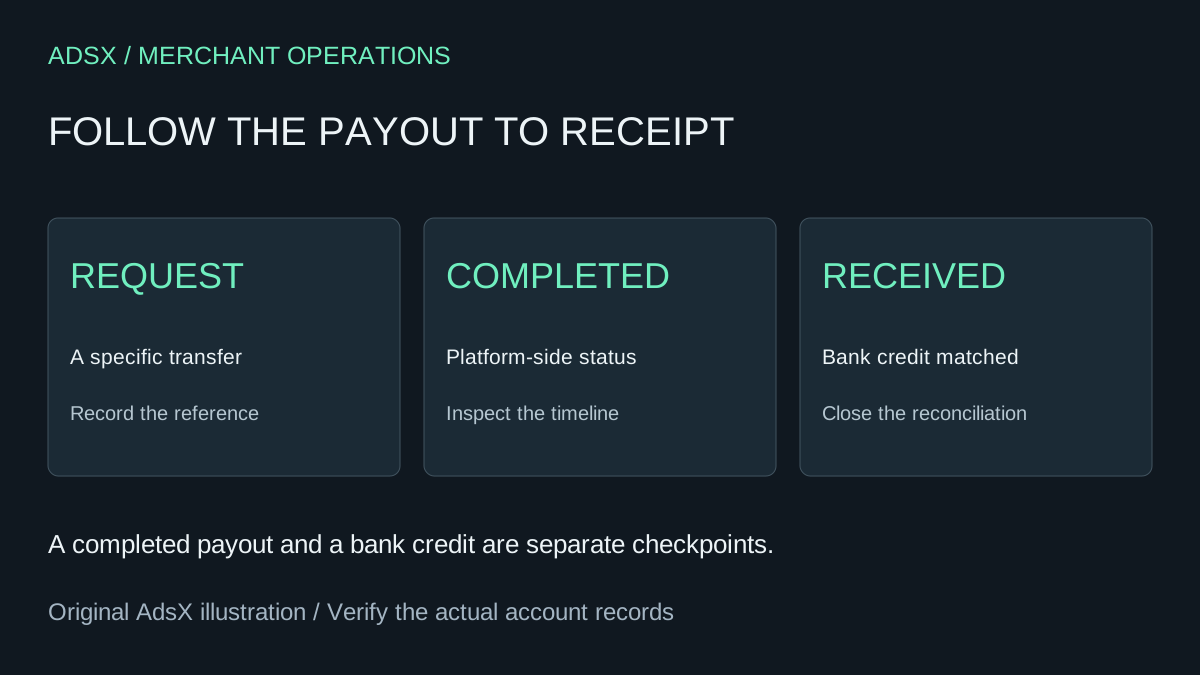
Original AdsX explanatory illustration.
Read the status before judging the delay
Whop’s payout troubleshooting guide distinguishes Requested, Processing or In Transit, Completed, and Canceled. Requested awaits approval; Completed means Whop has sent the funds, with bank processing still possible. Canceled indicates a failed payout.
The guide allows up to ten business days after withdrawal overall and up to five business days for bank processing after Completed. These describe different stages, not a guaranteed arrival date.
Before escalating, identify which event you are timing. “I made a sale on Friday” and “my withdrawal completed on Friday” describe different starting points. Count business days and relevant holidays rather than assuming a weekend advances every processing stage.
Build one record for the payout
Use a private record with the payout reference, requested amount and currency, request date, latest status and timestamp, destination identifier, and any failure message. Record only enough of the destination to distinguish accounts; a shared spreadsheet does not need a full bank account number.
Here is an illustrative reconciliation record for a fictional course business. It is not Whop account data or a promised processing schedule:
| Event | Example observation | What it establishes |
|---|---|---|
| Customer payments | $1,200 recorded during the week | Sales activity, not a withdrawal |
| Withdrawal request | $950 requested | A specific transfer to investigate |
| Dashboard completion | The $950 payout is marked Completed | Platform-side processing reached that status |
| Bank statement | A matching credit is found | Receipt can be reconciled |
The $250 difference between sales and the requested payout is a question to reconcile, not automatically a fee. Timing, earlier balances, adjustments, and the amount selected for withdrawal can all matter. Do not calculate an effective payment fee by subtracting a bank deposit from an unrelated sales total. Our Whop fees guide covers the cost categories separately.
Check the destination and method
Whop’s payout-method documentation says eligible methods vary by country. The options shown in the withdrawal flow are account-specific. It also says some withdrawals require compliance review, in which case the instant option is not displayed.
That means a missing instant option is not, by itself, proof of a broken checkout or lost sale. Review the account’s actual method and any displayed review requirement. Do not select a different country or somebody else’s account to work around a restriction.
For a business with several bank accounts, confirm which destination belonged to this particular payout. The default you see today may not be enough evidence about a past transfer. Compare the currency and amount as well as the date; two transfers can have similar values.
Handle a failed payout as an exception
The troubleshooting guide says the payout timeline provides the failure reason and a failed amount is returned to the available balance. Read that reason before retrying. It identifies incorrect bank information and currency mismatches as possible causes, not an exhaustive diagnosis for every account.
A useful issue note says: “This payout failed with this message; the destination and currency were checked; this correction was made.” A note saying “payout broken” gives the next person little to investigate. Keep sensitive details inside the official support or bank channel rather than a public community post.
Do not keep retrying an unchanged failure. If the reason is unclear, ask support to explain the specific record. A new attempt should follow an understood correction, not substitute for one.
Escalate a completed payout with evidence
If the bank has not credited a completed transfer after the documented window, Whop directs merchants to the payout timeline’s Trace ID and to their bank. Its suggested tracing details include the payout date, amount, and payer name. Retain the support reference and the bank’s response with the payout record.
Assign one person to coordinate that investigation. Otherwise, several teammates can open separate conversations about the same transfer and receive answers based on different timestamps. Update the shared record when the status changes, and close it only after receipt or a clearly documented alternative resolution.
Keep business revenue and affiliate earnings separate
This workflow concerns a merchant’s payout. It does not establish eligibility or payment timing for AdsX’s Whop Partner referrals. A merchant sale, a product-affiliate commission, and a partner referral are different records with different terms.
Our tracking and analytics guide explains why clicks, purchases, and commissions should not be merged into one performance figure. If you are evaluating Whop for your business, use AdsX’s Whop signup link and review the payout methods available to your own account before building an operating plan around them.