An unexpectedly high Shopify shipping charge can come from a cart that spans shipping profiles or fulfillment locations. Start by reproducing the exact basket and tracing the applicable rates. Lowering a rate before identifying its source can fix one checkout while undercharging another.
This workflow applies to stores still using shipping profiles. Shopify is gradually introducing a different system, so identifying your settings comes first. Sources were reviewed October 15, 2026; the baskets below are original examples, not observed merchant transactions.
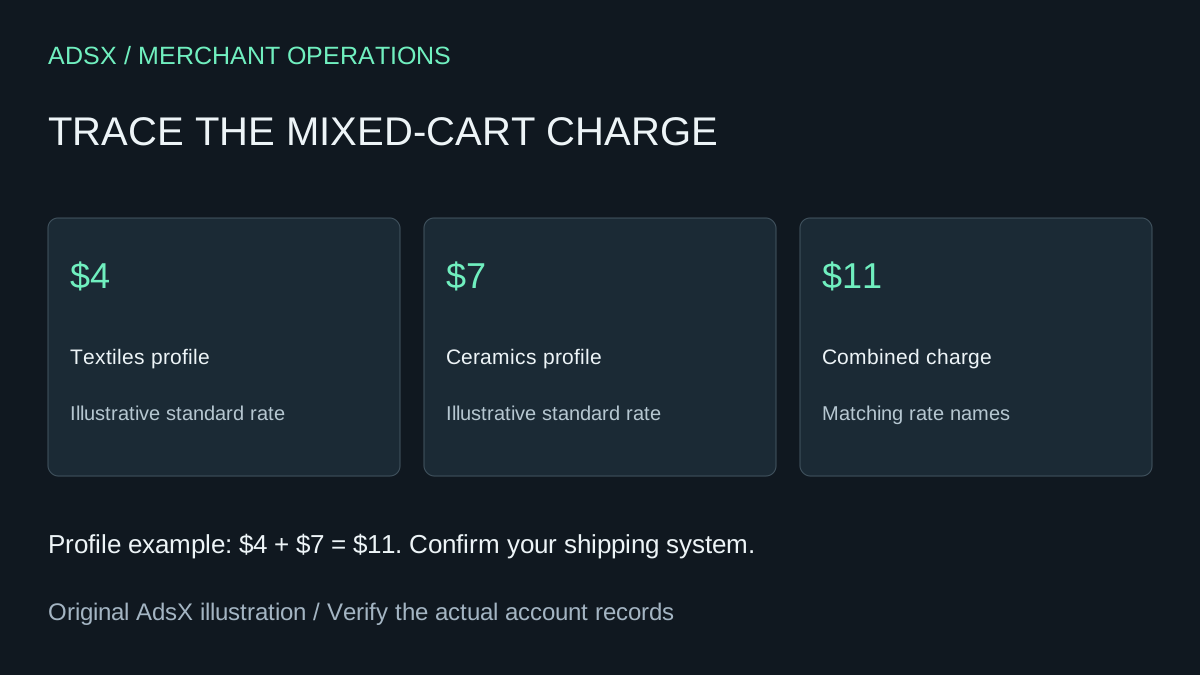
Original AdsX explanatory illustration.
First identify your shipping system
Shopify’s shipping upgrade guide describes shipping options by market as early access for selected stores. Check Settings > Shipping and delivery. Profiles with zones and rates indicate the profile system; a Shipping options section organized by market indicates the newer system.
Do not apply profile arithmetic blindly after an upgrade. In the new system, flat and order-amount rates within one shipping option use the highest applicable rate; different options can still add together. Weight-based, carrier, and app rates can combine per shipment. Follow the documentation for the system shown in your account.
Record the system alongside the checkout issue. “Shipping became $11” is incomplete evidence if nobody knows which configuration generated it.
Reproduce the basket before editing anything
Write down the product variants, quantities, delivery destination, shipping choice, and time of the observation. Also note whether the same basket was previously cheaper. A screenshot helps, but it should accompany the actual inputs needed to reproduce the result.
Build three comparison baskets:
- Product A by itself.
- Product B by itself.
- A and B together, using the same destination.
If each individual basket produces a sensible charge but the combined basket surprises you, investigate profile and location interactions. If A alone is already wrong, start with A’s configuration. This simple split prevents a mixed-cart investigation from obscuring an ordinary product or zone error.
Trace the components of the charge
Shopify’s combined-rate documentation explains how rates from separate profiles or locations can be added. Matching rate names combine; if every name differs, the cheapest choices are combined under a generic Shipping label. Multiple locations within the same location group can instead use one flat charge. Therefore, two shipping origins do not always mean two flat charges.
Consider an illustrative homeware shop using separate profiles for textiles and fragile ceramics:
| Profile | Standard | Express |
|---|---|---|
| Textiles | $4 | $10 |
| Ceramics | $7 | $15 |
| Mixed basket with matching names | $11 | $25 |
The $11 total is $4 plus $7. The arithmetic is consistent with the assumed profile setup, even if the merchant intended a single $7 charge. That distinction matters: a configuration can be working as defined while failing the business’s pricing intention.
Ask why ceramics use a separate profile. If they require protective handling or a different fulfillment provider, the separation may be justified. If the profile was created accidentally during an app setup, investigate that history before keeping it or removing it. Do not merge profiles just to make one total smaller without checking their other products and destinations.
Check names, locations, and conditions separately
Rate names are part of the investigation, but renaming a service does not make delivery faster. If two profiles both offer Express, confirm that the underlying delivery promises are compatible. A customer buying both products should not be led to expect the faster item’s arrival time for the entire order.
Next, check where the actual variants can be fulfilled. A product listed in a catalog is not proof that the intended location has usable inventory. Record the locations involved and whether they share a location group. Avoid changing stock records merely to force a cheaper checkout.
Finally, inspect the conditions that select a rate. A boundary issue can look like a combination issue. Our package-weight guide covers product and packaging inputs; the shipping setup guide provides the broader configuration sequence.
Choose a fix that preserves the delivery promise
For the homeware shop, there are several possible decisions. Keep the $11 mixed-cart charge if it reflects two costly shipments and is explained clearly. Reorganize an unnecessary profile if the products really share one service. Or intentionally subsidize some shipping after calculating the margin impact.
Those are different changes. The first is a communication decision, the second is a configuration correction, and the third is a pricing choice. Document which one you are making and why. If the business absorbs $4 on 100 mixed orders, the illustrative monthly subsidy is $400. Compare that with actual contribution margin before calling the lower charge an improvement.
Retest the exception and the ordinary order
After one targeted change, repeat A alone, B alone, and the mixed basket. Add a second destination and any relevant weight or order-value boundary. Capture the expected and observed charge for each case.
Keep the previous settings in your change record so you can understand or reverse an unintended result. For a store that has recently moved to shipping options by market, use Shopify’s upgrade troubleshooting instructions rather than trying to recreate old profiles from memory.
Close the issue when the charges match the intended service and the ordinary baskets still work. Then review the free-shipping margin worksheet if you want to change the offer itself. A correctly diagnosed rate gives you a sound starting point for that decision.