A first Shopify store needs enough products to fulfill a clear buying need, with enough stock and product information to deliver what it promises. There is no useful universal answer such as “launch with 20 products.” Four well-planned products can create more operational work than 20 simple ones if every item has several sizes, colors, or shipping requirements.
Build the assortment around one customer and one occasion, then count the variants and cash required. The example below shows how a small desk-accessories shop could make that decision before buying inventory or choosing apps.
Disclosure: AdsX may earn a commission from qualifying Shopify referrals through signup links. The store and figures below are original planning examples, not sales results or supplier quotes. Shopify documentation was reviewed October 7, 2026.
Original AdsX assortment-planning illustration.
Begin with the purchase you want to serve
“Accessories for people who work from a small desk” gives this shop a useful boundary. A desk mat, notebook, cable organizer, and pen holder fit together. Adding a travel backpack might attract a different buyer, but it also introduces a different set of sizing, photography, shipping, and return questions.
Write down a one-sentence reason to carry every item. Useful roles include the main purchase, a lower-priced addition, a replacement, or an alternative for a different constraint. An item that has no role can wait.
This is assortment planning, not proof of demand. Before placing an order, use the product-demand validation guide to check the underlying need. A neat catalog can still contain products nobody wants.
Count sellable variants before counting pages
Shopify describes a variant as a particular combination of product options. Inventory can be managed for those combinations; see its variant documentation.
Our illustrative shop starts with this assortment:
| Product page | Options offered | Sellable variants | Units per variant | Initial units |
|---|---|---|---|---|
| Desk mat | 2 sizes × 3 colors | 6 | 8 | 48 |
| Notebook | 3 cover colors | 3 | 12 | 36 |
| Cable organizer | 2 colors | 2 | 15 | 30 |
| Pen holder | 1 version | 1 | 10 | 10 |
| Total | Four product pages | 12 | Varies | 124 |
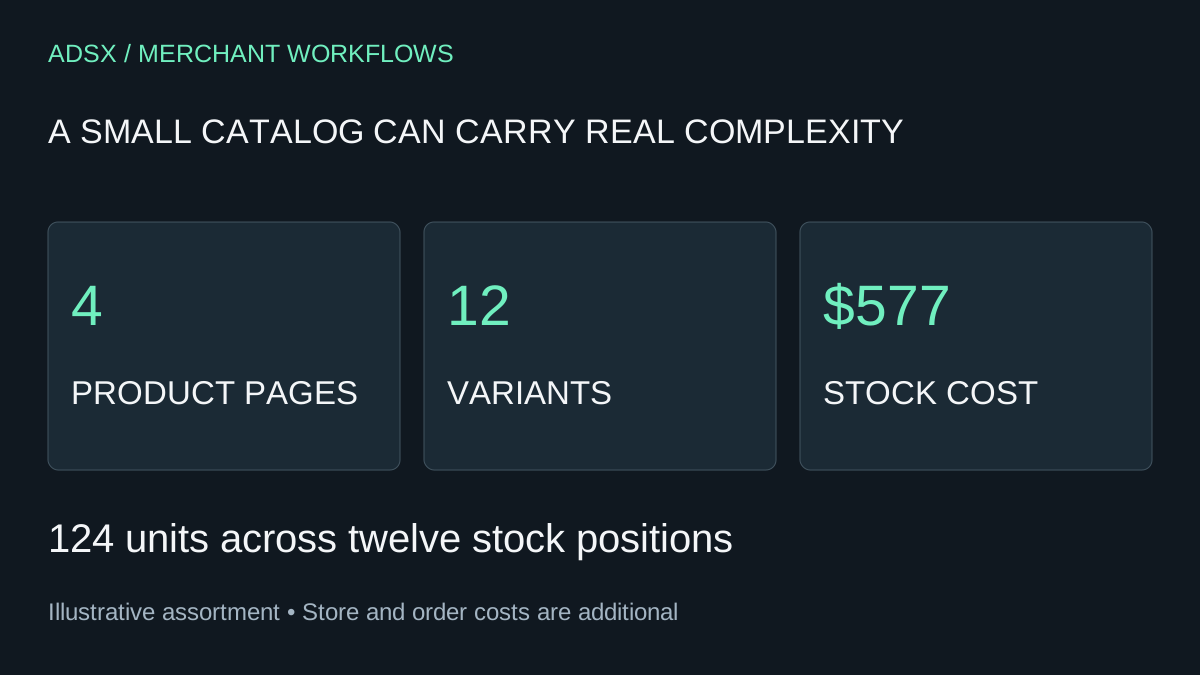
Four product pages produce twelve stock positions. Giving each desk mat one additional color would add two variants and, at this stocking level, sixteen more units. That is a cash decision as much as a design decision.
For each combination, assign a unique internal SKU, a source, a cost, and a replenishment assumption. Do not promise every combination merely because a theme can display it. If the large green mat has not been sourced, it should not appear as ready to ship.
Put a ceiling on the opening inventory purchase
Suppose the example shop expects these unit costs, including inbound costs allocated to each item:
| Item | Units | Illustrative cost per unit | Opening inventory cost |
|---|---|---|---|
| Desk mats | 48 | $8.00 | $384 |
| Notebooks | 36 | $3.00 | $108 |
| Cable organizers | 30 | $1.50 | $45 |
| Pen holders | 10 | $4.00 | $40 |
| Total | 124 | — | $577 |
This $577 covers only the modeled inventory. It excludes store software, samples, photography, packaging, outbound shipping, payment fees, returns, and marketing. Use the Shopify startup cost calculator to add those categories without confusing stock purchases with monthly expenses.
If the inventory ceiling is $500, the assortment needs a change. Removing one mat color at both sizes reduces the example purchase by $128, bringing it to $449. That calculation shows the tradeoff; it does not tell you which color customers prefer. Use evidence from sample feedback or prior sales to choose.
Keep some cash available for replenishment and mistakes. Buying a wide assortment with no room to restock the best-selling item can leave a store with attractive navigation and little useful availability.
Organize around shopping decisions
For this shop, two initial paths could be “Set up a small desk” and “Small desk accessories.” The first can explain the complete setup; the second can help someone find a compact addition. They may contain overlapping products without needing duplicate product pages.
Shopify's collection documentation explains how products can be grouped and linked from menus. It also describes an ongoing transition in collection controls. Use the controls available in your account instead of relying on a screenshot from an older tutorial.
Choose the simplest navigation that makes the assortment understandable. A menu containing eight categories for four products usually creates empty or repetitive destinations. Add another collection when it answers a separate shopping question and has enough relevant products to be useful.
Decide what is ready and what waits
A product earns a launch slot when you can answer the buyer's likely questions and fulfill the order. Shopify's product-details reference covers the fields used to describe and organize items. Your business still supplies the facts.
For the mat, that means exact dimensions, thickness, material, cleaning instructions, color images, packed weight, available stock, and a realistic dispatch promise. A supplier photo and an appealing name leave too much unresolved.
Before including an item, check:
- The sample matches the description and imagery you plan to publish.
- Each offered variant has an accurate stock and fulfillment rule.
- The selling price leaves room for variable order costs.
- Packaging and shipping have been checked with a representative order.
- A customer can understand the difference between similar items.
Delay products with unknown costs or delivery requirements. Put them in an internal backlog with the specific missing evidence, rather than presenting an uncertain launch date to shoppers.
Build a representative store before expanding it
If Shopify fits the intended workflow, start a Shopify trial and build a representative product with its real options. Check the terms shown at signup; a trial is time to evaluate the store, not a reason to rush an inventory purchase.
Work through the pre-launch test-order checklist, including the least convenient variant and shipping scenario. Then use early orders, product questions, stockouts, and returns to decide what to add. Expand because a customer need is becoming clearer, rather than because the catalog looks small.