Your new specifications block works in English, but “Material” and “Height” stay in English when a customer switches languages. The product values may be translated correctly while the labels are hard-coded in Liquid. Fix the source of each string before asking AI to translate the whole file.
Original AdsX illustration.
Find where the words come from
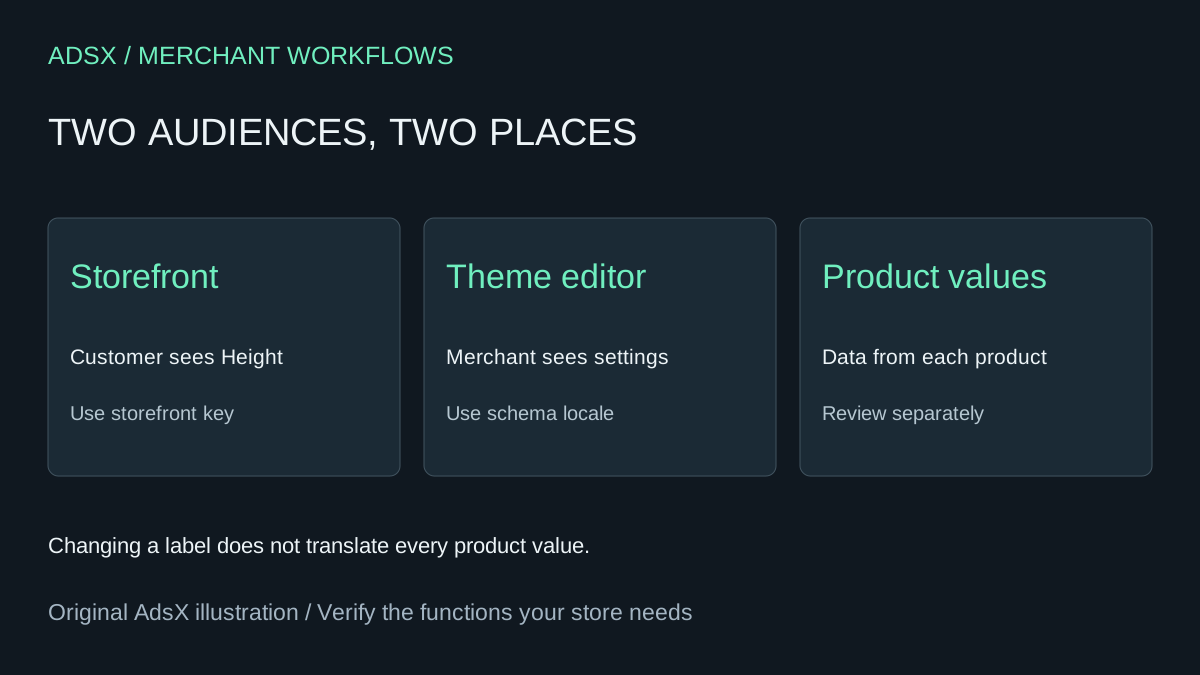
Work in an unpublished copy of the theme and inspect the generated block. Sort its text into customer-facing labels, merchant-facing editor settings and product data. The word “Height” beside a measurement is a storefront label. The name of the block in the editor is a setting label. “Brushed steel” coming from a metafield is product content.
Shopify's Liquid translation filter resolves a key from locale content; its common alias is t. Ask the coding assistant to replace hard-coded storefront labels with appropriate keys while preserving the field-rendering logic. Reuse an existing suitable key when one exists. Liquid translation filter
Make one small change first
For a proposed custom label, the Liquid expression might be {{ 'products.specifications.height' | t }}. That key must have the intended value in the relevant storefront locale files. Ask the assistant to inspect the existing structure before merging a new entry; pasting a second top-level products object into JSON can overwrite or invalidate existing content.
For example, a reviewer-approved English value could be “Height,” with a French value of “Hauteur.” These are illustrative translations, not evidence of a tested multilingual storefront. Preview both languages and confirm that the surrounding measurement still displays its original value and unit. Shopify storefront locale files
Merchant-facing schema translations live in a different set of locale files with a .schema.json extension. Fixing only those files can change the editor while leaving the customer's page untouched. Shopify schema locale files
Review placeholders and the rendered result
Provide the assistant a list of allowed files and strings. Tell it to preserve translation keys, interpolation variables and Liquid expressions. If the block contains counts, review singular and plural states rather than concatenating an English noun after a number. Never accept a blanket search-and-replace across code and product content.
Check the default language and each language you actually publish. Look for missing-translation messages, untranslated labels, text overflow and unintended HTML. Test a long translation on mobile. Verify that switching languages does not change prices, measurements or product selection. Have someone competent in the language review the wording before release.
This task can replace a small manual code edit. It does not replace a translation app's catalog workflows, glossary management or ongoing review. Save the changed keys and files so a later theme update can be checked for conflicts. The generation prompt below is untested; run the theme's checks and inspect the actual storefront before publishing.
Try the worksheet prompt
Illustrative prompt, not execution-tested.
Inspect the supplied unpublished Shopify theme block. Inventory storefront labels, theme-editor settings and product data separately. Replace only approved hard-coded storefront labels with appropriate existing or proposed locale keys and the Liquid t filter. Preserve JSON structure, placeholders, typed measurements and escaping. Handle schema labels in schema locale files only when requested. Report changed files and checks actually run; provide default/secondary-language, missing-key, plural and mobile-long-text checks. Do not translate product data or publish the theme.
Copy the prompt from the merchant library. For related work, see Build a Shopify Product Specifications Block with an AI Prompt.