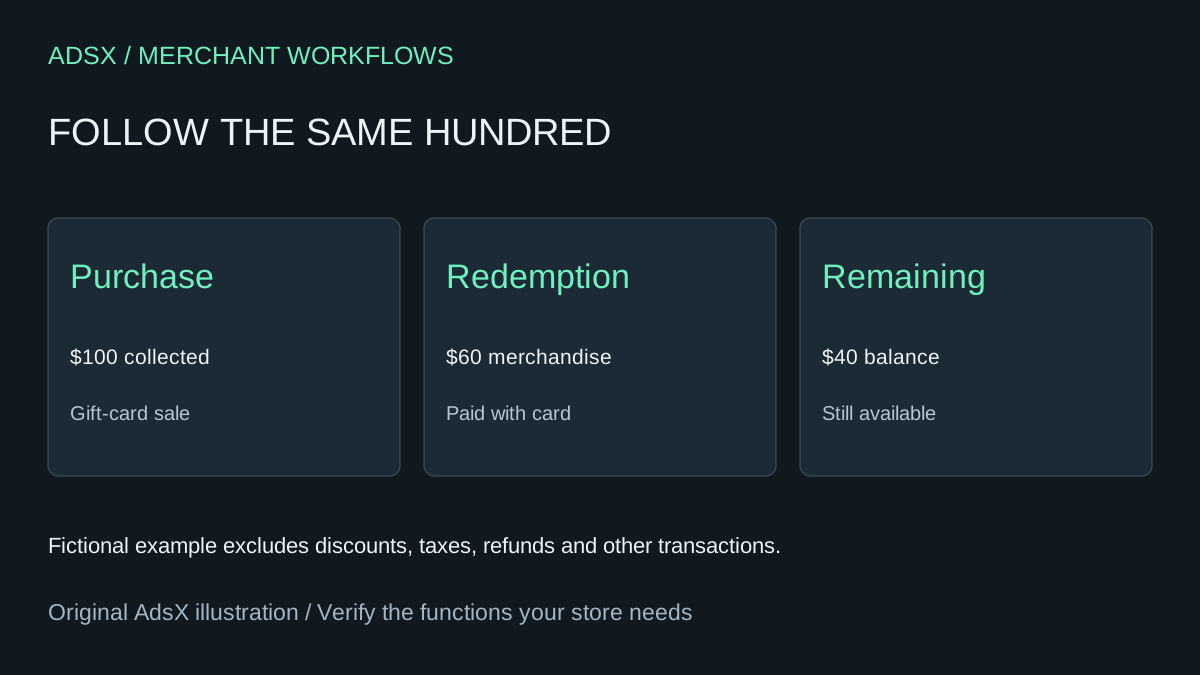
A customer buys a $100 gift card in November and spends $60 of it in December. The store received $100 in November, but its ordinary merchandise sales report does not increase by $100 that day. Trying to force the two reports to match will create a misleading revenue total.
Original AdsX illustration.
Pick the question before the report
Shopify excludes gift-card product sales from ordinary sales reports and records them in gift-card finance reporting. When a customer uses a card to buy merchandise, that merchandise appears in sales reports. The payment method is tracked separately. A sales total and a payments total can therefore differ without either being wrong. Shopify gift-card reporting rules
In the fictional example, the November purchase adds $100 to gift-card sales and brings in $100 through the original payment method. December redemption records $60 of merchandise sales and $60 paid by gift card. No new $60 bank receipt is implied by that tender. The card retains $40. Adding the $100 purchase to the $60 redemption and calling the result $160 of merchandise sales would count unlike events together.
Build a bridge using event rows
Use a sanitized identifier for the card, event date, event type, face value issued, amount paid, amount redeemed and remaining balance. Retain currencies and the date range of each report. Include cards issued without a purchase in a separate category; a face-value increase does not necessarily mean cash was collected.
Shopify's Finance Summary distinguishes net gift-card sales from outstanding gift-card balances. A discounted card can make the issued face value differ from the amount paid. Keep both columns instead of treating a $100 card sold for $90 as an unexplained $10 discrepancy. Shopify finance reports
Ask AI to reconstruct the simple balance equation for each card: opening balance plus issued value and supported adjustments, minus redemptions, equals closing balance. Provide explicit adjustment signs and descriptions. If a refund, deactivation or imported order complicates the sequence, flag it for review against the source record. Do not let the assistant invent a balancing entry.
Check boundaries and protect the codes
Take the opening and closing snapshots at compatible times. A transaction after midnight can belong to the next reporting day, while an export taken earlier will not include it. Reconcile one card completely before scaling the worksheet to the full report. Keep actual redeemable codes out of the assistant input; aliases are enough for matching.
The output is a merchant reporting explanation, not a substitute for the business's accounting policy. Share the reconciled event trail with whoever maintains the books when the treatment is unclear. This process can diagnose a discrepancy without changing card balances or issuing customer value.
Try the worksheet prompt
Illustrative prompt, not execution-tested.
Using gift-card aliases and dated event rows, separate purchased cards, cards issued without purchase, merchandise redemptions and adjustments. Preserve face value, amount paid, currency and opening/closing balances. Reconcile the balance equation and identify unexplained differences without inventing entries. Show merchandise sales separately from tender and gift-card purchases. Never request redeemable codes or modify balances.
Copy the prompt from the merchant library. For related work, see Shopify Gift Card Refunds: Three Cases to Handle Correctly.