An order was canceled, but the shipping label was already purchased. Removing the order from the packing queue does not prove the label charge was recovered. A small exception sheet can help the team find unused labels before the eligibility window closes.
Original AdsX illustration.
Check the label, not just the order status
Shopify lists several requirements for voiding a label: purchase within 30 days, no tracking events, exclusions for USPS First Class Mail, and a restriction for labels recently added to a USPS manifest. Check the live label record against all requirements. A canceled order alone is insufficient evidence that its label can be voided. Return labels have different handling and should be reviewed separately. Shopify voiding requirements
Export or manually record order aliases, label identifiers, purchase dates, service, tracking status and charge amount. Add the review date and an owner. Use the label identifier as the matching key because one order can have several shipments. Keep the actual tracking numbers and customer addresses out of an external AI prompt unless the tool and data use are approved.
Separate the three amounts in the example
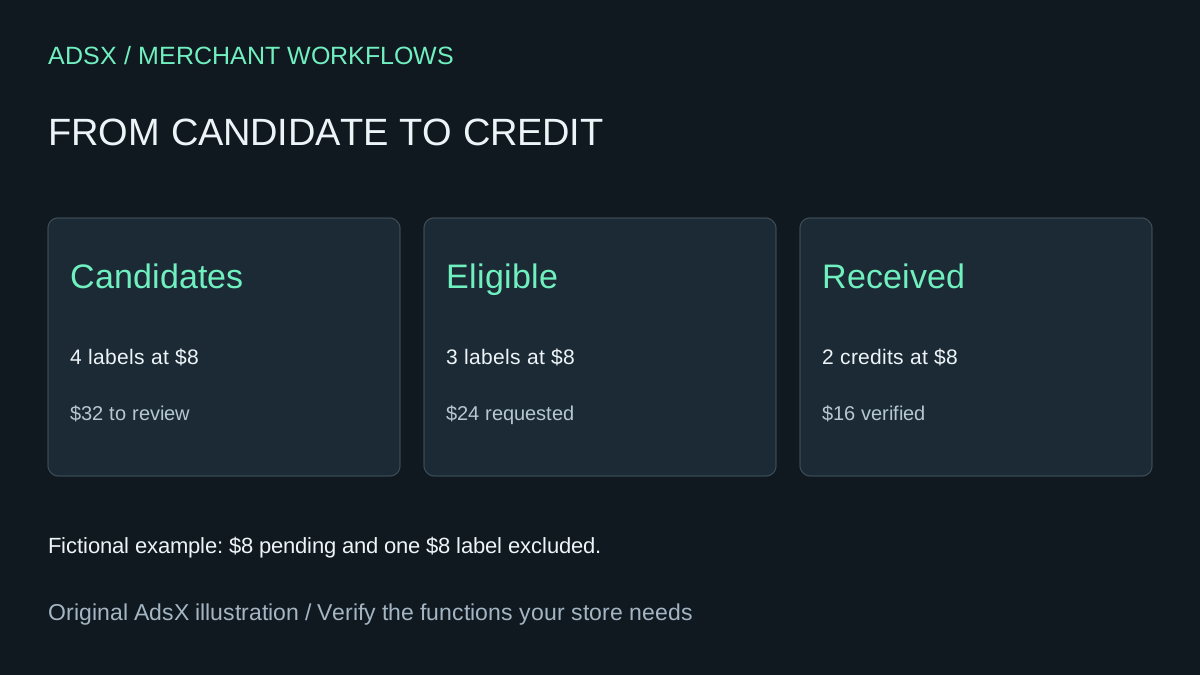
Suppose four unused-looking labels each cost $8. One has a tracking event, leaving three candidates that pass the documented checks after human review. The team requests $24 in credits. Later, the account shows two $8 credits. The worksheet should report $32 reviewed, $24 requested and $16 verified, with $8 still unresolved. It should not announce a $32 saving.
Shopify describes shipping-label refunds as credits to the account that apply to future label purchases. Treat an observed credit separately from cash returned to a bank account. Match the credit to its original charge and keep any insurance line separate. Shopify shipping-label billing
Let AI prepare the queue, then verify each action
Ask the assistant to flag labels close to the eligibility limit, duplicate rows and credits without matching charges. It can calculate age from the supplied purchase and review dates. It cannot infer that a package never entered the carrier network from a blank export field. Mark missing tracking data as review needed.
A staff member should open each shortlisted label, verify the shipment has not been used, and review the action in Shopify. Afterward, record the actual result and follow the credit through billing. Preserve excluded labels with a reason so they do not reappear as new opportunities every week.
For a small store, a weekly worksheet may be sufficient. At higher volumes, an app may reduce matching work, but estimate review time and exception handling before canceling it. This workflow replaces a narrow reconciliation task; it does not buy labels, operate fulfillment or guarantee refunds.
Try the worksheet prompt
Illustrative prompt, not execution-tested.
Review anonymized label IDs, order aliases, purchase dates, carrier service, tracking status, manifest timing, charge amounts, void-request status and observed credits as of a supplied date. Flag missing eligibility facts, approaching age limits and duplicates. Reconcile candidate, requested and received amounts separately by currency. Never infer unused from missing tracking data. Do not void labels or claim cash refunds.
Copy the prompt from the merchant library. For related work, see Do Shopify Shipping Charges Cover Your Fulfillment Costs?.