A Shopify gift-card refund can mean two different things: returning money for the gift card someone bought, or returning value for merchandise they paid for with a gift card. Find the original transaction before choosing the refund destination. A purchased card, an active card used at checkout, and a card issued as a goodwill gesture do not have the same payment history.
This guide gives a small support team a way to classify the request and reconcile the result. Examples are illustrative, based on public Shopify documentation reviewed October 9, 2026. We have not performed refunds in your store.
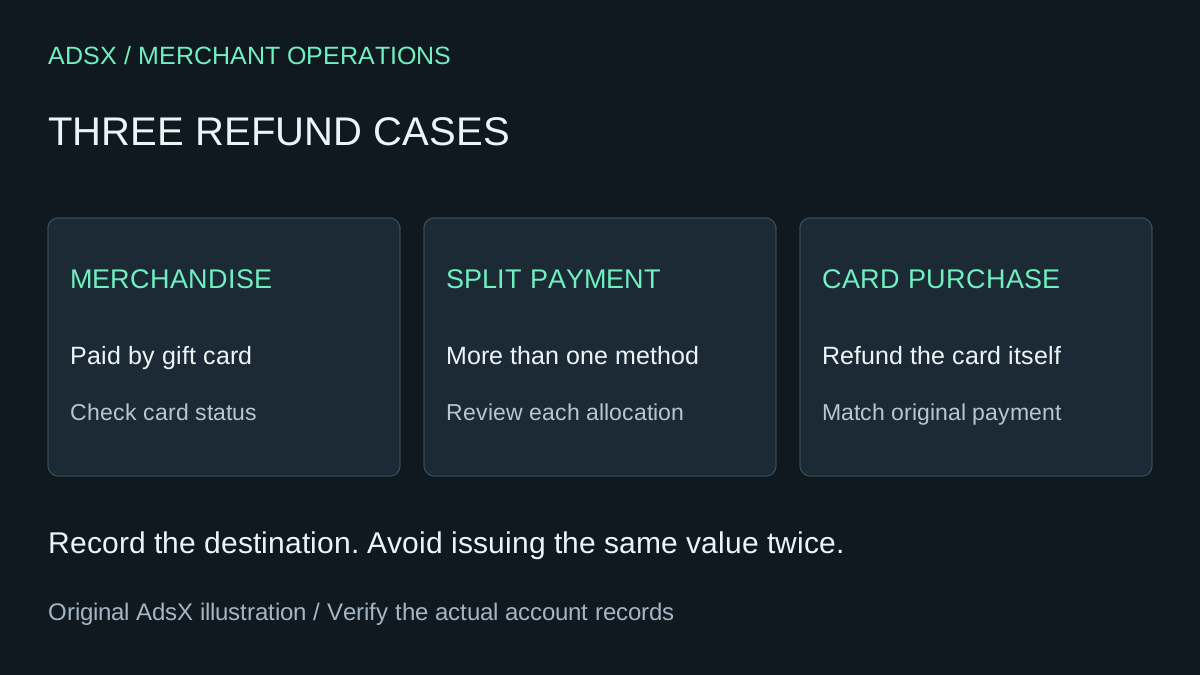
Original AdsX refund decision illustration.
Start with the transaction, not the customer's shorthand
“Please refund my gift card” is not enough information to act on. The customer might want to return a sweater, cancel an unused gift-card purchase, or recover a balance after losing access to a code. Ask which order or item they mean, then open that record.
Use this intake table before calculating anything:
| Request | Record to inspect | Question to resolve |
|---|---|---|
| Return merchandise | Merchandise order and payment transactions | Which methods paid for this order? |
| Refund the card itself | Original gift-card purchase order | Was money captured for this card? |
| Replace an unusable card | Card status and related order | Is this a replacement, a refund, or a code-access problem? |
Keep the approved refund amount separate from the destination. A correct total sent through the wrong route can still leave a customer unable to use the value or a staff member tempted to issue it again.
Case 1: merchandise paid entirely with a gift card
Shopify's gift-card management guidance says a refund can replenish the card used for the purchase. Reloading during returns and exchanges depends on the original transaction using Shopify Payments; otherwise, the documented route is a new gift card for the refund amount.
For an illustrative case, a customer spends $45 from a $70 card and later receives an approved $20 merchandise refund. If the supported route restores that same card and no other activity occurs, its balance moves from $25 to $45. That is $20 returned to the customer, not a new $45 refund.
Record the starting balance, the amount restored, and the ending balance. If the customer has made another purchase in the meantime, the simple arithmetic no longer describes the live balance. Compare timestamps and transactions rather than treating a different balance as an automatic failure.
Case 2: merchandise paid with a card and another method
Shopify's order-refund documentation describes a suggested split that prioritizes the gift-card portion. Staff can adjust allocations within each method's refundable amount. Review that split before submitting.
Consider a hypothetical $100 order paid with $30 in gift-card value and $70 by bank card. There have been no previous refunds. The approved merchandise refund is $40:
| Destination | Example allocation | Remaining original amount not refunded |
|---|---|---|
| Gift-card route | $30 | $0 |
| Bank-card route | $10 | $60 |
| Total | $40 | $60 |
The table models the documented priority; it does not establish the outcome of a particular gateway or return workflow. Confirm the displayed allocation and available amounts in the actual order. If you change the split, record why and check the total again.
A useful staff note might read: “$40 approved for returned item; $30 restored through gift-card route, $10 submitted to original bank card; transaction references recorded.” Avoid a note that only says “customer refunded.” It hides the information the next support person needs.
Case 3: the customer wants to return the purchased gift card
The gift-card guide distinguishes purchased cards from cards issued directly in admin or POS. Directly issued cards have no captured purchase payment to refund. Refunding a purchased card automatically deactivates it; a full-value refund is not required, but the quantity must be specified.
Suppose a customer bought two separate $50 cards and asks to cancel one unused card. Match the request to the relevant card and purchase line before authorizing the action. Your reconciliation should answer three questions: which card was affected, how much payment was returned, and what usable value remains elsewhere?
Do not use this example as an automatic approval rule for partially spent cards. Review the card's use history, applicable store policy, and the available refund options. Escalate a request if staff cannot explain how the proposed action avoids returning more value than intended.
Handle expired and deactivated cards differently
Shopify documents an expiry-date adjustment before refunding to an expired card. A deactivated card cannot be reactivated or reloaded; a new card is the documented alternative. Confirm the status before promising that the original code will work again. These are platform mechanics, not advice about which expiry or refund policy is lawful in a customer's location.
For an exception, assign one owner. Record the original card reference and replacement reference without copying full redeemable codes into shared notes. The next person should be able to find the records without being able to spend the balance.
Close the case only after reconciling the result
Shopify states that initiated refunds cannot be canceled or reversed. It also warns that later refunding the original payment after issuing store credit does not automatically undo that credit. Treat a second payout or replacement as a separate decision, not a quick way to resolve an unclear first attempt. See the refund considerations before acting.
Use a short closing record:
- Original order, card reference, and request type.
- Approved amount and currency.
- Destination and transaction reference for each portion.
- Any replacement or remaining credit that is still usable.
- Item disposition: returned to saleable stock, damaged, or still with the customer.
- Staff owner and unresolved exception, if any.
Refunding payment and restocking goods are separate operational decisions. A damaged item does not become saleable because its payment was returned. A customer-facing explanation should state where the value went and what remains pending, without promising an unverified bank posting date.
For the earlier launch decisions, use the gift-card setup checklist. To review the wider customer journey, work through the Shopify order test checklist. The goal is a refund another staff member can understand and reconcile without repeating it.