To sell gift cards on Shopify, create a gift-card product, publish it to the intended sales channel, and verify the journey from purchase through fulfillment to redemption. Naming an ordinary product “Gift card” does not give it a redeemable balance.
A new store also needs a reason for someone to give its gift card. If the recipient cannot find an appealing purchase, understand delivery, or contact the business, a polished gift-card image will not fix the offer. Establish a usable catalog and support process first.
Disclosure: AdsX may earn a commission from qualifying Shopify referrals through signup links. This guide uses public Shopify documentation reviewed October 8, 2026. Examples are illustrative; we have not tested a transaction in your store.
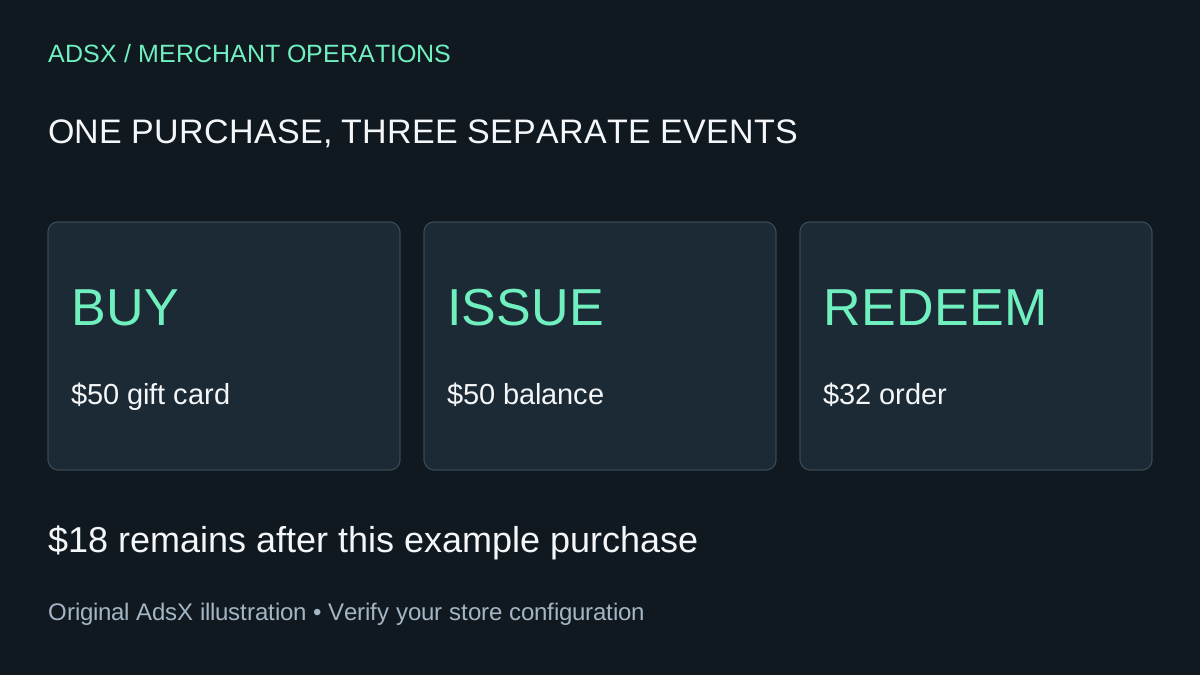
Original AdsX gift-card workflow illustration.
Choose between selling value and issuing value
Shopify's gift-card overview distinguishes a gift-card product bought by a customer from a gift card created directly in the admin without receiving payment. The gift-card feature is available on all Shopify subscription plans.
For a public product that shoppers buy as a gift, use the product route. A manually issued card serves a different operational purpose. Keep the reason for any manually granted value in your internal records so staff can distinguish a purchase from a promotion or customer-service adjustment.
Also separate a gift card from a discount. A gift card supplies value toward a purchase; a discount changes the price under its conditions. Your product copy should make clear what the buyer is purchasing.
Pick denominations that fit the catalog
Imagine a small stationery shop where a notebook costs $18, a pen set costs $12, and a desk set costs $45. An illustrative opening selection of $25, $50, and $75 cards gives buyers three understandable options. These are planning examples, not recommended amounts for every store.
Review each amount against likely baskets and delivery costs. A $25 card does not necessarily cover a $25 product once other charges apply. Describe the card's value accurately rather than promising “a complete gift” without checking the total.
Use the first-assortment guide to keep this decision connected to your actual catalog. There is little value in offering ten denominations before customers can choose between the underlying products.
Create the correct product type
Shopify's gift-card product instructions describe the route through Products → Gift cards → Add a gift card product. Add the title, description, media, currency, denominations, and sales-channel availability, then save. Denominations are preset values; the standard storefront product does not let the shopper type an arbitrary amount.
The description should answer practical questions:
- Is this a digital gift card, and how does the recipient receive it?
- Where can it be redeemed?
- Which currency does it use?
- Where can the recipient find help or check the remaining balance?
Confirm the actual theme behavior before advertising recipient fields or scheduled delivery. Keep the image recognizable as a gift card without presenting it as a physical item that will ship.
If selling in multiple currencies, review the available gift-card currency and cross-currency settings before creation. Local-currency products also need appropriate catalog publication. Do not assume a currency selector on the storefront settles redemption eligibility; verify the intended market separately.
Check fulfillment, not just checkout
The product instructions state that fulfillment of the gift-card product creates the purchased card. That makes fulfillment a critical part of delivery. Review the store's actual order-processing settings and what staff must do when a gift-card order arrives.
Use a supported test process to inspect the complete path. Record whether the product was purchased, whether the relevant line was fulfilled, and whether the intended recipient can access the card. A successful payment screen alone does not demonstrate the whole journey.
For a mixed cart containing a notebook and a gift card, inspect the digital and physical items separately. Staff should not confuse issuing the card with dispatching the notebook. Our pre-launch order checklist provides a broader order review.
Verify three redemption scenarios
Shopify's redemption guide explains that balances can be used across orders and applied to the order total, including shipping and tax. A customer needs another payment method when the balance does not cover the total.
Use a worksheet like this, with fixed illustrative totals:
| Starting balance | Final order total | Expected value to verify |
|---|---|---|
| $50 | $32 | $18 remains on the card |
| $50 | $50 | No remaining card balance |
| $50 | $64 | Another payment method covers $14 |
Check the final total shown by the real checkout, especially when tax estimates can change. If you sell subscriptions, test that purchase type separately: Shopify documents gift cards for the first payment, with an eligible payment method needed for recurring charges. A gift card also cannot purchase another gift card.
Budget for the transaction and the later order
Gift-card sales do not eliminate the cost of eventually supplying products. Keep purchased value, redeemed value, remaining balances, refunds, and payment charges distinguishable in your records. This is an operating checklist, not an accounting treatment for your jurisdiction.
Shopify's overview also identifies gift-card redemption transaction fees for stores created on or after May 12, 2025, with a documented Plus exception when Shopify Payments is active. Review the current terms for your store rather than assuming redemption is free. The transaction-fee guide covers related costs.
Confirm the applicable gift-card rules before setting expiry or tax treatment. Those rules vary by region; the presence of an admin setting does not establish what your business may legally choose.
If you are still evaluating the platform, start a Shopify trial and build one representative gift-card product alongside the merchandise it will buy. Check the terms shown at signup. Launch the offer when you can explain and verify both halves of the purchase: giving the card and spending it.