A merchant selects three accessories in Search & Discovery, but only one appears beside the main product. The recommendation list is saved correctly. Two of the chosen products fail storefront eligibility checks, so rewriting the block would leave the underlying problem in place.
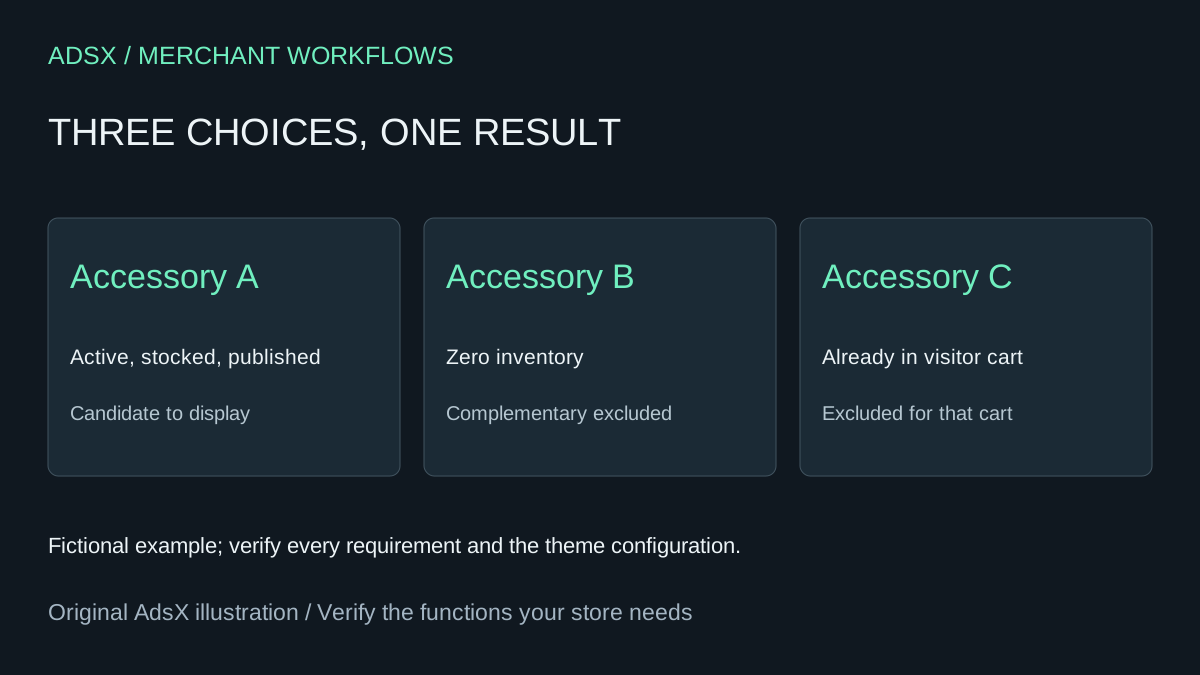
Original AdsX illustration.
Separate selection from display eligibility
Shopify documents several conditions for recommended products: active status, Online Store publication, a price above zero, and exclusions for gift cards, unlisted products and items already in the visitor's cart. Complementary products must have inventory above zero. Related products can have different out-of-stock behavior when continued selling is enabled. Do not copy a related-products diagnosis directly onto an add-on block. Shopify recommendation requirements
In the fictional example, accessory A is eligible on these checks. Accessory B has zero stock even though continued selling is enabled, so it does not qualify as a complementary product. Accessory C is already in the visitor's cart. Test again with an empty cart before deciding that C is missing for everyone.
Check the template the customer actually uses
Confirm the product's assigned template contains a supported complementary-products block and that the block is visible. Review the maximum number of items the theme is configured to show. Saving recommendations in the app does not add a missing block to every product template.
A related-products section serves a different display purpose and may show automatically generated alternatives. Check the section name before troubleshooting the wrong component. Shopify related-products sections
Make a review table with the source product, recommended product, status, publication, price, inventory, cart presence, template and observation time. For a B2B or market-specific report, also record the customer context and catalog availability. Use aliases in the AI worksheet; customer names are unnecessary.
Ask for the next check, not an invented diagnosis
Have the assistant classify each row as a documented exclusion, configuration to inspect or unresolved. Unknown inventory is not zero. A missing template name is not proof that the block is absent. The output should identify which source record or preview would resolve each unknown.
Change one thing at a time in a preview: empty the cart, inspect the chosen product, then inspect the block configuration. Do not increase inventory just to make a recommendation appear unless that stock is real. Replace an unavailable accessory with a genuinely compatible in-stock option when that better serves shoppers.
After the display works, evaluate engagement separately. A visible recommendation is not a sale, and a disappearance is not automatically lost revenue. This checklist helps diagnose a narrow native feature; retain a specialist upsell app when its placement or campaign controls are needed rather than assuming Search & Discovery reproduces them.
Try the worksheet prompt
Illustrative prompt, not execution-tested.
Given sanitized source-product and recommended-product rows, classify missing Shopify complementary products using status, Online Store publication, price, gift-card/unlisted flags, inventory, visitor-cart presence and template configuration. Keep related-product rules separate. Mark missing evidence unknown and suggest the next admin or preview check. Include market/B2B context when supplied. Do not change inventory, publish products or claim lost revenue.
Copy the prompt from the merchant library. For related work, see Replace Basic Shopify Product Recommendations With AI and Free Tools.