A dispute-rate change can reflect when customers filed disputes, when the original payments happened, or how long those purchases have had to develop problems. Read the date basis before deciding that a new offer improved or worsened payment health.
Disclosure: Dennis Hegstad works at Whop and owns AdsX. AdsX may earn a commission from qualifying businesses referred through our signup links. Public sources were reviewed October 18, 2026. Examples are illustrative, not merchant account tests. Editorial policy.
Original AdsX explanatory illustration.
Identify the question behind the chart
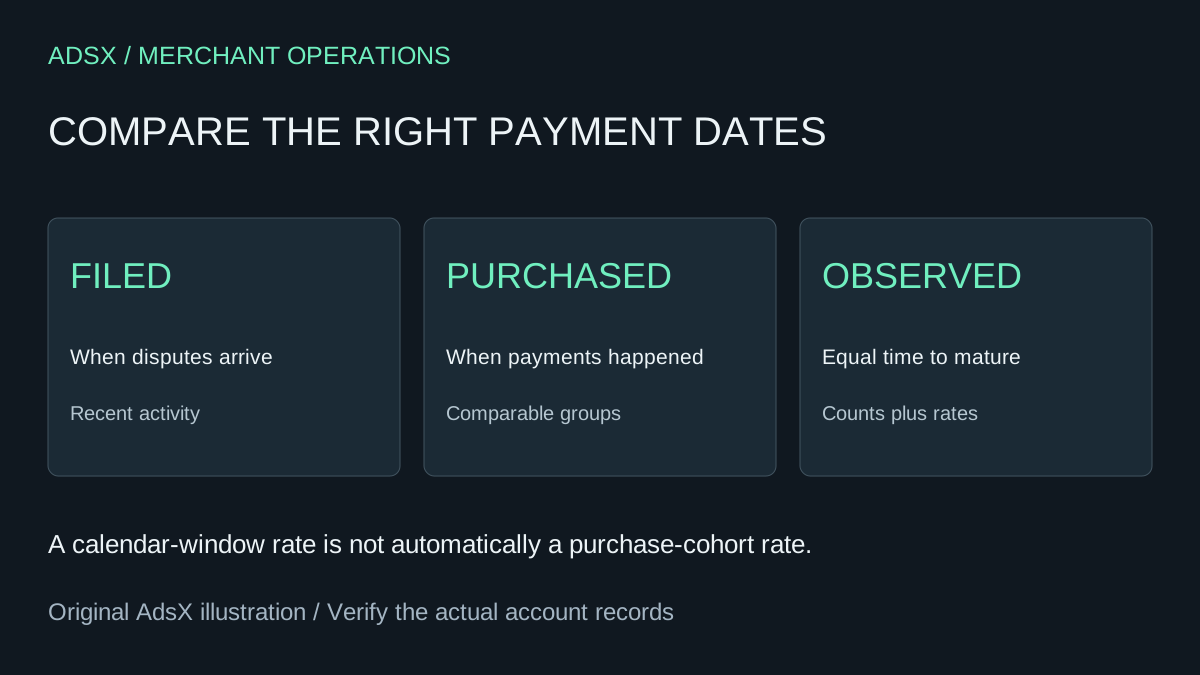
Whop's Payment health documentation describes two views. The 30-day window divides disputes filed during that window by payments taken during it. The purchase-date view assigns disputes to the underlying payment date and lets you select a 7-, 14-, or 28-day observation period.
These views answer different questions. A filing-window measure helps describe recent dispute activity relative to recent payment volume. A purchase-date cohort helps compare groups of purchases with a consistent time to observe the outcome.
Write the question before choosing the view. “How much dispute activity are we handling now?” is different from “Did buyers of the revised workshop experience fewer problems?” Neither should be answered by a screenshot with the filters cropped out.
Work through an illustrative timing example
Imagine a fictional course merchant records 800 payments this month and receives 12 disputes during the same month. Nine of those disputes concern purchases made earlier; three concern this month's purchases.
The simple filing-window calculation is 12 divided by 800, or 1.5%. That does not mean 1.5% of this month's buyers have disputed this month's payments. The numerator and denominator describe activity in the same calendar window, but not necessarily the same underlying purchases.
The three disputes tied to this month's 800 payments would produce 0.375% at that moment. That is not automatically a mature cohort rate either: recent purchases have had less time to generate a dispute, and you still need the chosen observation period.
These numbers explain timing only. They are not Whop performance data, network thresholds, or a statement that any account is in good standing.
Compare equally mature purchase groups
Suppose you revise the onboarding instructions for a paid community. To evaluate the change, compare comparable purchase groups using the same observation window. Do not compare an older group with 28 days of history against a new group with only three days.
Use a review table before drawing a conclusion:
| Review field | Why it matters |
|---|---|
| Purchase period | Defines which payments belong to the group |
| Observation window | Gives outcomes the same time to appear |
| Payment count | Shows the size of the denominator |
| Dispute count | Keeps a small absolute change visible |
| Product and acquisition mix | Flags other changes between groups |
| Date of review | Shows how current the snapshot is |
If two disputes occur among 100 payments, the rate is 2%. Two among 1,000 payments is 0.2%. Show counts beside percentages so a reader can judge how much evidence sits behind the movement. A small sample can be useful for finding specific problems without supporting a broad claim about improvement.
Investigate reasons before changing the offer
Review the relevant cases and look for a concrete pattern: unclear delivery, difficulty finding access instructions, an expectation mismatch, or a billing question. Those are investigation categories, not claims that your account has any of those problems.
Whop's Resolution Center guidance describes reviewing customer refund claims and responding with acceptance, denial, or a request for more information. A refund claim in that workflow and a bank dispute are different events. Keep them separate when assembling your review.
For an individual payment problem, use the refund and cancellation workflow. For the broader review, record the observed issue, supporting cases, proposed change, and the future cohort that will help assess it. Do not turn a low rate into a reason to ignore a specific customer request.
Keep account controls and affiliate reporting separate
Follow the actual notices and terms that apply to your account. This article does not establish a universal acceptable dispute threshold or replace a provider's account review. If a control or warning appears, investigate that notice directly rather than assuming a favorable chart overrides it.
Payment health also does not tell AdsX whether a merchant referral earned a partner commission. The Whop tracking guide separates traffic and purchase outcomes; referral eligibility and commissions require their own records.
If you are assessing Whop for a paid business, use AdsX's Whop signup link and review the payment-health tools and terms available to your account. Build a review habit that keeps dates, counts, and customer evidence together. That gives you a more useful basis for improving the offer than reacting to a percentage alone.