A Whop checkout link sends a customer directly to a payment or access page. It can suit a workshop, a service, a digital product, or a focused physical offer with a defined delivery process. For a full shopping cart across several items, review the native multi-product checkout guide instead. The key is to connect the right product, billing terms, and post-purchase experience before distributing the link.
The steps below follow Whop’s public checkout-link instructions, reviewed on October 4, 2026. Dashboard labels and available payment methods can vary. This is a documentation-based walkthrough; we have not processed a purchase for this article. AdsX may earn a commission from qualifying Whop referrals.
Disclosure: AdsX owner Dennis Hegstad is employed at Whop. This article is published by AdsX. See our editorial policy for our relationships and research standards.
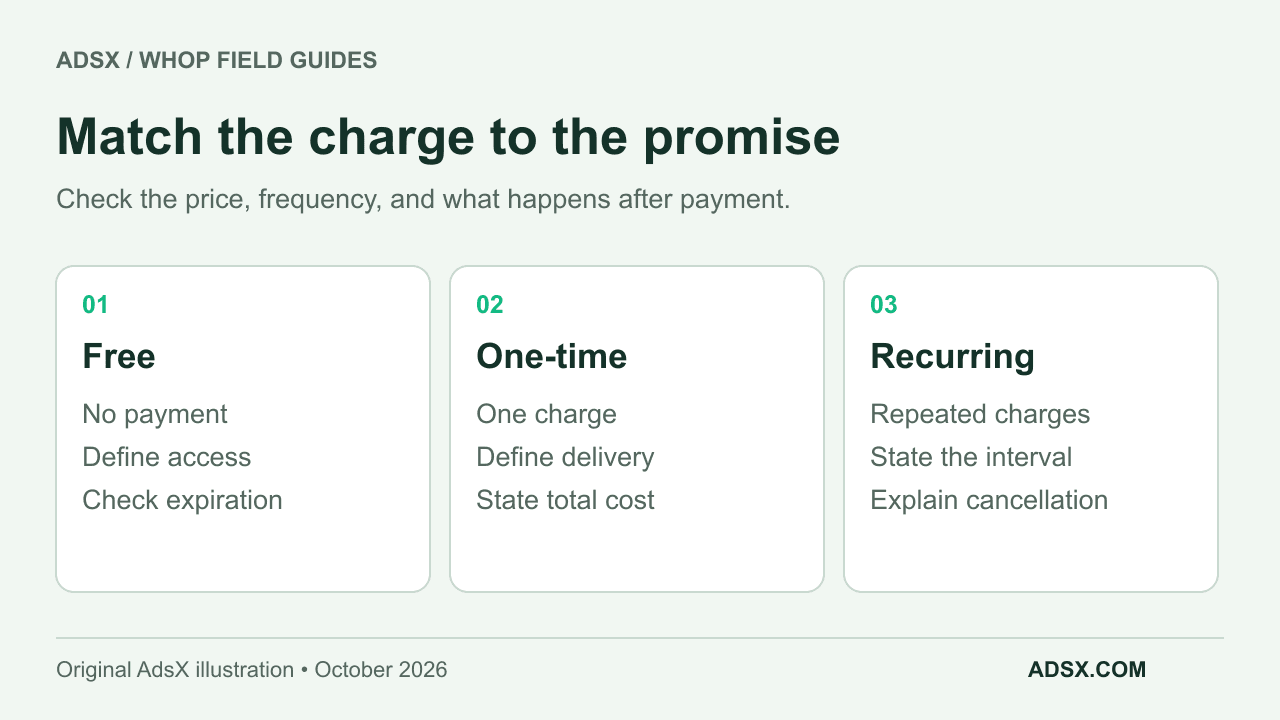
Decide what the link should sell
Write one sentence with the amount, billing frequency, and deliverable. “Pay $60 once for the Saturday workshop and its recording” is clear. “Get premium access” leaves the buyer guessing about both the bill and the product.
| Offer | Starting pricing choice | Detail to make explicit |
|---|---|---|
| Free introductory resource | Free | What is included and whether access expires |
| Single workshop or item | One-time | Delivery, access duration, and any separate charges |
| Ongoing membership | Recurring | Billing interval, included service, cancellation process |
| Fixed total paid in installments | Recurring with split payments configured | Number of payments, each amount, and total commitment |
These examples illustrate pricing choices. They are not recommended prices or a promise that a particular payment option will be available to every business.
Create the link in the dashboard
Whop’s documented route is Dashboard → Checkout links → Create checkout link. Select the product and pricing type, enter the amount and currency, then review the available advanced options and payment methods before creating the link.
Whop’s product documentation explains how products define the apps or content a buyer receives. If you use Whop only to collect payment and fulfill elsewhere, you do not need to attach an app merely to make the offer look complete. You do need a reliable delivery process.
For a recurring offer, check both the recurring price and any initial fee. A setup fee plus a subscription is a different commitment from a subscription alone. Show the terms consistently on the sales page and checkout.
Watch the official walkthrough
Whop embeds this Whop University tutorial in its checkout-link documentation. It shows the payment-link setup; use the written documentation for current options if the interface differs.
Open the checkout tutorial on YouTube if the player is unavailable.
Review advanced options deliberately
The documentation describes settings for purchase limits, pre-checkout questions, visibility on the store page, waitlists, redirects, and access expiration. Configure the settings your offer needs; avoid turning on unfamiliar options just because they are available.
A purchase limit on a link is not sufficient evidence of warehouse inventory synchronization. If you sell physical products, verify that the selected item, quantity, and shipping details reach fulfillment correctly. Our physical-product guide covers that handoff.
Likewise, a redirect changes where the customer lands after checkout. It does not prove that the customer has received the correct file, entered the right community, or obtained a valid shipment record. Test delivery separately from navigation.
Keep installments separate from financing
Whop’s guide describes split payments as scheduled charges that stop after the configured number of installments. It distinguishes this from provider financing, which has separate eligibility, repayment, settlement, and reserve terms. The financing documentation describes provider-specific exceptions; do not assume every financed payment is immediately withdrawable.
For a hypothetical $240 offer split into three monthly $80 payments, verify the number of payments, each amount, and the stated total. Do not accidentally publish an ongoing $80 subscription. Also decide when the customer receives the product and what happens if a later payment fails.
The distinction matters for cash planning. An installment schedule does not mean you receive the full $240 on day one. Review payment-method eligibility and the Whop fee guide before choosing the arrangement.
Check the link as a buyer
Open the public link outside the editing view. Confirm the business and product name, amount, currency, frequency, included deliverable, and support route. Check it on a phone, where an unexpectedly long description or unclear charge can be harder to spot.
Then validate the post-purchase result with the testing method supported for your integration. For a workshop, confirm that the correct access is granted. For an item shipped elsewhere, confirm one usable fulfillment record. Document the refund and cancellation workflow as well as the successful sale.
Use distinct campaign links when you need to compare distribution channels. Whop’s tracking-link documentation explains its reporting tools. Keep visits, purchases, revenue, refunds, and money available for payout as separate measures; one cannot stand in for all the others.
Make one link dependable before adding more
Finish the Whop launch checklist, then save the final product and checkout URLs in your operating notes. If you change the price or access later, revisit the customer-facing promise too.
For broader platform context, read Whop for ecommerce. If this workflow fits your offer, explore Whop through our referral link and start with one clearly defined product.