To sell a physical product on Whop, choose the native storefront or an appropriate payment-and-fulfillment connection, configure the catalog and price, and define how paid orders will be delivered. Before sharing the checkout publicly, verify that a successful payment produces the correct order and that a failed or refunded payment does not result in an unwanted shipment.
This guide follows Whop’s public documentation as reviewed on October 4, 2026. We have not run a warehouse or test store through this flow. The launch checks below are our recommended acceptance criteria. AdsX may earn a commission from qualifying Whop referrals.
Disclosure: AdsX owner Dennis Hegstad is employed at Whop. This article is published by AdsX. See our editorial policy for our relationships and research standards.
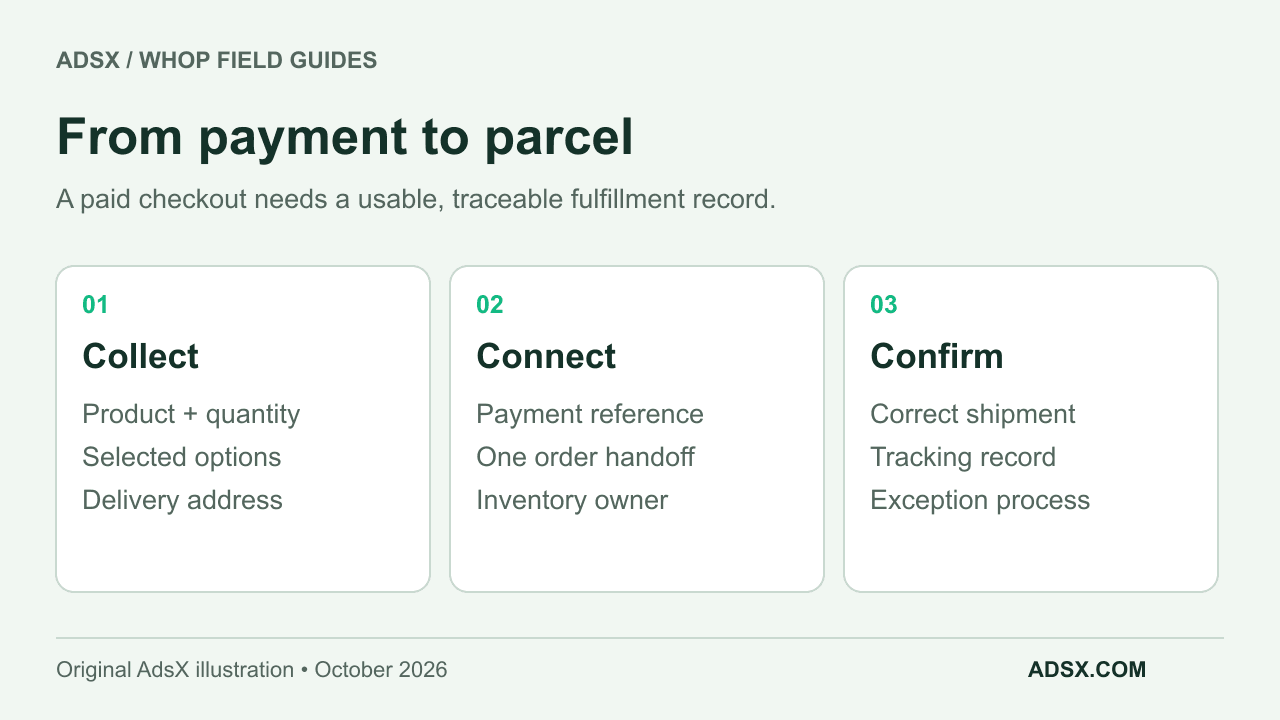
1. Start with an offer you can describe precisely
Write the product promise before configuring the dashboard. Include what is in the package, what options the buyer chooses, where you deliver, when you expect to dispatch, and how the buyer can get help.
For a hypothetical first release of 40 ceramic mugs, the offer might be one mug in one of two colors, with a stated dispatch window and a clearly defined delivery region. That is easier to validate than a launch with dozens of sizes, colors, bundles, and subscription options at once.
Keep a small product record with an internal identifier, option values, sellable quantity, package weight, and fulfillment contact. Use the variant planning guide to give each sellable combination an unambiguous identity for the person packing the order.
2. Create the product and choose the billing model
Whop’s October 1 feature announcement includes native variants, inventory, and multi-product checkout. Its Blueprints guide describes the hosted website route. If you are building a new native store, start with that route and check its current catalog controls; do not substitute membership purchase limits for physical stock.
Whop’s create-product instructions cover naming the product, adding a headline and banner, selecting pricing, attaching experiences where needed, and preparing the product page. For an ordinary single purchase, select one-time pricing. Use recurring pricing only when the offer truly includes recurring charges and delivery or access.
Add product photos that show what will arrive. State whether accessories shown in a photo are included. If delivery is charged separately, make the charge and the total payable clear before purchase. Do not leave shipping economics to a sentence that contradicts checkout.
A membership and a refill shipment may both use recurring billing, but they make different promises. Write the cancellation and delivery process for the actual offer instead of copying a digital-membership template.
3. Choose the fulfillment path available to your business
For the native store route, verify how the paid order reaches the person or service shipping it. The launch announcement confirms catalog and checkout features; it does not establish every merchant’s warehouse connection.
For an external fulfillment setup, the DTC ecommerce guide describes custom fields, webhooks, and an automation service. This is a documented alternative workflow, not a requirement that every native store must use those same components.
Whop’s physical-products page also advertises a Shopify fulfillment connection. If you have a Shopify store, confirm the setup and supported behavior available to your account. The public setup guide does not provide enough detail to promise that every variant, shipping rule, inventory location, or refund will map automatically.
Choose one operational owner for each record:
| Record | What to decide | Failure to avoid |
|---|---|---|
| Product and option | Which identifier the warehouse receives | Shipping the wrong color or size |
| Inventory | Which system reserves and releases units | Selling the same last unit twice |
| Payment | Which status permits fulfillment | Shipping a failed or pending payment |
| Shipment | Where tracking and dispatch are recorded | A customer paying without a traceable order |
| Refund | Who stops or reverses delivery where possible | Refunding an order that is still being packed |
If a connection cannot cover one of these steps, document the manual process and its capacity. Five carefully reconciled orders can be manageable. Hundreds of unreviewed order messages are a different operation.
4. Make the handoff safe to repeat
A fulfillment system should recognize an order it has already received. Ask your integration provider how duplicate payment events are handled and what happens when the first attempt to create the order fails. Record the payment reference beside the fulfillment reference so the two can be reconciled.
For the mug example, a useful acceptance rule is: “Each successful purchase creates exactly one fulfillment order for the selected color and quantity.” Another is: “An incomplete address is held for review instead of sent to the warehouse.” These are requirements to verify, not claims about default Whop behavior.
Also decide what happens if the buyer changes an address after payment. The support team needs to know when an order can still be changed and when it has already left the warehouse.
5. Check the customer journey before launch
Use the platform’s supported testing process for your integration. Where a real purchase is needed, understand the charge, refund, and fee implications first. Check the product page and checkout on a phone as well as a desktop.
Verify a normal order, an unavailable option, a failed payment, a duplicate event, an invalid address, and a cancellation before dispatch. Confirm which messages the customer receives and where they can find support. Keep operational order messages separate from optional marketing consent.
The free Whop launch checklist gives you a place to track these checks. The checkout-link guide covers the payment settings; the fee guide helps you model what remains after costs.
When is Whop a sensible first step?
It is worth evaluating when a focused product offer, direct checkout, and community or content access match your business. If the main challenge is a complex physical catalog, compare the operating requirements in Whop vs Shopify before choosing.
Once the fulfillment plan is clear, explore Whop through our referral link. Launch the smallest offer that exercises the whole process, then expand after you can reconcile what was paid, delivered, and refunded.