A Volusion-to-Whop move should begin with a record of what the store contains. The homepage will not tell you which private records support fulfillment, how product options relate to products, or what changed after an export was taken.
The practical task is to keep those relationships understandable while a new storefront is prepared. Export files are evidence and a fallback for reconciliation; they are not proof that Whop accepts every source field or imports every business process.
Disclosure: Dennis Hegstad works at Whop. AdsX may earn compensation from qualifying Whop referrals. Sources reviewed October 31, 2026. Examples are illustrative; AdsX has not tested these merchant migrations.
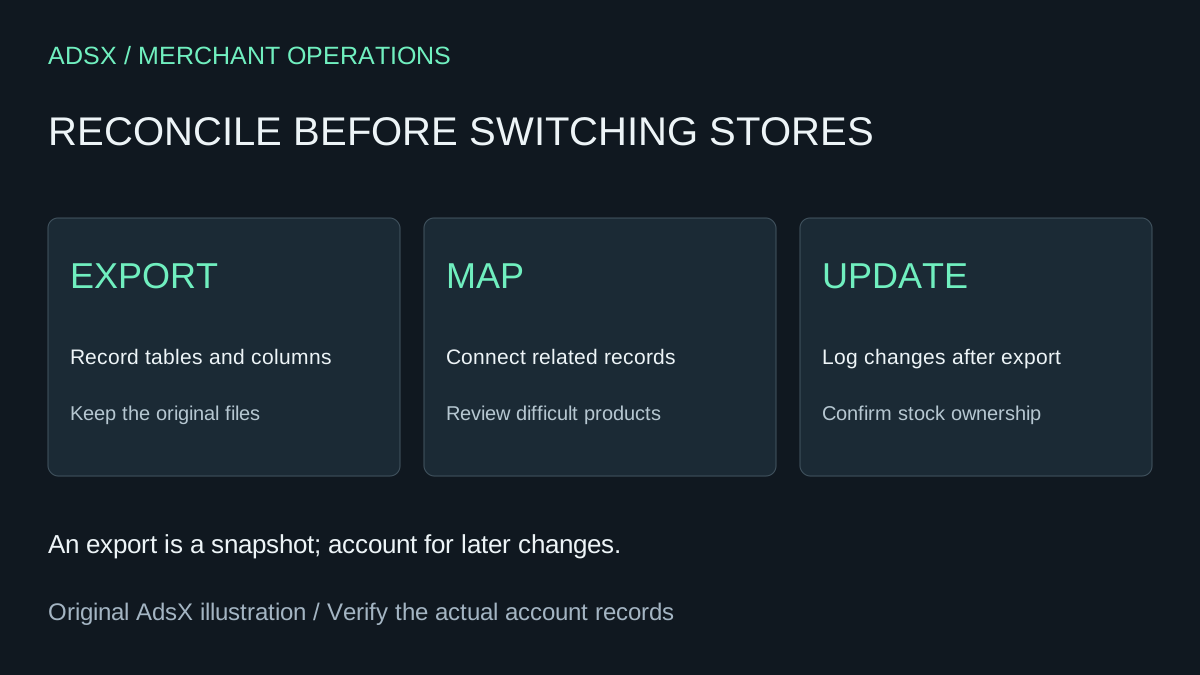
Original AdsX explanatory illustration.
Build an export register
Volusion's Import/Export guide places these tools under Inventory in the admin. Standard Export selects one available table at a time and lets you choose its columns. Record each table you actually export, the fields selected, and the time it was generated.
Start with the information needed to operate your catalog and outstanding orders. Keep customer and order exports private and limit access to the people handling the move. Do not attach private exports to a public website migration request unless a verified, appropriate process specifically requires them.
| Export register field | Why it matters |
|---|---|
| Source table and file name | Identifies exactly what the file represents |
| Export time and filters | Establishes the snapshot's scope |
| Record count | Helps identify omissions without claiming completeness |
| Product or order references | Connects related records across files |
| Intended destination or archive | Gives every dataset a purpose |
| Responsible person | Makes unanswered mapping questions actionable |
Two files with the same row count can still contain different records. Compare references as well as totals. Keep an untouched copy of each source export so later cleanup does not destroy the evidence you need to resolve a mismatch.
Inspect product relationships before renaming anything
Work through a small group of products that represent the store's complexity. Include an ordinary item, an item with several options, and an item with an unusual fulfillment requirement. Write down the source references that connect each item to its options and operational records.
Suppose a parts retailer has a filter sold in two sizes. The public name is similar for both, but the fulfillment team relies on distinct product references. A destination page that merges them under one vague label creates a picking risk even if the images look correct.
The acceptance check is specific: select each size, compare its intended price and availability, and confirm the order detail gives staff enough information to pick the correct part. Preserve the old-to-new reference mapping in a private working file. These are illustrative checks, not claims about a tested Volusion migration.
Use URL migration for the storefront, then review the result
Whop's website migration documentation describes a URL-based workflow that recreates a site and its public catalog. Treat that output as a storefront to validate against your source register. The documentation does not establish a dedicated Volusion connector or automatic movement of private orders, customer accounts, or every catalog rule.
Review the generated pages alongside the source data. Decide explicitly whether each unsupported requirement will be rebuilt, handled in another system, or excluded from the proposed move. Do not quietly remove a rule simply because it is absent from the first preview.
The product image review can help catch mismatches between similar parts. The migration checklist covers the wider launch process.
Account for changes during the move
Exports age as the store trades. Keep a change log for product edits, inventory adjustments, and newly received orders after the snapshot. Choose a clear cutoff and assign someone to reconcile the difference before the new store accepts normal traffic.
For example, if an exported item showed eight units and three were subsequently sold, loading eight as the available balance would ignore those sales unless another verified process accounts for them. Confirm which system owns stock at launch and how reservations or unfulfilled orders affect the available amount. Do not infer it from the age of the export alone.
Use a controlled pilot where practical. Keep the old operational records accessible while the first destination orders are reviewed; follow the open-order handoff guide for responsibilities that span the transition.
Approve the move against requirements
A reasonable go-live decision requires a reviewed catalog, understood stock ownership, working checkout, and an owner for unresolved customer obligations. If a required Volusion workflow has no verified replacement, keep that part of the business on its current process until the gap is resolved.
Start a Whop account through our partner link when you are ready to assess the destination. Bring a representative product set and the export register so the evaluation answers operational questions as well as design questions.