A form that looks correct after a website import can still send information to the wrong place. Before switching traffic to a Whop site, follow each inquiry and booking path through to the record your team actually uses. A success message alone is not a complete acceptance check.
This is about preserving operational forms and booking journeys during a website move. It is separate from adding newsletter capture or starting an outreach campaign.
Disclosure: Dennis Hegstad works at Whop. AdsX may earn compensation from qualifying Whop referrals. Sources reviewed October 30, 2026. Examples and acceptance checks are illustrative; AdsX has not tested these merchant migrations.
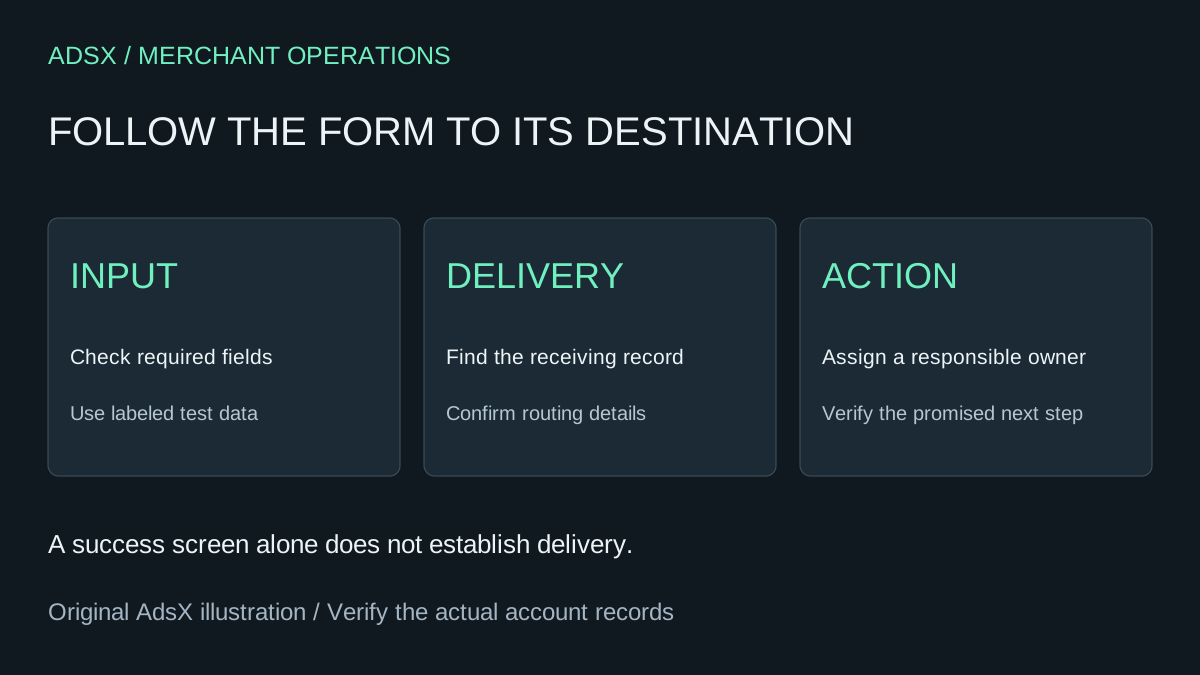
Original AdsX explanatory illustration.
Inventory the actions visitors can take
Whop's website migration guide tells merchants to reconnect forms and third-party integrations as part of the migration review. Treat every active form and external booking link as an item with its own destination and owner.
List contact requests, quote forms, service bookings, intake questions, and any buttons that open another application. Record the fields required, the destination system, the team member responsible, and the next action promised to the visitor.
Do not assume that matching page text means matching behavior. The old form may have hidden routing rules or a connection that is not visible to someone reading the public page.
Trace one submission end to end
| Stage | Evidence to collect |
|---|---|
| Visitor input | Required information is understandable and can be entered |
| Validation | Missing or invalid information produces useful feedback |
| Submission | The page clearly reports success or a recoverable error |
| Destination | The intended system receives the correct test record |
| Ownership | The responsible person can find and act on it |
Use clearly labeled test information and a supported test route where available. Coordinate with the team so test requests are not mistaken for real appointments or leads. Avoid entering sensitive customer data simply to prove that a field works.
A visible thank-you screen is evidence of the front-end response. The destination record and staff handoff establish whether the workflow continued.
Example: an installation quote request
Imagine a service business asking for a postcode, product type, and preferred appointment window. Its old form routes requests by service area. The imported page reproduces all three fields, but the replacement destination is a general queue.
The acceptance question is not just whether those fields appear. Can staff distinguish an in-area request from one the team cannot serve, and does the customer receive an accurate next-step message? If routing is not reproduced, choose a deliberate manual review process before promising the old response experience.
Document the decision in plain language. “All requests reach the service coordinator for area review” is an operating rule. “Integration done” does not tell the next person what to expect.
Review external booking links separately
An external calendar can remain the right destination if that is your intended setup. Verify the correct service, account, duration, location, and displayed time zone. Check whether a booking requires payment elsewhere and whether the page explains the sequence accurately.
For Whop's own calendar workflow, consult our calendar bookings guide. Do not describe a copied external booking button as an automatic migration of existing appointments, availability rules, or customer records.
Also review cancellation and rescheduling destinations. A new booking path does not necessarily replace the management link a customer received for an older appointment.
Keep measurement separate from delivery
Whop's tracking integration documentation describes connecting analytics platforms through account settings. An analytics connection does not prove that a form reached the operations system.
Define what each observed event means. A button click, a submission attempt, a created inquiry, a confirmed booking, and a paid purchase are separate outcomes. Avoid labeling every click a lead or every form submission a sale. Confirm the supported instrumentation for the actual path before relying on a conversion report.
Use the same test identifier where practical to reconcile a submission with its destination record, without sending private field contents to analytics unnecessarily.
Make the handoff part of the launch decision
Save the results for each form, the unresolved issues, and the person who can correct them. Keep the old working route available until the replacement has passed its review. Use our website migration checklist for the wider switch.
When you are ready to inspect an imported site, start Whop through AdsX's partner link. Confirm the customer action and the receiving workflow together before directing more visitors to it.