Shopify and Whop both warrant evaluation for a physical storefront. Whop’s October 1, 2026 release adds native multi-product checkout, variants, inventory, and itemized sales tax to its broader content, community, and service tools. The decision now depends on your complete operating requirements, including fulfillment, integrations, customer access, and cost.
That is a starting recommendation, not a universal winner. The right choice depends on what you sell and what must happen after a customer pays. This comparison uses public documentation reviewed on October 4, 2026; it does not claim hands-on speed or conversion testing. AdsX may earn commissions from qualifying referrals to either platform.
Disclosure: AdsX owner Dennis Hegstad is employed at Whop. This article is published by AdsX. See our editorial policy for our relationships and research standards.
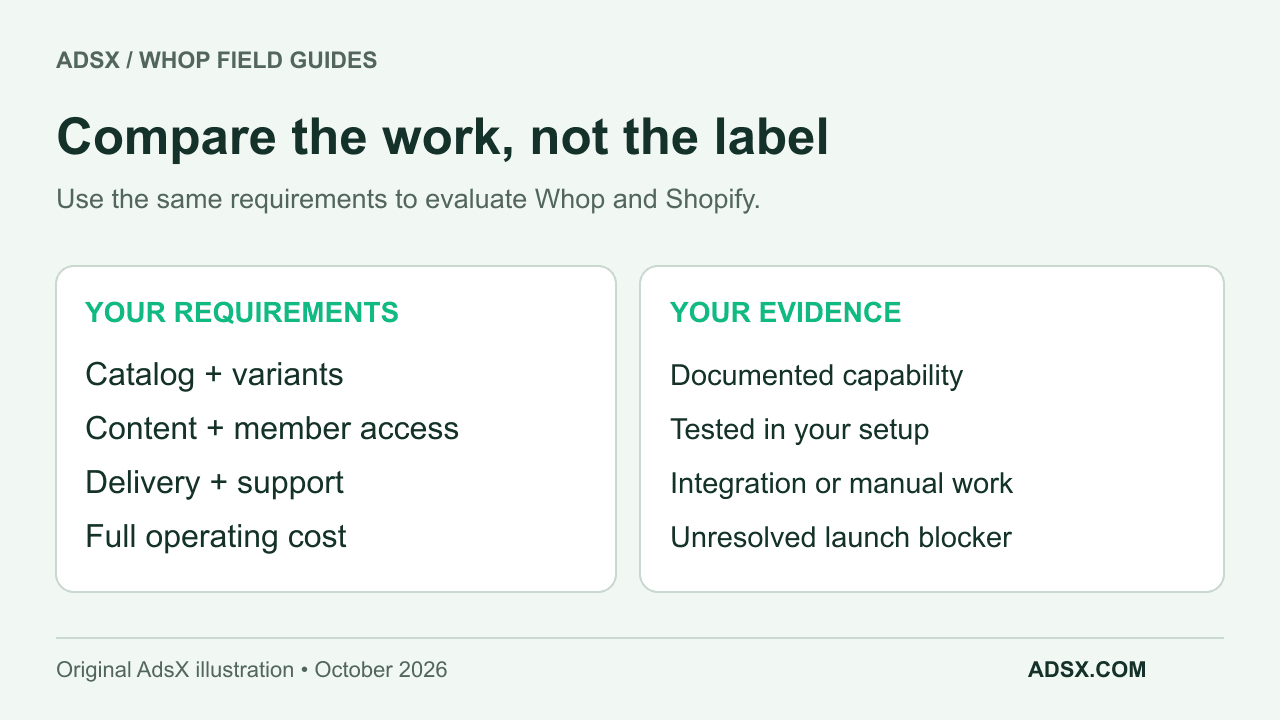
Compare the jobs your business needs done
| Decision | Whop | Shopify |
|---|---|---|
| Shape of the offer | Hosted ecommerce stores with announced variants and inventory; also products with apps or experiences | Store catalog with products and variants |
| Content or community access | Can attach supported experiences to a product | Evaluate delivery and membership apps for the experience required |
| Physical-product delivery | Native store orders need a verified delivery workflow; external and Shopify-connected routes are also described | Documented order fulfillment and third-party fulfillment workflows |
| Checkout-only use | Hosted payment links; product can be delivered elsewhere | Evaluate the Shopify store and sales-channel setup needed |
| Cost comparison | Processing plus applicable services and operating costs | Plan plus payments, applicable transaction fees, apps, and operating costs |
Whop’s product guide explains how price and app access fit together. Shopify’s variant documentation explains product options and inventory at the variant level. Whop’s ecommerce feature announcement and Blueprints guide now describe its native store capabilities too. Compare the complete workflow you need rather than assuming Whop is limited to a payment link or counting feature names.
When the catalog should lead the decision
Imagine a hypothetical clothing business with shirts in several colors and sizes, stock held in two places, and frequent exchanges. The important questions are whether each option has a reliable inventory record, how orders reach fulfillment, and how changes are handled.
Shopify’s fulfillment documentation gives that merchant an established starting point. A Shopify plan and the right integrations still need configuration; a subscription alone does not connect a warehouse or make inventory accurate.
For Whop, evaluate the native store against the same catalog and delivery requirements. Our launch analysis separates the public release evidence from the checks a merchant still needs to run. Multi-location stock, exchanges, and warehouse connections should be verified for your actual configuration.
Whop’s physical-products offering also advertises Shopify order syncing and fulfillment triggered by payment. An existing Shopify merchant can therefore investigate a combined workflow as well as a replacement. Confirm product mapping, fees, and exception handling before treating that integration as implemented.
When the customer experience should lead
Now consider a specialist selling a recorded workshop with a member discussion group. The buyer needs to pay, find the lessons, and enter the correct group. The Whop setup process distinguishes hosted digital-product experiences from payment processing alone, which helps frame that decision.
Shopify can sell digital goods too. Its Digital Products app supports file delivery and links from supported providers. A download, a course experience, and a moderated community are different requirements. Do not assume that providing a file link completes all three.
For a store selling physical kits plus tutorials, trace both delivery paths. A package can be delayed while digital access works perfectly, or the reverse. Your support process must recognize both.
Compare a normal month, not just a headline fee
Use this structure for each candidate:
Monthly platform costs + payment fees + required apps and services + fulfillment costs + support and reconciliation time
Start with the current Whop fee documentation and Shopify plan pricing. Account terms, payment methods, location, optional services, and billing choices can change the result. Our Whop fee worked example shows why processing fees are only one line in the budget.
A hypothetical merchant saving $30 per month in software but spending three extra hours reconciling orders has a decision about time as well as money. Put a value on that work before declaring one platform cheaper. If you would use both services, model the combined workflow rather than comparing their bills in isolation.
Use a scorecard with a real acceptance rule
List your five most important requirements. Mark each as documented, demonstrated in your own setup, dependent on another service, or unresolved. A marketing promise and a completed test should not receive the same status.
For each requirement, write a result you can observe. “Supports fulfillment” is too broad. “The selected blue, medium shirt appears once in the warehouse queue, with the correct address and paid amount” is testable.
An unresolved requirement that can stop delivery should block launch, even if the platform scores well elsewhere. A feature you might use next year should have less weight than one needed for tomorrow’s orders.
Which should you try first?
Shopify is a sensible starting candidate when your requirements align with its documented store workflows and existing integrations, especially if your operation already relies on them. Use our Shopify fit guide and startup cost calculator to plan the trial.
Evaluate Whop when you want to explore its newly launched hosted store or combine commerce with services, courses, or community access. Follow the Whop ecommerce overview and launch checklist. Explore Whop through our referral link when you are ready to configure a representative offer.
Choose after you have traced a purchase, a delivery, and a support problem. That exercise is more useful than a generic “best platform” label.