A service store needs to sell something you can actually deliver at the promised time. A paid order and a reserved appointment are two records that must agree. Before committing to Shopify, check how your chosen booking app connects them—and what happens when a customer changes plans.
Shopify's service setup documentation explains how to disable the Physical product setting for services and directs merchants to booking apps for scheduling. Availability, capacity, and recurring appointments depend on the selected app's configuration. This guide uses public documentation reviewed October 23, 2026 and a fictional studio example; we have not tested a merchant's booking system.
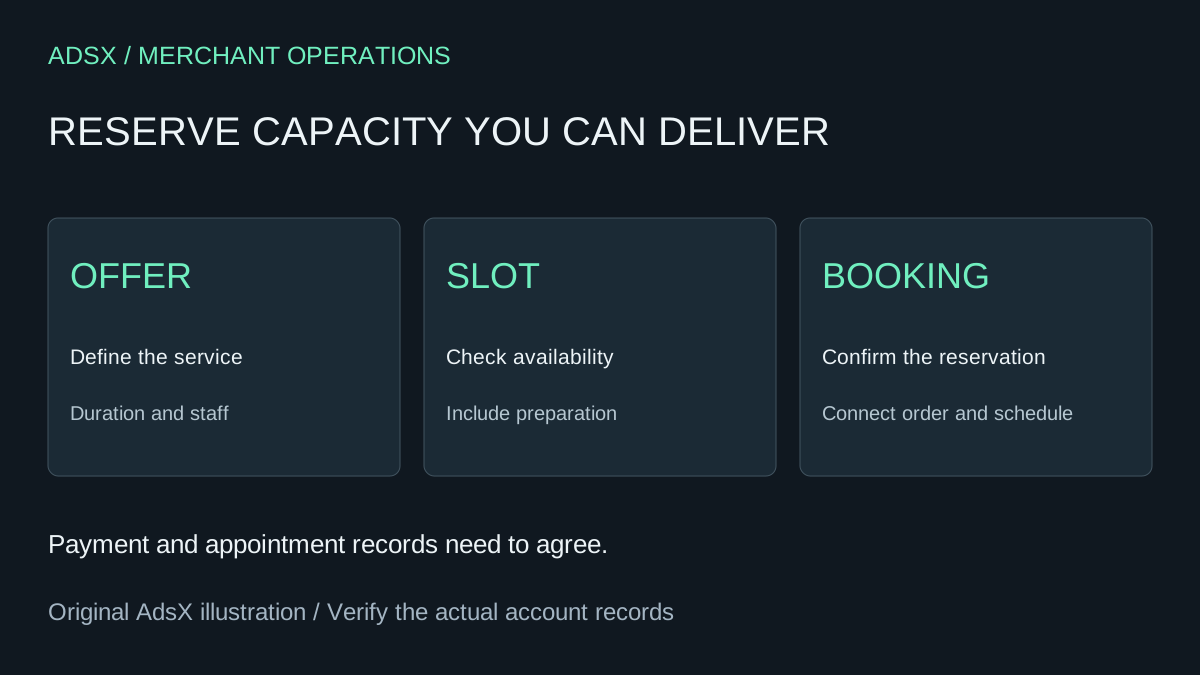
Original AdsX service-booking illustration.
Decide what the customer is reserving
A private lesson reserves a person's time. A group workshop reserves a seat. A consultation may help someone choose merchandise without being the product they ultimately buy. Write the unit of sale before choosing an app.
For a fictional repair studio, a 45-minute consultation also requires 15 minutes to prepare the workspace. Four hours of available staff time therefore supports four appointments, not five. If two services use the same technician, they share that capacity even when they appear as different products.
| Offer | Capacity constraint | Question to answer before launch |
|---|---|---|
| Private consultation | One technician | Can another service take the same time? |
| Small workshop | Six seats and one room | Does each purchase reduce the correct session's seats? |
| Shopping consultation | Staff time before a product sale | Is booking separate from merchandise payment? |
Do not use ordinary product stock as a substitute for a calendar unless the selected implementation explicitly supports the required workflow. A quantity of six says nothing about which Tuesday a customer will attend.
Build the booking journey before the storefront
Sketch the customer's sequence: choose service, choose time, provide necessary details, pay or confirm, and receive a reservation reference. Then sketch the operator's sequence: see the booking, identify its order, prepare the work, complete the appointment, and resolve changes.
Decide when a slot becomes unavailable. A customer browsing a time, an unfinished checkout, and a completed purchase are different events. Ask the app provider how abandoned payments release capacity and how simultaneous buyers are handled. Save the documented answer alongside the configuration rather than assuming every app behaves alike.
A successful card payment should not be the only evidence that the appointment exists. Your team needs a usable schedule with the correct service, duration, time zone, and customer reference.
Evaluate one realistic app workflow
Choose a booking app by the hardest ordinary task your business performs. If customers regularly reschedule, test that first. If a service requires both a room and a specialist, verify shared-resource support before spending time styling the widget.
Use the app review evaluation guide to separate evidence about your workflow from generic star ratings. Check the app's current listing, support documentation, pricing limits, and theme requirements directly. An inexpensive plan is not a fit if the required staff or appointment volume sits outside its limits.
Record what happens when payment fails, a session fills, an operator blocks time, and a customer cancels. For each case, name the person responsible and the records that should change. A refund does not inherently prove that a calendar slot has reopened.
Budget using completed appointments
Suppose the studio expects 40 appointments a month at $60 each. That is $2,400 in booked sales before cancellations, refunds, payment fees, labor, and other expenses. If its hypothetical store and booking software total $80 monthly, that allocation is $2 per appointment at 40 appointments, but $8 at ten. These are illustrative inputs, not current Shopify or app prices.
Compare current quotes using the startup cost calculator. Include the time required to reconcile schedules or repair failed bookings. A manual workaround can be reasonable at low volume if someone owns it and its cost is understood.
Separate shopping help from paid service delivery
Shopify's virtual shopping guidance describes booking a video appointment and creating a draft order for merchandise selected during the conversation. That is a different customer journey from paying for a lesson itself.
For a business mixing services and products, evaluate both journeys. The Shopify versus Wix comparison helps frame that platform decision. If booking is the entire business and your existing scheduling system already works, identify a concrete reason to add a commerce platform before migrating.
Once the required workflow is clear, use the Shopify store setup guide to evaluate the store around it. Launch only after a representative customer can complete the booking and the operator can find, change, and fulfill it without guessing.