A Whop promo code needs two separate time decisions: when someone can redeem it, and how long the discount affects their payments. An offer that closes on Friday can have a different financial effect depending on whether it reduces one payment or every future payment.
Write the intended offer in plain language before creating the code. “New members receive 20% off their first monthly payment” is specific enough to review. “Launch deal” leaves the customer and the person configuring checkout to guess.
Disclosure: Dennis Hegstad works at Whop. AdsX may earn compensation from qualifying Whop referrals through our partner link. This guide uses public documentation reviewed October 8, 2026. Examples are illustrative, and we have not tested a promotion in your account.
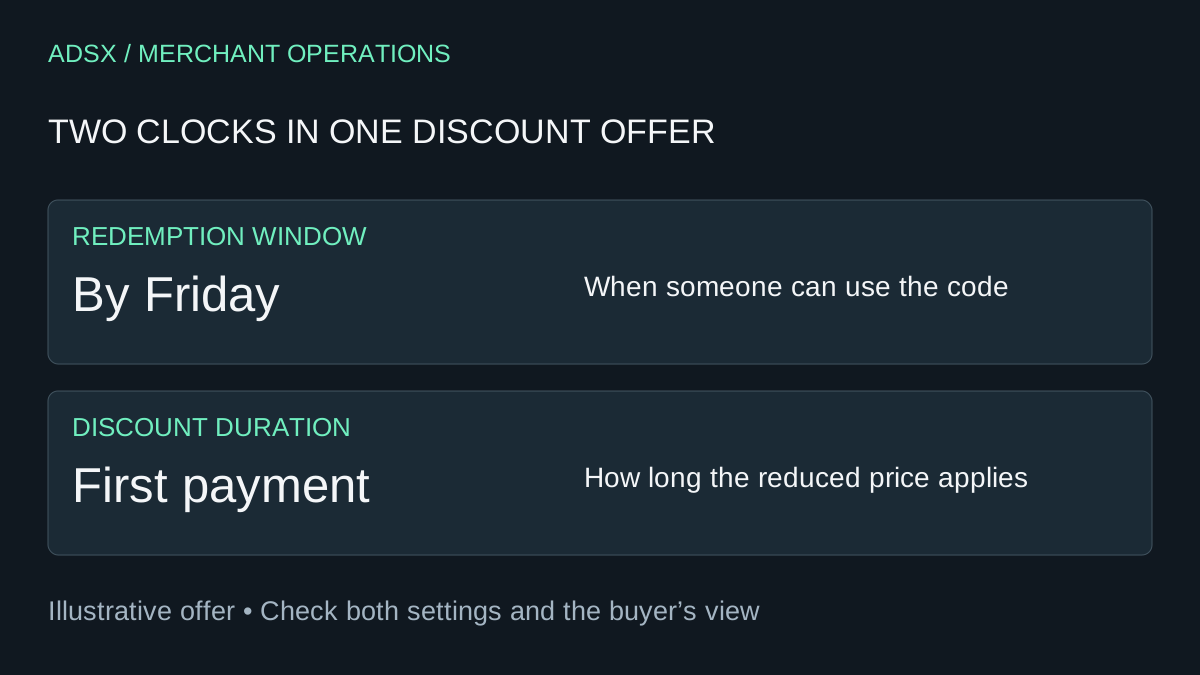
Original AdsX discount-timing illustration.
Define the offer before entering settings
Start with the product, the intended customer, and the reason for the promotion. A course-launch offer may need a different budget from a recurring community membership. A discounted service still consumes the same delivery capacity unless its scope changes.
For an illustrative membership normally priced at $60 per month, consider this brief:
| Decision | Example offer |
|---|---|
| Intended buyer | A new member |
| Eligible purchase | The named monthly membership |
| Discount | 20% off the first monthly payment |
| Later price | $60 per month under the stated membership terms |
| Redemption window | Through the announced Friday deadline |
| Maximum participation | 25 successful eligible redemptions |
This table is an offer specification, not a claim that every checkout type handles a promotion identically. Confirm the corresponding settings and checkout behavior in your account.
Configure scope and duration deliberately
Whop's promo-code documentation describes percentage and fixed-amount discounts under Marketing → Promo codes. Duration options include one-time, forever, and multiple months. The documented controls also cover customer eligibility, expiry, usage limits, reuse by the same customer, and restriction to specific checkout links.
Translate each line of your brief into a setting, then have another person compare the saved configuration with the original offer. Pay particular attention to the selected business and checkout links if the account contains more than one offer.
A redemption deadline and a discount duration answer different questions. Verify both rather than assuming the date selector defines all future pricing. If your offer uses annual billing, installments, or another unusual schedule, check how the documented duration works for that schedule before describing the result publicly. Our subscriptions versus installments guide explains why the underlying payment model matters.
Calculate the discount before celebrating sales
At $60 per month, a 20% reduction is $12. Under the example first-payment offer, the initial charge before other applicable amounts would be $48. Twenty-five such redemptions represent $300 of gross discount value.
Compare that with an illustrative six-payment period:
| Modeled offer | Gross payments from one continuing member | Discount versus six $60 payments |
|---|---|---|
| No discount | $360 | $0 |
| First payment reduced to $48 | $348 | $12 |
| Every payment reduced to $48 | $288 | $72 |
These are arithmetic scenarios, not forecasts of retention or a demonstration of Whop's billing engine. They assume six successful monthly payments at unchanged prices, with no refunds or cancellations. A customer staying for six payments is an assumption to test, not a benefit created by the coupon.
The figures also exclude fees and operating costs. Whop's pricing page separates processing, enabled services, payout costs, and other charges. Use your applicable terms in the final budget; the Whop fee guide provides a starting framework.
For a service with personal feedback, subtract the time needed to deliver it as well. A promotion can fill a calendar while leaving too little margin to do the work well.
Check the buyer's view and the exclusions
Use a supported preview or test process for the exact checkout you intend to promote. Record the price before the code, the discount, the initial total, and any displayed future billing terms. Do not make unnecessary real purchases just to inspect a code.
Build a small acceptance checklist:
- The intended offer receives the intended reduction.
- A checkout outside the stated scope does not receive it.
- Customer eligibility agrees with the published promise.
- The buyer can understand the initial price and later billing terms.
- The deadline and usage restrictions are clearly described.
- The offer remains understandable on a phone.
Where a condition cannot be checked in a preview, mark it unverified and resolve it through the supported process before promotion. A screenshot of the code settings is not proof of the buyer's complete experience.
Avoid claiming that a general promo-code guide establishes line-item, shipping, tax, or stacking behavior for every ecommerce cart. For physical products, use the multi-product checkout guide to identify additional cases and verify the controls your account provides.
End the promotion and measure the right outcome
Whop documents manual expiration of a code and says expired codes cannot be reactivated. Keep a dated record of the offer and its settings before retiring it. Do not promise that disabling further redemption will rewrite the billing terms of customers who already joined; verify existing memberships separately.
Measure successful redemptions, collected payments, refunds, later renewals, and delivery costs. Compare the same observation period for discounted and full-price customers, while acknowledging that they may be different audiences. A coupon used 25 times does not prove 25 purchases would otherwise have been lost.
Promo codes for your products also serve a different purpose from AdsX's partner referral link. The former discounts an offer; the latter refers a business to Whop. If Whop fits the business you are building, create your Whop business through AdsX's partner link, then configure one clearly scoped offer before expanding your promotion calendar.