A time-limited Whop course pass needs a clear access promise before it needs a checkout setting. Specify what the buyer receives, when access begins, when it ends, and whether personal support follows the same schedule. A one-time payment describes the charge; it does not, by itself, explain how long the customer should expect to use the material.
Disclosure: Dennis Hegstad works at Whop. AdsX may earn compensation from qualifying Whop referrals through our partner link. We reviewed public documentation on October 12, 2026. Examples are illustrative; we have not tested expiration, billing, or member access in your account.
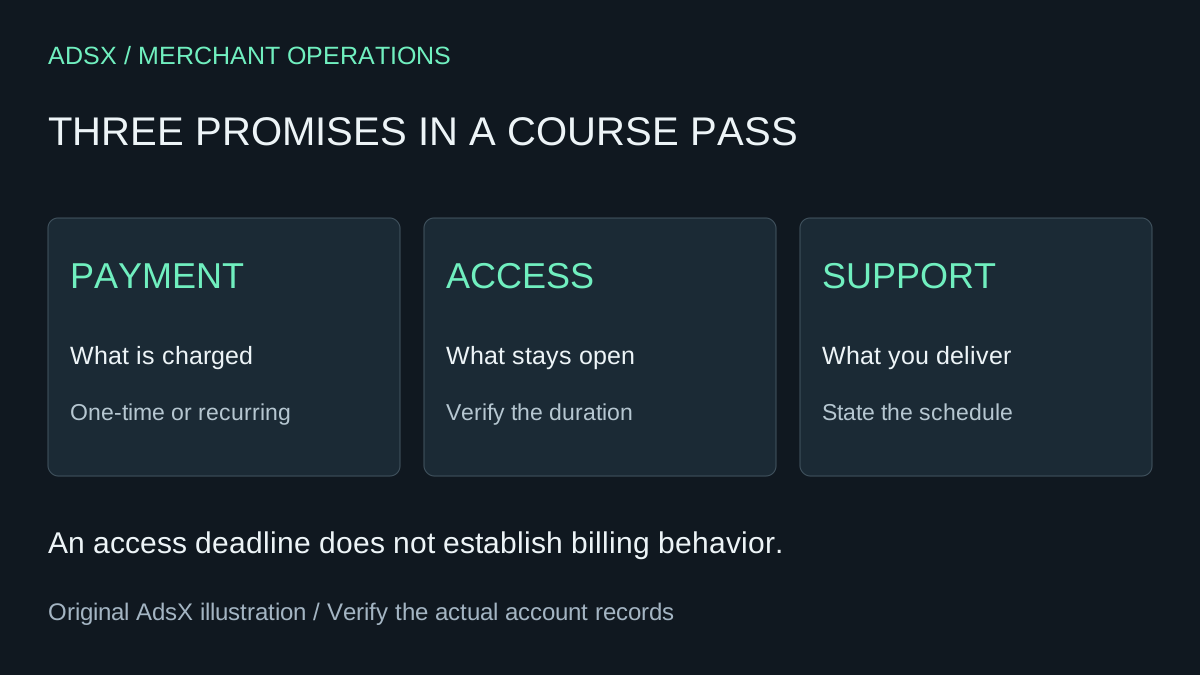
Original AdsX course-pass illustration.
Write three separate promises
Imagine a product-photography workshop sold for a hypothetical one-time $120 payment. The offer includes four weeks of instructor feedback and a proposed 90-day period for viewing lessons. Those periods serve different needs: the instructor delivers work for four weeks, while learners can revisit the material longer.
| Promise | Example specification |
|---|---|
| Payment | One $120 payment, with applicable final amounts disclosed |
| Lessons | Intended access for 90 days from the verified start event |
| Feedback | Four stated weekly review sessions |
| Community | Explicitly define whether it follows lessons or feedback |
| End of access | Explain which experiences stop being available |
This is an offer design, not proof that one setting can independently enforce all five rows. If the actual product configuration grants every experience for the same period, either adjust the offer or use a supported structure that matches it. Do not promise separate expiration dates without verifying them.
For a course sold around fixed calendar dates, specify those dates and the time zone. For a rolling pass, specify the event that starts its clock. “Three months of access” is ambiguous if a buyer cannot tell whether the period starts at payment, cohort admission, or the first lesson.
Check what the product grants
Whop's product documentation describes attaching the apps or experiences that members receive. Map the offer to those experiences before adjusting duration. A lesson library, discussion group, and scheduled review are related benefits, but they need not have the same delivery rules.
Use a small access map:
| Experience | During the pass | After the intended end |
|---|---|---|
| Lesson library | Buyer can find the purchased lessons | Verify the configured removal behavior |
| Discussion space | Buyer sees the intended group | Confirm whether another purchase also grants access |
| Instructor review | Available only within the promised support window | No continuing review obligation unless explicitly offered |
The table is a verification plan. It avoids assuming that a user losing one entitlement necessarily loses all access, especially if they own another product. Review with ordinary member permissions rather than the business owner's view.
Configure duration without confusing it with billing
Whop's checkout-link instructions document an Auto-expire access option under advanced settings, alongside separate pricing options for free, one-time, and recurring purchases. The setting is described as removing access after a configured time.
That public description does not establish that expiration cancels recurring billing, refunds a payment, or removes files someone already downloaded. Do not use access expiry as an assumed subscription-cancellation mechanism. Verify the exact billing and access behavior for the offer you select; the subscriptions versus installments guide explains why payment models need separate treatment.
For the illustrative workshop, start with a simple one-time offer if that matches the commercial promise. Confirm the saved duration, start event, and affected experiences through the supported account workflow before advertising the 90-day claim.
If the setting or documentation leaves the clock unclear, resolve it before opening sales. A checkout can be technically available while the offer remains too ambiguous to deliver confidently.
Review the boundary cases before launch
A happy-path preview is useful, but a time-limited product also has an ending. Prepare a record for these cases:
- A buyer joins on the first day and knows the intended end date.
- A buyer joins later and sees the correct schedule for that purchase.
- A buyer holds another product with overlapping access.
- Support finishes before lesson access does.
- The pass reaches its configured end.
- A buyer requests an extension or another purchase.
Record the expected result, the supported way to verify it, and the observed result. Do not claim a future expiration passed testing just because the setup screen saved successfully. Avoid unnecessary live purchases; use a testing method supported for the exact flow, or arrange a deliberately authorized transaction with understood costs when needed.
Decide how extensions should work
Suppose a learner asks for extra time after missing the feedback period. An extension to lesson access is not necessarily another month of instructor labor. State what is included before changing anything.
Use an internal exception record with the customer reference, original offer, approved change, owner, and verification result. Review whether another purchase or extension changes the existing access period, adds a separate entitlement, or requires a different supported action. Do not invent a stacking rule for repeat purchases.
For a small business, consistent exceptions are often more valuable than a complicated menu of passes. Keep the first offer simple enough that staff can explain its beginning and ending in one sentence.
Make the offer understandable at checkout and onboarding
Place the duration beside the benefits, not only in a distant policy page. Repeat the support schedule where members begin the course. “Four weekly reviews; lesson access ends on the date shown in your purchase terms” is clearer than an unexplained “premium access” label, provided the actual purchase terms supply that date.
Use the course curriculum guide to define the learning work and the member-onboarding guide to help buyers find it. If this model fits your business, start with AdsX's Whop partner link, then verify one complete offer before adding more durations and tiers.