If your paid search app is mainly displaying color, size and material filters, Shopify's native filters are worth evaluating before renewing. If the same app supplies your search experience, merchandising rules and reporting, replacing the filter panel alone does not replace the subscription.
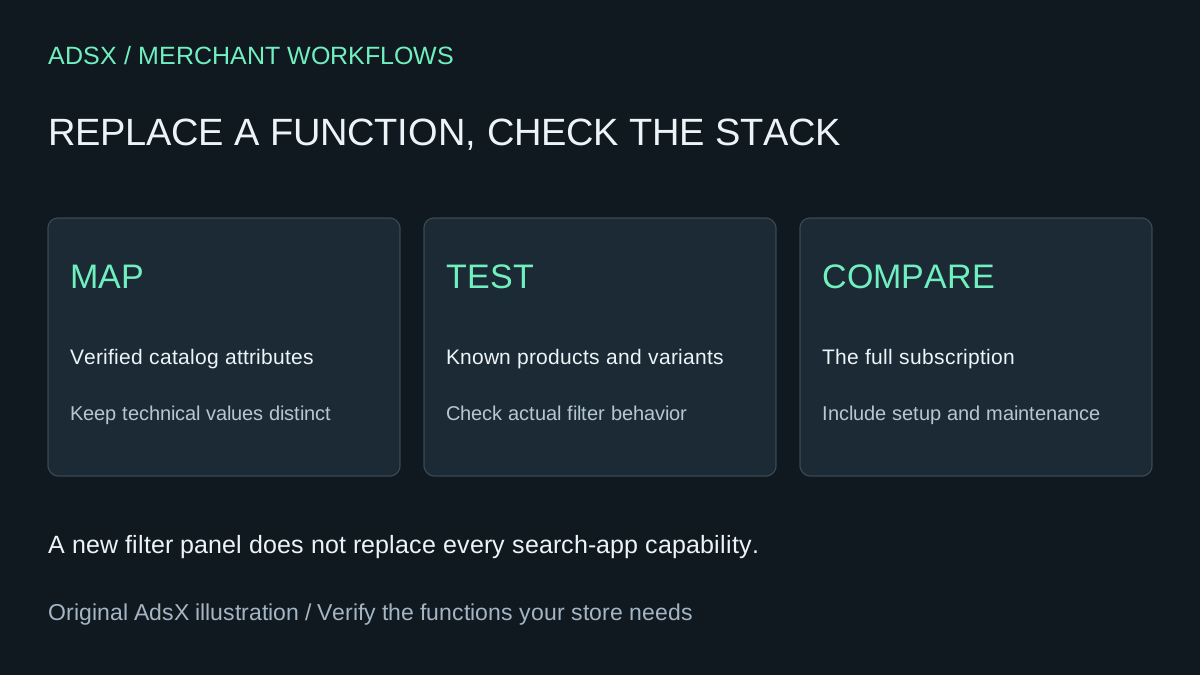
Original AdsX illustration.
This guide scopes the decision to collection and search-result filtering. AI helps organize product attributes and test cases; it does not install a storefront search engine or prove that a theme supports the proposed design. The prompt and cost examples are illustrative, not results from a merchant migration.
Start with the attributes customers actually use
For a fictional ceramics store, useful filters might include capacity, material, color and dishwasher suitability. “Premium,” “beautiful” and “perfect gift” are less useful as structured attributes unless the store has a clear, consistent definition for them.
List the fields already present in the catalog and the questions customers ask. Do not ask an assistant to infer care instructions or material composition from a product photograph. Missing facts need a product-data owner, not a plausible value.
The Shopify Search & Discovery listing describes a free app for search, filtering and recommendations. The filter documentation sets practical boundaries: a store can have up to 25 filters, collections above 5,000 products do not display filters, and storefront filters display at most 100 values. Search-result filtering uses up to the first 1,000 results. Check theme support and current settings before assuming that an admin configuration will appear on the storefront.
Use AI to propose a mapping, not overwrite the catalog
Export or list only the relevant attribute names and representative values. A planning assistant usually does not need customer information. Give it examples of inconsistent labels, such as “Stoneware” and “stone ware,” and require a proposed mapping for human review.
Plan collection filters for [catalog and customer task].
Use only these existing fields and verified values: [sanitized sample].
Return a table of customer question, source field, display label and test case.
Identify inconsistent spelling, missing facts and excessive value counts.
Keep distinct technical attributes separate; do not infer product facts.
Show proposed value merges, with the original values retained for review.
Do not edit products, install apps or publish theme changes.
A sensible proposal can still hide a bad merge. “Oven safe” and “dishwasher safe” describe different properties. Two glaze names that look similar may identify different finishes. Approve the mapping with someone who understands the merchandise before changing the source data.
Compare the same shopping tasks
Create a short acceptance sheet with known products. Check one filter, a combination of filters, an empty result, clearing the selection and moving between pages. Include an unavailable variant and a product with a missing attribute. Inspect the mobile controls and whether customers can understand which filters are active.
| Task | What to verify |
|---|---|
| Select a known material | Expected products appear; unrelated products do not |
| Combine material and capacity | Results reflect both intended constraints |
| Select an unavailable size | Behavior matches the store's availability promise |
| Clear all filters | The expected collection returns |
| Open on a phone | Controls, counts and selected values remain usable |
Do not use a total result count alone as your test. A count can look reasonable while one important product is missing. Keep the current configuration available while evaluating a theme preview or another controlled setup, and record which behavior has actually been observed.
Calculate savings against the whole Boost subscription
The Boost AI Search & Filter listing starts at $29 per month and describes broader search, filtering and merchandising capabilities. Its Launch range varies with store GMV; the headline starting price is not a universal quote. Check your actual plan, bill and feature dependencies. Prices were reviewed November 10, 2026.
If a hypothetical merchant can cancel a $29 monthly subscription completely, twelve avoided payments total $348 before tax. Four setup hours at $30 cost $120. Ten minutes of extra maintenance each month adds two hours, or $60, over a year. That leaves $168 before any other tool or theme costs. These are assumptions to replace with observed effort, not a promised saving.
If Boost remains necessary for search or another required feature, the subscription saving from moving only filters is zero. A paid app may also be worth keeping when its controls, support or catalog behavior solve requirements the native setup cannot meet. Avoid spending several days rebuilding a function that is already reliable for your team.
Make one reversible change
Record the original filters, labels, source fields and theme integration. Verify the proposed replacement against representative catalog cases before removing the old storefront integration. Confirm billing separately after any authorized cancellation; a visual change does not prove a charge has stopped.
Use the app replacement cost guide and merchant prompt library for the decision. If the real problem is unsuccessful searches rather than filter display, start with zero-result search diagnosis instead. Choose the smallest change that resolves the shopping task and preserves the functions your store still needs.