When a shopper searches for an item and sees nothing, a new search app is only one possible answer. The item might be unpublished, described differently, unavailable in that market or absent from the catalog. An AI assistant can sort the questions, but it needs evidence before recommending a fix.
This workflow produces a reviewed issue list for Shopify's existing search tools. It does not build a search engine or claim to improve Google rankings. The prompt is illustrative and has not been run against a merchant's private search data.
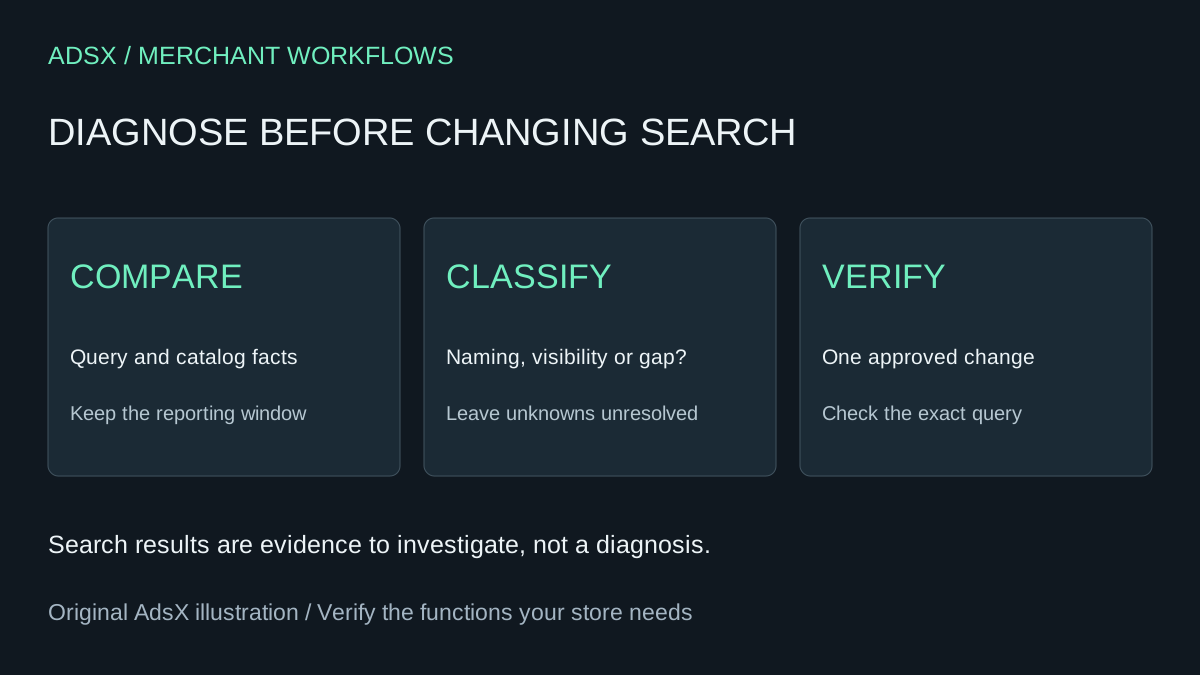
Original AdsX illustration.
Start with the right report
Shopify's Search & Discovery analytics documentation lists searches with no results and searches with no clicks as separate reports. Its search reports describe activity on the results page, excluding interaction with predictive search. The app view covers the last 30 days; other ranges are available through the full analytics reports.
Use a small export or a manually reviewed list of frequent queries. Record the reporting window. Redact personal details that shoppers might have typed into the search box before sharing data with an external assistant. Do not upload customer records just to investigate product names.
The Search & Discovery app is free. Before paying for a replacement, establish whether the current problem is configuration, product data or a feature the existing setup cannot provide.
Sort causes before choosing a tool
Imagine a store selling reusable lunch containers. These are invented examples, not search results we observed:
| Query | Catalog evidence | First investigation |
|---|---|---|
| Bento box | A listed compartment lunch box | Compare customer wording with accurate product copy |
| Replacement lid | No separately sold lid | Decide whether to offer the item; do not fabricate a match |
| Kids lunch box | Only adult-size products | Check suitability before treating the terms as equivalent |
| Blue container | A blue variant exists | Reproduce the query and inspect product visibility |
A query with no clicks is different from a query with no results. The latter needs a visibility or coverage investigation. The former may need a relevance, price, image or availability review. Neither report establishes the cause on its own.
For each candidate fix, record a product identifier, evidence, proposed owner and expected result. “Improve search” is too vague to verify; “the approved lunch box appears for this exact query in the intended market” gives the reviewer something concrete to check.
Copy this diagnosis prompt
Review this redacted Shopify search-query table and catalog fact sheet. Classify each query as possible naming mismatch, visibility issue, missing assortment, ambiguous intent or unknown. Use only supplied evidence. Return the query, candidate product identifier, evidence, next manual check and a proposed fix if justified. Separate no-results from no-clicks cases. Do not invent demand, search volume, synonyms, compatibility or product availability. Do not edit the store. Flag cases where a related product is not an acceptable substitute. Prioritize ten rows for review, explaining your ordering.
Inspect the output against the catalog. If the model invents a product or equates a child's item with an adult item, reject that row. Keep uncertain cases unresolved until someone who knows the merchandise reviews them.
Use current controls, not old screenshots
Shopify's current search customization guide documents product boosts and semantic understanding. Semantic behavior uses product information; a boost is a merchandising decision, not proof that an item is the correct answer.
During this research, older indexed help pages described synonym-group setup, while the current destination no longer contained those instructions. The app listing still mentions synonym groups. Verify the controls available in your own admin before following a synonym tutorial. Do not buy an app or promise a particular setting based on a cached search excerpt.
Correct missing or inaccurate product facts only when the change is true for the product. Avoid stuffing every possible query into a title. If a product does not exist, decide whether an honest category or help destination would serve the shopper; do not manufacture irrelevant results just to reduce a zero-result count.
Verify and measure a small change
Save a baseline for the exact query, market and product state. Make one approved change, repeat the query and inspect the result on a phone and desktop. Test predictive search separately because it is not represented in the same report. Record the change date and any catalog or campaign changes that could affect comparisons.
Keep this separate from product recommendations, which help shoppers after they reach an item. Both can support discovery, but they solve different moments in the visit.
A lower zero-result count is not automatically a revenue gain. Compare relevant clicks, purchases and margin over a reasonable observation period. Before replacing a paid search app, inventory its filters, merchandising rules and integrations using the app-retention guide. Use actual avoided charges and review time in the cost worksheet. No subscription saving is established by this audit alone.
The reusable diagnosis prompt is also in the merchant prompt library.