A store that needs one staff notification when a variant falls below five units may not need a separate paid alert subscription. Shopify Flow can cover that bounded job, with AI helping turn the rule into a clear setup and test plan. It does not replace demand forecasting, purchase orders or inventory accounting.
This guide compares that small workflow with the alert function in Stockie. The prompt and example are illustrative, not a tested merchant implementation. No inventory changes or messages were sent for this article.
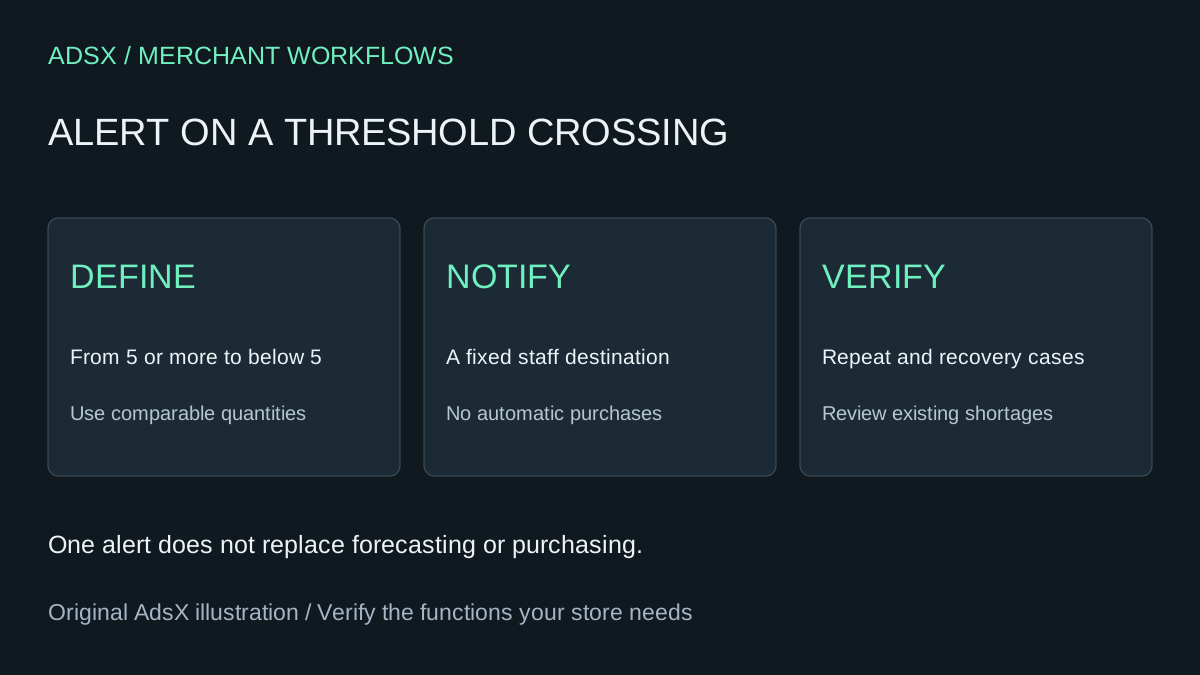
Original AdsX illustration.
Check whether replacing the app is worthwhile
Shopify Flow is free on Basic, Grow, Advanced and Plus, with appropriate staff permissions required. This example uses its internal email action, not an external hosted app or a customer marketing sequence.
Stockie's current pricing lists Free, Basic at $4.99 USD per month and Advanced at $9.99 for alert-focused needs. Free includes one scheduled alert for up to 250 variants, one recipient and one location. Basic includes instant alerts and daily schedules. Its forecasting and purchasing plans do more than the workflow described here.
If a free app plan already fits, there is no subscription charge to eliminate. If staff value its configuration and support, a small monthly fee can be cheaper than maintaining a custom rule.
Define a crossing, not just a low number
Suppose the agreed rule is: notify the purchasing owner when tracked variant inventory moves from five or more to fewer than five. An alert at every change below five can produce repeated messages for the same shortage.
| Previous quantity | Current quantity | Expected result |
|---|---|---|
| 6 | 4 | Notify: threshold crossed |
| 4 | 3 | No new threshold alert |
| 3 | 8 | No low-stock alert; stock recovered |
| 8 | 2 | Notify: crossed again |
| Already 2 when enabled | No change | No event; review existing shortages separately |
This is an event rule, not a reminder system. If nobody acts on the first alert, the rule does not keep chasing them. Decide who owns the exception queue and whether you need a separate daily review.
Use the documented trigger and a fixed staff recipient
Shopify's Product variant inventory quantity changed trigger provides the variant and prior inventory quantity. Changes can come from orders, manual edits or another app. The trigger can run even when inventory tracking is disabled, so explicitly check the intended tracked-product scope.
Start with the low-stock notification template linked in that documentation. Inspect the fields in your Flow editor before selecting conditions. For a single-location store, review prior and current quantities against the same threshold. For multiple locations, do not compare a store-wide prior quantity with one location's current quantity and call it a valid crossing. A location-specific design needs separate verification.
The Send internal email action accepts a fixed recipient address; its recipient cannot be populated with variables. Put a real staff-owned destination there, and verify sender configuration and delivery. This guide does not automate supplier orders or messages to customers.
Copy the planning prompt
Draft a Shopify Flow setup plan for a single-location store using the Product variant inventory quantity changed trigger. Notify our fixed staff recipient only when a tracked variant moves from at least 5 units to below 5. Use the current official trigger fields and identify anything I must verify in the editor. Do not invent importable workflow JSON. Do not enable a workflow, edit inventory, place orders or contact customers. Include a message with product, variant, SKU, prior and current quantities, and a staff action to review replenishment. Provide tests for 6-to-4, 4-to-3, 3-to-8, 8-to-2 and items already low before activation. Flag multi-location limitations and missing values.
Use the response as a review aid. Follow the template and editor, rather than pasting an assumed field name into an action. Keep the workflow off until the configuration and test plan are approved by the store owner.
Validate in a safe test setup
Inventory is shared operational data. An unpublished theme does not isolate it. Use an authorized development store or agreed test variant and account for other integrations that could react. Check workflow run history, the actual received alert and all quantity transitions above. Record any failed run and correction.
During a controlled handover, compare the new workflow with the old app's expected alerts, then stop duplicate notifications. Preserve required reports before uninstalling anything. Keep a short rollback note identifying how to disable Flow and restore the previous alert. The acceptance checklist provides an evidence log.
Calculate savings before doing the work
Twelve Basic charges at $4.99 total $59.88. Hypothetical setup and annual review totaling two hours at $40 per hour cost $80, leaving a first-year economic loss of $20.12 before incremental AI costs. Twelve Advanced charges total $119.88, leaving $39.88 under the same assumptions—but only if this narrower rule actually replaces everything you need from that plan.
Use your real bill and time estimate in the replacement-cost worksheet. Do not count a forecasting or purchase-order subscription as saved by one notification. A useful outcome may simply be understanding your rule well enough to configure the existing app more effectively.
Save the brief from the merchant prompt library and assign an owner to check it when locations, SKUs or stock processes change.