A three-card feature section is a reasonable first AI theme project: a heading, three approved facts and optional images. It has a clear boundary. It should not fetch reviews, calculate discounts, collect email addresses or change checkout.
Start by checking whether your theme already includes an adequate section. Configuring an existing component usually leaves less code to maintain. If it does not meet the need, Shopify's native block generator is worth evaluating before buying a page-builder subscription for this single display task.
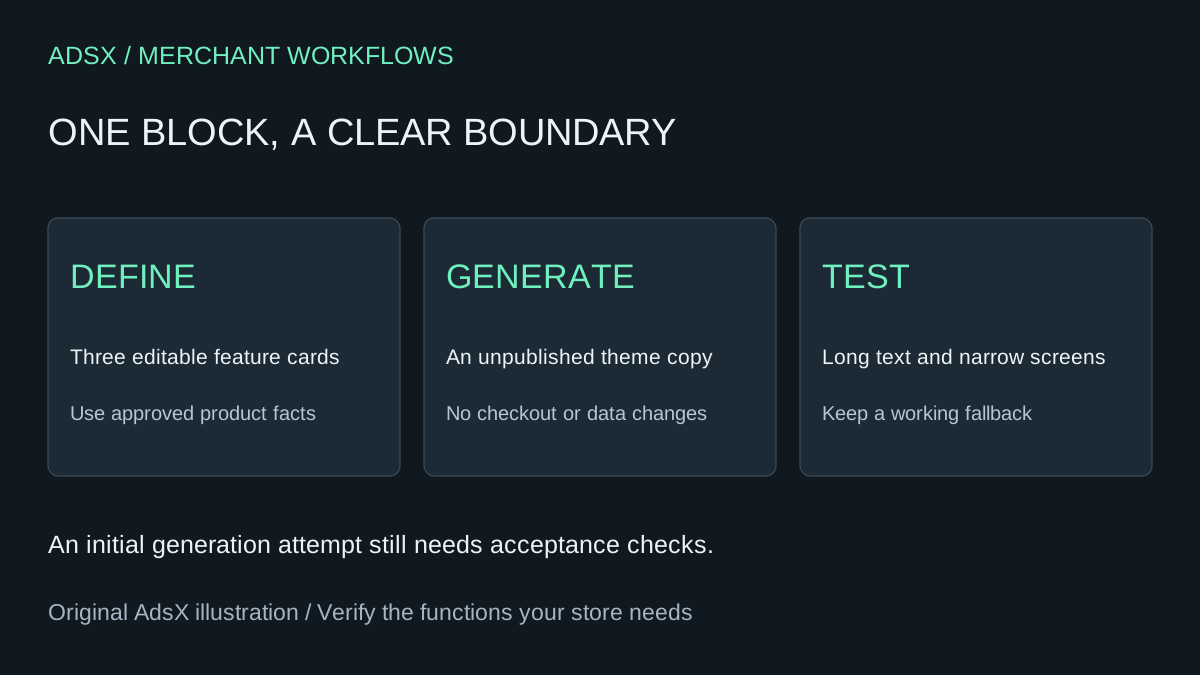
Original AdsX illustration.
The prompt below is illustrative and has not been executed in a merchant store. “One prompt” means an initial generation attempt, not a verified production result.
Check the generation surface before writing the prompt
Shopify's theme-block generation guide lists free trial, Basic, Growth, Advanced and Plus as eligible plans; Starter is excluded. It supports Theme Store themes, with purchase required for a paid theme rather than its trial, and excludes vintage themes. Appropriate ownership, administrator access or Edit Code permission is required.
In the theme editor, select a compatible section, then Add block and Generate. Review the output before choosing Keep. This produces theme code, not a Sidekick admin app. Shopify also warns that troubleshooting generated code is outside ordinary Shopify Support and third-party theme developer support. Budget for ownership rather than assuming the platform will fix every result.
Work on an unpublished duplicate and preserve a known-good theme. Do not give a collaborator broader permissions just because a generation control is missing; first establish whether the store and theme are eligible.
Define the content before the layout
Imagine a fictional bag with three approved facts: a zip closure, an inside pocket and a washable lining. Supply the actual care wording and images. Do not ask the generator to invent “waterproof,” “lifetime guarantee” or sustainability claims.
Write a small specification:
| Element | Merchant should be able to edit | Failure to catch |
|---|---|---|
| Section heading | Plain heading text | Heading appears twice |
| Each card | Heading, body and optional image | Text is hard-coded in the file |
| Image | Image and useful alt text | Empty image leaves a broken placeholder |
| Layout | Sensible spacing using theme styles | Cards overflow on narrow screens |
| Optional link | Label and destination | Blank link still creates a focusable control |
The purpose is to let a merchant change the facts next month without regenerating the whole block.
Try this bounded generation prompt
Create a simple product-feature theme block with three cards.
Each card needs editable heading, body text, optional image and image alt text.
Use the current theme typography and colors. Stack cards on narrow screens.
Allow long text without clipping or fixed card heights.
Hide an image when none is selected. Do not insert stock images or claims.
Include an optional text link with editable label and URL;
render no link when either is empty.
Use semantic headings in the page hierarchy, visible keyboard focus,
and readable contrast. No animation, external requests or tracking scripts.
Do not change product data, prices, cart behavior or checkout.
Explain what settings were created and what still needs manual testing.
Ask for one correction at a time if a result fails. “The second card clips after three lines at 390 pixels; allow the full text to wrap” is more useful than “make mobile better.” Preserve the earlier working version before another generation.
Run an acceptance check with awkward content
A pleasant preview with short sample copy is not enough. Replace each placeholder with real content, then deliberately test the extremes.
- Enter a heading twice as long as the expected final heading. Read it at phone width and desktop width.
- Remove the second card's image. Verify the section still makes sense and no broken asset appears.
- Add a long sentence and a long product name. Check that neither overlaps the next card.
- Use only the keyboard to reach any link. Confirm visible focus and the correct destination.
- Change every exposed setting, save and reopen the preview. Confirm the values persist.
- Place a second instance on the same page if reuse is required. Check for styles or controls affecting the wrong instance.
Record expected behavior, observed behavior and the theme version. These are proposed tests, not results we observed. The AI-built app acceptance guide explains how to separate a visual demonstration from a working release.
Compare the cost of a block with the cost of an app
An AI feature block can replace a small layout task. It does not replace a page builder's entire template library, experiments, support or editing workflow. If you use those elsewhere, removing the subscription may be a false economy.
Use your invoice rather than a generic advertised starting price. For example, a hypothetical $15 monthly app used only for this display costs $180 across 12 payments. If the alternative needs two hours of setup and ten minutes of monthly maintenance at $30/hour, its first-year labor is $120. Potential first-year saving is $60 before any extra tool or developer costs. If the existing theme can do the job without new code, that may be a better option still.
Theme changes deserve a fresh check after an upgrade. Shopify's developer explanation describes generated blocks as self-contained components and how the platform wraps them for theme use. That architecture does not prove your particular block will remain error-free after every change.
Publish a small change you can undo
Keep the previous theme available, record the generated file and have a person responsible for future edits. Compare the finished page with the original at mobile and desktop widths. If the block requires repeated repairs, retaining a supported component can be cheaper than owning fragile code.
Save the brief in the Shopify merchant prompt library. For deciding whether the app behind the old layout is still needed, use when to keep a paid Shopify app. The useful outcome is a maintainable section, not the number of subscriptions removed.