An assistant can tidy product copy and still damage a product CSV. A missing column, changed identifier or reordered row can matter more than the improved sentence. For an existing catalog, ask AI to explain the proposed changes before asking Shopify to apply them.
This guide covers a read-only review of an original export and an edited candidate. It is different from preparing a first catalog import: the task is to protect data that already exists. The prompt and examples are illustrative. We have not imported these files into a merchant store.
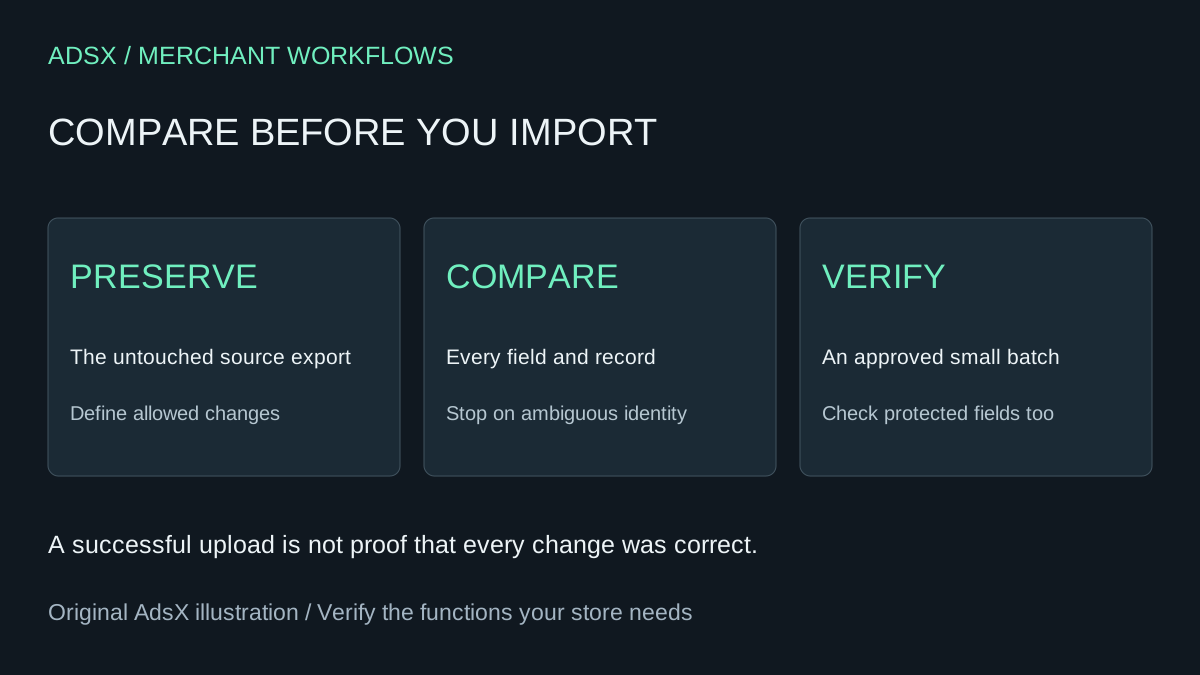
Original AdsX illustration.
Write an explicit change allowance
“Clean up this spreadsheet” is too broad. Say which products and fields may change, how to match records and what must stay byte-for-byte or value-for-value equivalent. Choose the matching rules from your current export and documented structure; do not assume SKU alone uniquely identifies every row.
For a fictional copy update, the allowance might be: change descriptions for ten named product handles; preserve all variants, prices, inventory-related fields, images, options, publication state and all other products. Keep an untouched original outside the editing tool. Save the approved source facts alongside it.
Shopify's export guidance warns that spreadsheet sorting can disassociate variants and image URLs. It also notes that blank exported SEO fields can be expected when they were never customized. A blank is not automatically a defect that AI should fill.
Know the difference between blank and omitted
Shopify's product CSV reference explains overwrite behavior and dependent columns. With matching-product overwrite enabled, an included blank non-required field can replace an existing value with a blank; an omitted non-required column generally leaves that value unchanged. Dependencies still matter, so blindly deleting every unwanted column is not a universal solution.
Use the current Shopify export headers and documentation rather than letting AI normalize column names to its preferred schema. Preserve quoted commas and line breaks with a real CSV parser. A description containing a comma is not two fields.
This original review example deliberately uses plain-language field labels, not an import-ready schema:
| Candidate difference | Allowed? | Review decision |
|---|---|---|
| Description changes from supplied approved copy | Possibly | Check claims and target product |
| A previously filled vendor field becomes blank | No | Reject unexplained deletion |
| Price changes from 29.00 to 29 | Possibly equivalent | Compare parsed values and confirm no currency change |
| Variant option disappears | No | Stop and investigate identity/structure |
| Blank SEO field is filled automatically | No | Outside the approved description-only scope |
Do not import the example table. It is a review aid.
Ask AI for a change report, not a repaired file
Use redacted or synthetic data when the assistant is not approved for confidential catalog information. Do not include customer exports, credentials or supplier costs that the task does not require.
Compare ORIGINAL and CANDIDATE Shopify product CSVs read-only.
The only permitted changes are [fields] for [explicit product identifiers].
Use a CSV parser, not comma splitting. Preserve multiline quoted fields.
First report headers, row counts and the proposed record-matching rule.
Stop if record identities are ambiguous; do not assume SKU is unique.
List every added/deleted column, added/deleted record and changed value.
For each difference show identifier, field, old value, new value,
whether it is allowed, and why it needs review.
Flag blanking of populated cells and variant/image row relationship changes.
Do not fix files, normalize identifiers, invent missing data or import anything.
Report anything you could not compare reliably.
A model that cannot read both complete files cannot certify that all changes are listed. Ask it to report truncation and tool errors. For large files, use a deterministic comparison program with a known matching rule, then let AI explain the resulting diff. That is stronger than relying on a conversational summary of thousands of rows.
Check the report independently
Count the allowed products and changed fields outside the model's narrative. If ten product descriptions were approved, investigate why the report shows eleven product identities. Distinguish multiple rows belonging to one product from multiple products.
Check that no records were lost or duplicated and all identifiers retain leading zeros where relevant. Sample the hardest records: multiple variants, multiple images, embedded commas, multiline descriptions and non-English text. Reopen the saved candidate with a parser to confirm its structure survived editing.
For every unexpected difference, either restore the original value or get explicit approval for the new scope. Do not accept “probably formatting” for an identifier. If the matching logic is uncertain, stop the import and resolve it first.
Use a small approved import and verify the outcome
Follow Shopify's current import procedure, including its overwrite choice and preview. Start with an approved representative subset. Keep the original export and a recovery plan, while recognizing that a product CSV is not a complete store backup or an automatic undo button.
After import, compare the intended descriptions and protected fields in admin and on the storefront. Check variants and images, not just the first product title. Record failures before expanding the batch. A successful upload message does not show that every business requirement passed.
When a paid bulk-editing tool is still worth it
This review can reduce spreadsheet inspection effort; it does not recreate scheduling, change history, rollback, approvals or recurring supplier-feed management. For a one-time ten-product edit, Shopify's native bulk editor may avoid a CSV round trip entirely. For repeated large jobs, a supported bulk-editing workflow can earn its cost.
Measure the time actually spent preparing, reviewing, importing and fixing the batch. If a hypothetical $20 monthly tool saves an extra hour of review valued at $30, removing it increases operating cost by $10 before other risks. No saving is established merely because AI produced a file for free.
Use the app ownership cost guide before canceling a subscription, and save the read-only review prompt in the merchant prompt library. The goal is a smaller, explainable change—not a faster unreviewed import.