A small Shopify store may only need a place for an optional instruction such as “Please pack these items together.” That is different from collecting an engraving name for each product or making a delivery date a condition of purchase.
Disclosure: AdsX may earn a commission from qualifying Shopify signup links. Official documentation reviewed November 28, 2026. Examples are original planning aids; no hands-on store test is claimed.
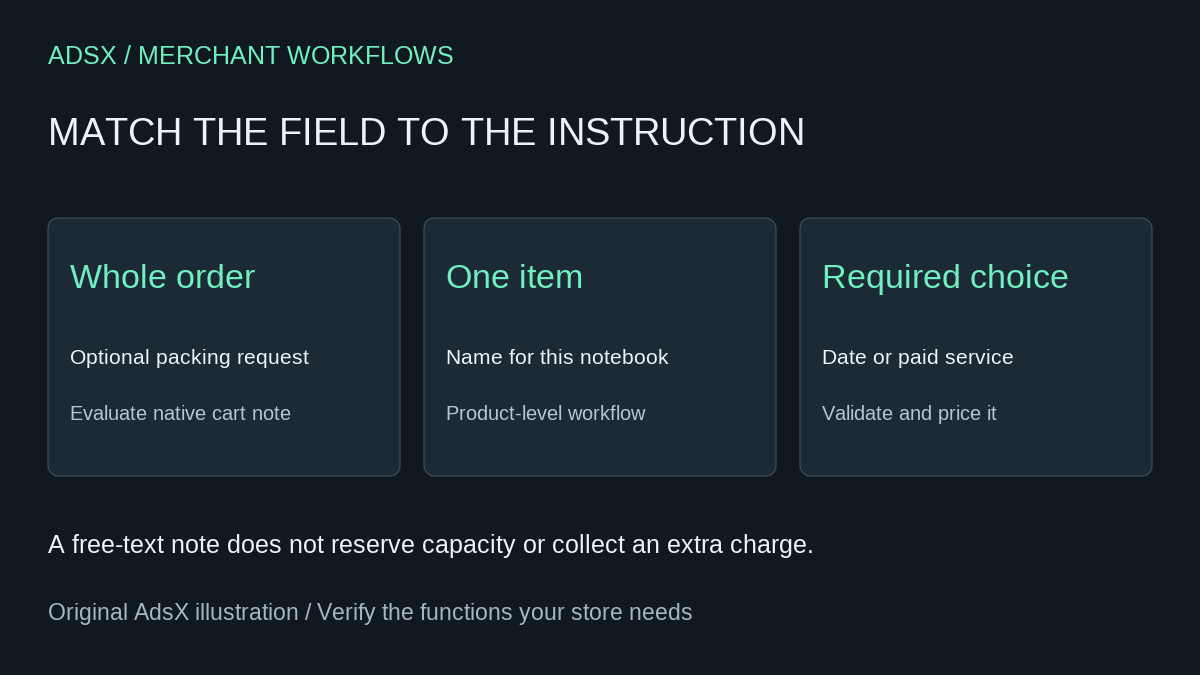
Original AdsX explanatory illustration.
Start with the information you need to fulfill the order, then choose the collection method. Installing a product-options app before making that distinction can add cost without solving the actual problem.
Decide whether the instruction belongs to the order or the item
Shopify distinguishes order notes, cart attributes and line item properties. Order notes collect whole-order preparation or delivery instructions. Line item properties hold information for a particular product. Cart attributes are another form of additional cart information.
Use an original example: a customer buys two notebooks, one for Alex and one for Sam. A single order note saying “Alex and Sam” does not reliably say which name belongs on which notebook. If personalization is required, that ambiguity is a production defect waiting to happen.
| Requirement | Starting approach to evaluate | Reason |
|---|---|---|
| Optional instruction for the entire parcel | Native cart note | One order-level message may be sufficient |
| Different engraving for two items | Product-level personalization workflow | Each value must remain attached to the intended item |
| Guaranteed delivery date selection | Scheduling workflow with validation | Free text does not reserve delivery capacity |
| Paid gift wrapping | Priced product or supported app workflow | A note alone does not collect an extra charge |
These are decision rules, not claims that a particular app is approved or necessary for every store. For product-level requirements, continue to the personalized cart line review, which addresses a different failure: values attaching to the wrong item.
Try the native option for an optional whole-order message
Shopify documents cart notes in its free themes. In the theme editor, open Cart and inspect its subtotal/settings area for Enable cart note; exact controls can vary by theme. Use the theme's own documentation if the setting is elsewhere. Shopify also documents asking Sidekick to turn the cart-note setting on or off, but verify the saved result yourself.
Keep the label narrow. “Optional packing instructions for this order” sets a more useful expectation than “Anything else?” If the team cannot honor special delivery dates, do not use wording that invites buyers to request guaranteed dates there.
Do not ask customers to put payment details, passwords or sensitive personal information into a general note. Collect only what the fulfillment task needs, and make clear where customers should ask a question before ordering.
Test every buying path you plan to promote
A field appearing on the cart page does not prove that every buyer visits that page. Include product-page purchase buttons, cart drawers, the full cart and any accelerated route your store uses in the review. Record which paths expose the field rather than assuming the note is universally available.
A practical acceptance checklist is:
- Add one ordinary item and enter a short fictional instruction.
- Change quantity, then inspect whether the intended instruction remains.
- Add a second item and confirm the note still describes the whole order.
- Complete a supported test checkout using the pre-launch test-order guide.
- Inspect the resulting order and the actual fulfillment handoff used by your team.
- Repeat without a note. An optional note should not become an undocumented prerequisite for fulfillment.
These checks have not been run in an AdsX test store. Their purpose is to produce evidence in your own configuration. Do not use a real customer's order as the first experiment.
Make sure someone reads the note
Shopify's order-detail documentation separates order notes from internal staff comments. A note existing in the order is only one part of the workflow; the person preparing it must encounter and understand it.
For a one-person shop, the operating rule might be “review the order note before marking the item ready.” For an external fulfillment provider, ask where the message appears in its system and test that exact handoff. Do not assume every integration forwards every field.
Maintain a tiny exception log: order reference, requested instruction, whether it could be honored, and what follow-up was needed. If many buyers use the note for the same required choice, that is evidence to consider a structured field or product option. The decision comes from a recurring operational need rather than the existence of an app category.
Use AI to tighten the label, not interpret customer intent
An untested drafting prompt can help compare wording without exposing customer messages:
Our cart note is optional and applies to the whole parcel. We can honor packing preferences but cannot promise delivery dates or add paid services from a note. Write three short field labels and one explanation. Do not imply guaranteed requests, collect sensitive information, or describe product personalization as an order-level instruction.
Choose wording that matches the actual process. Never let an AI summary replace the original instruction when exact wording matters. If the instruction is ambiguous, resolve it with the customer rather than guessing which item or service they meant.
Know when to budget for a stronger workflow
Native notes can be enough for occasional optional instructions. Required fields, item-specific values, conditional choices, extra charges and reliable integration handoff need a more deliberate evaluation. If you choose an app or custom implementation, include subscription cost, setup, theme compatibility, support and maintenance in the decision.
Start with the smallest workflow that passes your acceptance checks. Add any recurring expense to the startup cost calculator, and use Start a Shopify Store for the wider launch plan. A trial is useful for checking the actual shopping and fulfillment path before you commit to a paid store or app.