Choose Shopify's checkout contact method around how you will communicate about an order. If the business depends on sending delivery instructions or access information by email, verify that the chosen checkout path actually provides a usable email address. If a carrier needs a phone number, review the shipping-address phone field separately.
Disclosure: AdsX may earn a commission from qualifying Shopify signup links. Official documentation reviewed November 28, 2026. Examples are original planning aids; no hands-on store test is claimed.
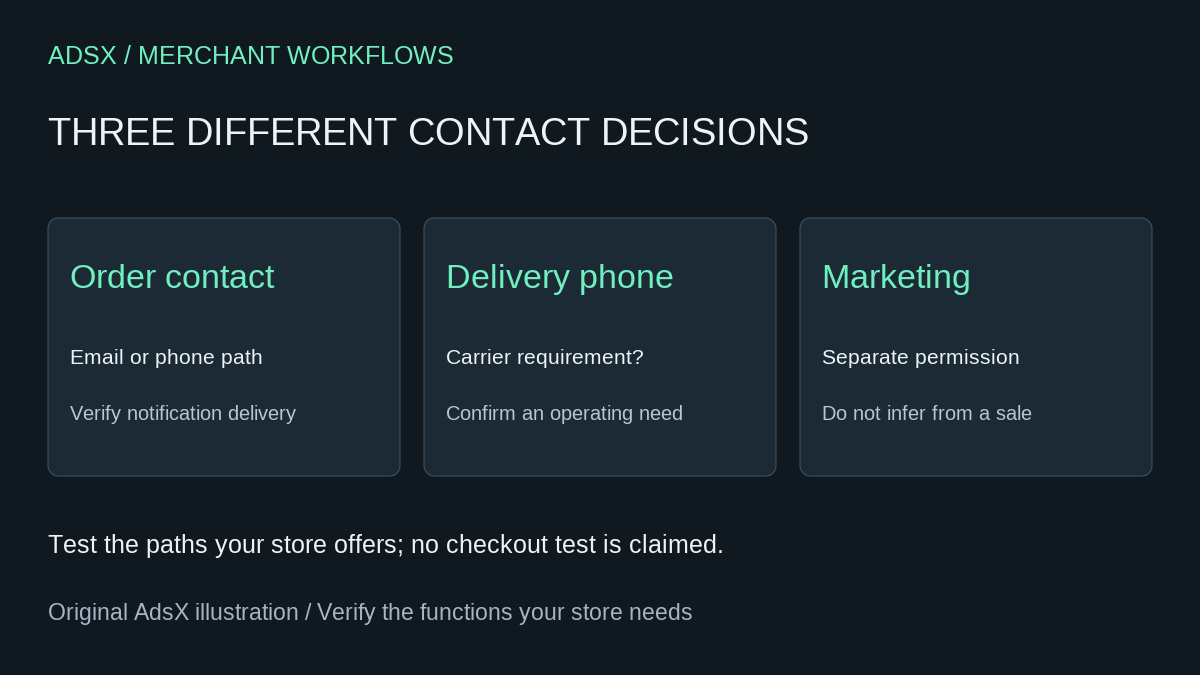
Original AdsX explanatory illustration.
Collecting more information is not automatically better. Each required field should have a specific operating purpose and an owner who knows how it will be used.
Separate three decisions that look similar
Shopify's checkout form documentation offers Email or Phone number or email as the customer contact method. The latter lets the customer choose; it does not require both. A shipping-address phone number is a separate setting. Shopify also notes that requiring customer account sign-in makes email the checkout contact method.
Use this planning table before changing settings:
| Decision | What you are deciding | What it does not establish |
|---|---|---|
| Checkout contact method | How the customer identifies a contact route for the order | Permission to send promotions |
| Shipping phone requirement | Whether fulfillment needs a phone number | That the buyer chose phone as the checkout contact |
| Marketing opt-in | Whether the customer agrees to marketing | That an order confirmation was delivered |
A phone number collected for delivery should not be treated as evidence of interest in SMS promotions. Similarly, an email address appearing on an order does not by itself establish a newsletter subscription.
Write the operating requirement first
Consider a hypothetical shop selling replacement parts. Its support process sends a compatibility question when a buyer's selection is ambiguous. The team has an email inbox but no staffed SMS support process. That is a practical reason to evaluate an email contact path; it is not proof that email will convert better for every store.
A second shop delivers large items using a carrier that requires a contact phone number. That requirement belongs in the delivery plan. Confirm it with the carrier before making a field mandatory, and explain its purpose accurately to customers where your checkout supports that explanation.
Write one sentence for your store: “We need [information] because [specific task], and [person or system] uses it.” If you cannot complete the sentence, reconsider requiring the field.
Configure a small, testable change
In Settings → Checkout, inspect the customer contact options and the customer-information settings. Record the current choices before saving a change. Avoid changing account sign-in, contact method, marketing options and several unrelated fields at once: a failed test becomes harder to diagnose.
Do not assume every checkout path exposes the same experience. Include the ordinary storefront path and any accelerated checkout you intend to offer. Use the settings available to your store; this guide does not promise custom checkout fields or a particular payment method on every account.
For a digital product, also check the delivery app's actual requirements. Selecting a contact option does not establish that an app can deliver a file or access link to a phone-only order. Resolve that dependency before inviting customers.
Use a communication test matrix
Prepare test identities you control and follow the Shopify test-order checklist. These are proposed checks, not AdsX-observed test results:
| Test | Record | Pass condition |
|---|---|---|
| Standard checkout with email | Saved contact and confirmation destination | Expected controlled inbox receives the supported message |
| Phone-only checkout, if enabled | Contact saved and notification behavior | The supported phone path works for the intended market |
| Shipping phone requirement | Whether checkout requests it | Requirement matches the delivery process |
| Available accelerated path | Contact information returned | Fulfillment and support can use the resulting record |
| Marketing left unchecked | Subscription status | No assumed marketing permission |
Shopify's order-status documentation explains that notifications depend on the contact information entered. Read the current SMS notification requirements before promising phone-based updates. Availability and observed delivery should be checked, not inferred from the presence of a phone field.
If a message does not arrive, log the order reference, selected path, saved contact and expected destination. Then use the order notification launch test to investigate delivery. This guide chooses the contact inputs; that separate guide tests the outgoing message.
Keep newsletter consent separate
Shopify provides distinct marketing consent settings. Review the consent language and settings for the markets you serve. A completed purchase is not a substitute for the marketing permission your business needs.
Maintain separate counts for orders, reachable order contacts, marketing opt-ins and confirmed subscribers if you use confirmation. Otherwise, an apparent rise in “subscribers” may simply reflect more orders importing contact details.
For an optional AI review, provide only the field labels and a fictional customer journey. Ask it to identify where the copy confuses order communication with marketing, and to return questions rather than legal conclusions. This prompt is untested; a model's approval is not a compliance review or evidence that checkout works.
Decide before sending launch traffic
The release check is operational: can the customer buy, can you deliver, and can you communicate through the route they supplied? Keep the chosen setup stable through the first small launch so support issues can be traced to a known configuration.
Use Start a Shopify Store for the full setup sequence. If you are evaluating Shopify, check these contact and notification paths during the trial before committing to the operating process. The best choice is the one your business can actually support, not the one that collects the largest contact list.