A first sale can look profitable while leaving too little money to run the business. Before opening your Shopify checkout, record the product cost for every sellable variant and keep a separate view of the expenses that the product margin does not cover.
Disclosure: AdsX may earn a commission from qualifying Shopify signup links. Official documentation reviewed November 28, 2026. Examples are original planning aids; no hands-on store test is claimed.
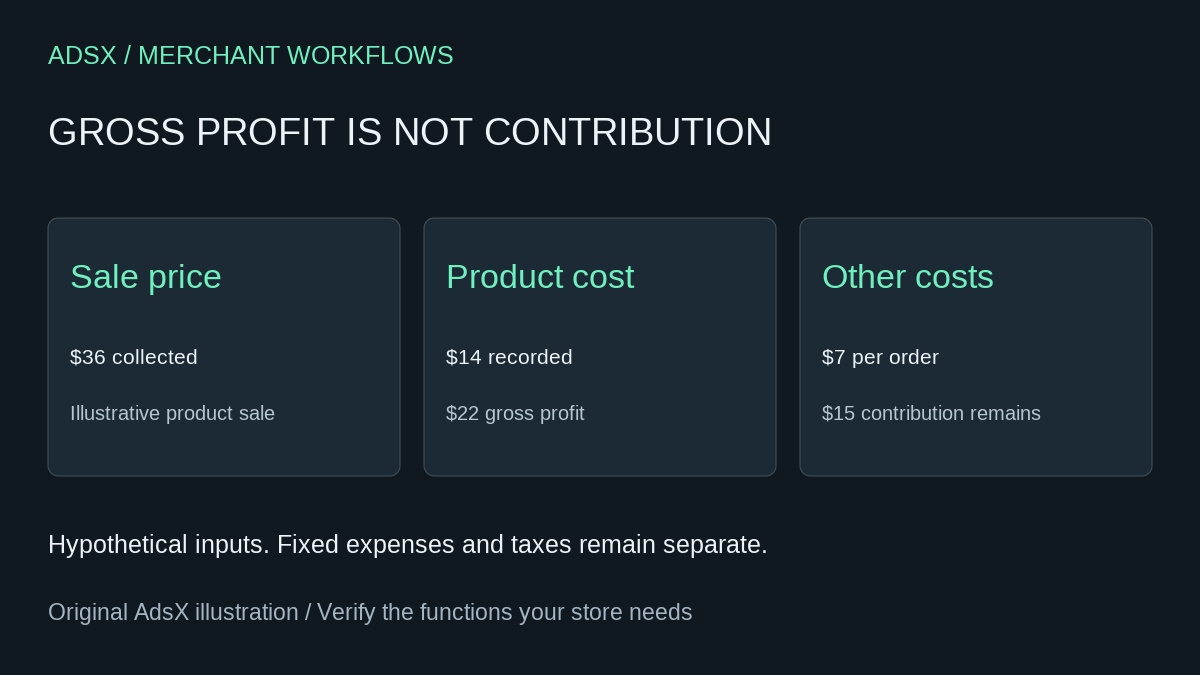
Original AdsX explanatory illustration.
The immediate decision is simple: do you know the cost of the exact item you are about to sell? A supplier quote for the small size does not establish the cost of the large size, and an empty field is not evidence of a zero-cost product.
Build a small cost register before touching the catalog
For an illustrative first catalog, a merchant buys two sizes of a storage pouch. The small pouch costs $8 and the large pouch costs $14. Both arrive on the same supplier invoice, but they need separate records.
| Variant reference | Selling price | Product cost | Evidence | Ready? |
|---|---|---|---|---|
| POUCH-S | $24 | $8 | Current supplier invoice | Yes |
| POUCH-L | $36 | $14 | Current supplier invoice | Yes |
| POUCH-L-GIFT | $42 | Unknown | Assembly cost unresolved | No |
These are hypothetical numbers, not supplier prices. Add a source date and a person responsible for resolving unknowns. Keep the gift configuration out of the launch assortment until its cost is understood, rather than copying the ordinary large pouch's cost.
Decide what your cost figure includes and use that convention consistently. Keep purchase price, inbound freight allocation, packaging and other expenses visible in your underlying worksheet so an accountant or operator can understand the calculation. The field is a record, not a substitute for choosing an accounting method.
Enter costs at the variant level
Shopify's cost-per-item documentation explains that costs can be entered in the product's Price section and that each variant needs its own value. Shopify records the cost on the order when it is created; changing the field later does not update costs on earlier orders. Gift card products are excluded.
Start with the small launch assortment. Open each sellable variant, compare its identity with your worksheet, enter the approved amount and save. Have a second pass check the saved values against the source, especially where similar names hide different sizes or materials.
For a larger catalog, use the first-catalog CSV guide to plan a controlled import. A bulk operation should reduce typing, not remove the need to match each row to the right variant.
Work through the margin before choosing a discount
For the $36 pouch with a $14 product cost, the simple product-level calculation is:
- Gross profit before other expenses: $36 − $14 = $22.
- Gross margin: $22 ÷ $36 = 61.1%.
Now suppose the merchant's planning worksheet assigns another $7 per order for packaging, payment costs and shipping subsidy. The remaining contribution is $15, before fixed expenses and taxes. Those assumptions are original planning inputs; Shopify is not being claimed to calculate this entire worksheet automatically.
A $6 launch discount reduces the selling price to $30. Holding the illustrative costs constant, gross profit becomes $16 and contribution becomes $9. A modest-looking discount has reduced contribution by 40%, from $15 to $9. That is the number to consider before promising the same discount to everyone.
Do not subtract the same expense twice. If your $14 cost already includes a particular expense allocation, remove that allocation from the separate $7 line. Likewise, update assumptions when actual fees or shipping costs depend on order value rather than remaining fixed.
Check what the first reports actually include
Shopify's profit report documentation says products and variants need a recorded cost at the time of sale to contribute to these profit calculations. Missing cost information can therefore explain a difference between sales totals and the sales represented in a profit report. Discounts and refunds also affect reported margin.
After the first small group of real orders, reconcile one order from each launch variant. Record the selling amount, cost captured, discounts and any refund. If a variant is absent from the expected report, investigate the cost record and reporting scope before interpreting the gap as improved profitability.
Do not backfill a current cost and assume history has been repaired. Keep an external reconciliation of historical exceptions and use an appropriate reporting or accounting process if you need a corrected historical view.
Use AI to find missing evidence, not invent costs
This is an untested review prompt, not an automated Shopify update. Supply a redacted worksheet without customer data or supplier banking details:
Review these variant references, selling prices, approved costs and evidence dates. List missing costs, duplicated references and rows whose evidence is absent. Calculate gross profit only where both price and cost are known. Do not replace blanks with zero, estimate supplier prices, or modify the source rows. Return a review table with the row reference, issue and question for the merchant.
Recalculate a sample by hand. A model can misread a column or silently treat a blank as zero. Keep the original worksheet and approve any correction before changing the catalog.
Make the launch decision with the full budget
A positive product margin does not tell you how many orders cover subscriptions, equipment or initial stock. Put the same assumptions into the Shopify startup cost calculator, then follow Start a Shopify Store for the wider setup sequence.
If you are still choosing a platform, use a trial to check the cost-entry and reporting workflow with your real catalog structure. Proceed to a paid plan only when the store fits your operating needs and you understand the current terms. This guide is about making the first sales measurable, not guaranteeing a profitable business.