An English product page changes from a two-piece set to a single item. The French page still promises two pieces. Turning on automatic translation is not enough to decide when that mismatch will disappear, especially if someone previously edited the French text by hand.
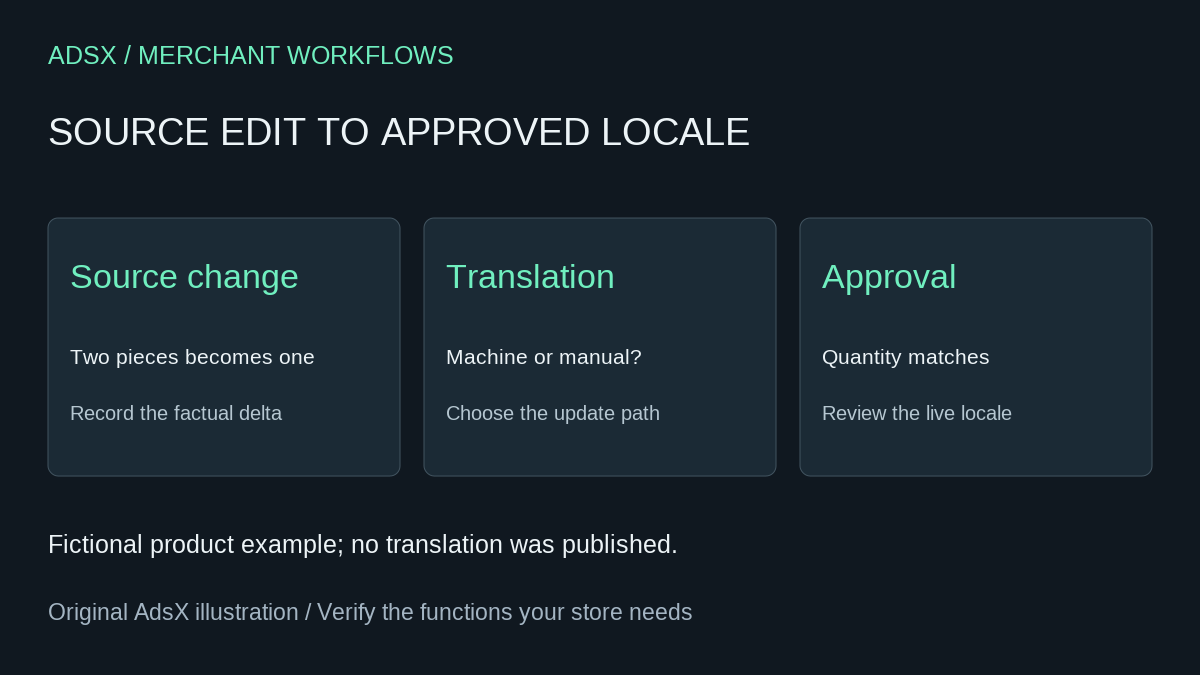
Original AdsX illustration.
Start with the changed fact
Keep a change queue with the product identifier, old source, new source, affected locales and time the source changed. Separate factual edits from style: quantity, dimensions, included accessories and delivery wording deserve a different review priority from a smoother opening sentence.
For the fictional set, the reviewer needs the approved pack quantity and the exact old and new sentences. Supplying the entire catalog makes it harder to see the critical difference. Avoid customer information; this task needs product content and approved terminology.
Identify which update path applies
Shopify's automatic translation guidance distinguishes missing or outdated machine translations from translations added or edited manually. Automatic translation preserves manual edits. Some theme content only receives missing translations rather than updates to existing text.
Availability also varies. A store displaying Translate now can use up to eight automatic languages and Auto-sync; other stores use Auto-translate with a two-language allowance. Verify the actual admin control. Auto-sync is off by default, configured per language and weekly rather than immediate. Enabling it can leave the first update waiting until the next weekly run. It is not an urgent product-correction service.
The practical queue is therefore:
| Content state | Review path |
|---|---|
| Machine translation, source changed | Check available update control and completion |
| Human-edited translation | Assign a reviewer; do not expect auto-update |
| Theme label with changed source | Inspect the specific resource, not just language status |
| Unsupported app or image text | Use the relevant app or asset workflow |
Shopify's language management guidance explains that changed theme content can be marked outdated while custom translations are retained. Include those flagged resources in the review queue rather than treating retained text as newly approved.
Do not erase a carefully reviewed translation merely to make it eligible for automation. Preserve the prior approved wording and record why any replacement is necessary.
Give AI the delta, not authority to publish
Ask the assistant to compare old source, new source and existing translation. Require a list of facts affected by the change, exact suspect phrases and questions for a fluent reviewer. A model can miss a subtle meaning change even when its output sounds natural.
For the set example, the assistant should flag every claim about quantity, including a heading or bullet that still says pair. It should not invent a discount, rewrite a policy or decide that one item is a better offer. A human checks the target language against the current fact sheet and glossary.
Keep uncertainty visible. If the assistant cannot determine whether a target-language phrase means one unit or a bundle, that row stays open. Agreement between two generated drafts does not replace language expertise.
Check the shopper's actual page
Review the relevant localized URL and selected market, not only the editor field. Check product title, description, option labels and any neighboring app widget. On mobile, confirm that the corrected quantity is visible without an awkward clipped label. Record which surfaces were checked and which remain unresolved.
For a hypothetical batch of twelve products across three locales, the queue contains 36 product-locale pairs. If nine pairs contain a changed quantity or care instruction, review those first, but do not call the remaining 27 verified. Two minutes per pair would budget 72 minutes; that is a planning assumption, not observed translation productivity.
If the content is materially wrong and cannot be corrected promptly, the merchant should decide how to contain the affected offer or locale while review proceeds. Do not quietly leave the mismatch because a weekly job is scheduled.
Decide whether the current tool is enough
A paid translation app may still be justified by supported surfaces, workflow or review needs. Compare the actual recurring bill with additional review labor, not with an assumption that native automation eliminates QA. See the Translate & Adapt versus paid-app decision for that broader choice. This guide concerns maintenance after a source edit; no translation or store setting was changed for it.
Try the worksheet prompt
Illustrative prompt, not execution-tested.
Compare supplied old source, new source, current translation, locale, approved facts and glossary. Identify factual deltas, suspect target phrases and questions for a fluent reviewer. Separate machine, manually edited and unknown provenance; do not assume Auto-sync updates manual text or runs immediately. Return an urgency queue and live-page checks. Do not certify translation accuracy, invent claims or publish edits.
Copy the prompt from the merchant library. For related work, see Can Shopify Translate & Adapt Replace Your Paid Translation App?.