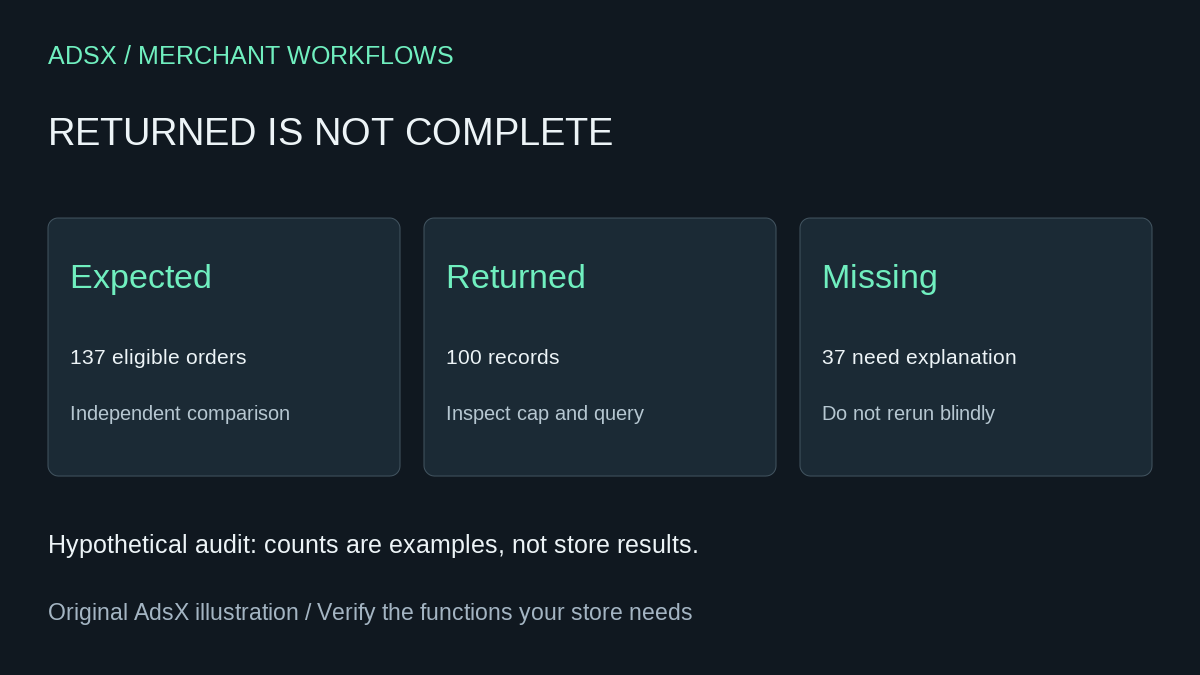
A scheduled order review finishes successfully and reports exactly 100 orders. The merchant expected 137. Before adding another loop or rerunning the workflow, check what the query actually retrieved. A successful run can process its entire input and still miss part of the business task.
Original AdsX illustration.
Separate retrieval from processing
Shopify's Get order data documentation sets a maximum of 100 results per request. Its configuration also includes sorting, a query and the requested result count. A downstream loop processes the returned list; it does not prove that the list contains every eligible order.
Record those three settings before changing the workflow. If the configured maximum is 25, a result of 25 deserves a coverage check even though it is below the platform maximum. A result equal to the cap is a warning to investigate, not proof that records were omitted.
This is a native Flow review, not a Sidekick-generated admin app. Flow is available on Basic, Grow, Advanced and Plus, with staff permissions required. Plan-dependent API usage limits still apply. The review below does not require adding a hosted app or a paid AI integration.
Establish an independent expected set
For the fictional 137-order review, define eligible before counting: which timestamp, which status, which time zone and which exclusions? Compare identifiers from an independently checked admin view or authorized export using the same criteria. Do not send names, emails or addresses to an assistant when redacted order identifiers and eligibility fields are enough.
Use a reconciliation table:
| Group | Example count | Next check |
|---|---|---|
| Expected and returned | 100 | Confirm each meets the rule |
| Expected but absent | 37 | Check boundary, sort and result cap |
| Returned but not expected | 0 | If present, inspect filter behavior |
These numbers demonstrate the method. They are not a claim that Shopify lost 37 orders. A mismatch can come from an incorrect expected set as well as the workflow.
Validate filters before making the query larger
Shopify warns that invalid query filters or syntax can cause a query to be ignored. Its optimization guidance recommends testing returned data and keeping Get-data queries filtered. Review both a record that should match and one that should not. An apparently healthy count is weak evidence if the wrong records are present.
Ask AI to explain the supplied query and identify ambiguous boundaries. Verify proposed filters against the action's linked API documentation; do not copy an invented field into production. Test with logging and no customer-facing or financial action attached. For timing confusion, first use the schedule and time-zone review.
Design coverage, not repeated retrieval
Running the same capped query again can return the same first page. Changing sort order merely changes which records are favored. Neither approach establishes complete coverage.
Shopify recommends running suitable workflows more frequently so each query needs fewer results. For a time-window audit, define adjacent windows explicitly and check the busiest window, not only an average day. A hypothetical split of 137 orders into two windows might produce 60 and 77; it might also produce 110 and 27. Only the first split fits under 100 for both windows.
Account for updates that make an order appear in more than one run. If processing can send messages, add tags or trigger another action, define how duplicate processing will be prevented before enabling it. If a reliable partition cannot be established, scope a separately maintained paginated integration with appropriate permissions, logging and operating costs. AI-generated code alone is not that integration.
Acceptance criteria
Approve the revised workflow only after expected and returned identifiers reconcile, boundary records behave correctly, a peak-volume example fits the chosen design, and repeat processing has a documented outcome. Retain the original configuration and a rollback owner. No merchant workflow was executed for this article; the prompt organizes evidence and does not certify completeness.
Try the worksheet prompt
Illustrative prompt, not execution-tested.
Review the supplied Flow Get order data settings, query, sort, cap, redacted returned IDs and independently checked expected IDs. Produce expected/returned/missing/unexpected groups, boundary checks and a peak-volume coverage plan. Do not assume rerunning or sorting paginates results. Verify proposed filters against official documentation. Identify duplicate-action risks and unknowns. Do not activate, modify or retry the workflow.
Copy the prompt from the merchant library. For related work, see Debug a Sidekick-Generated Shopify Flow From Its Run Log.