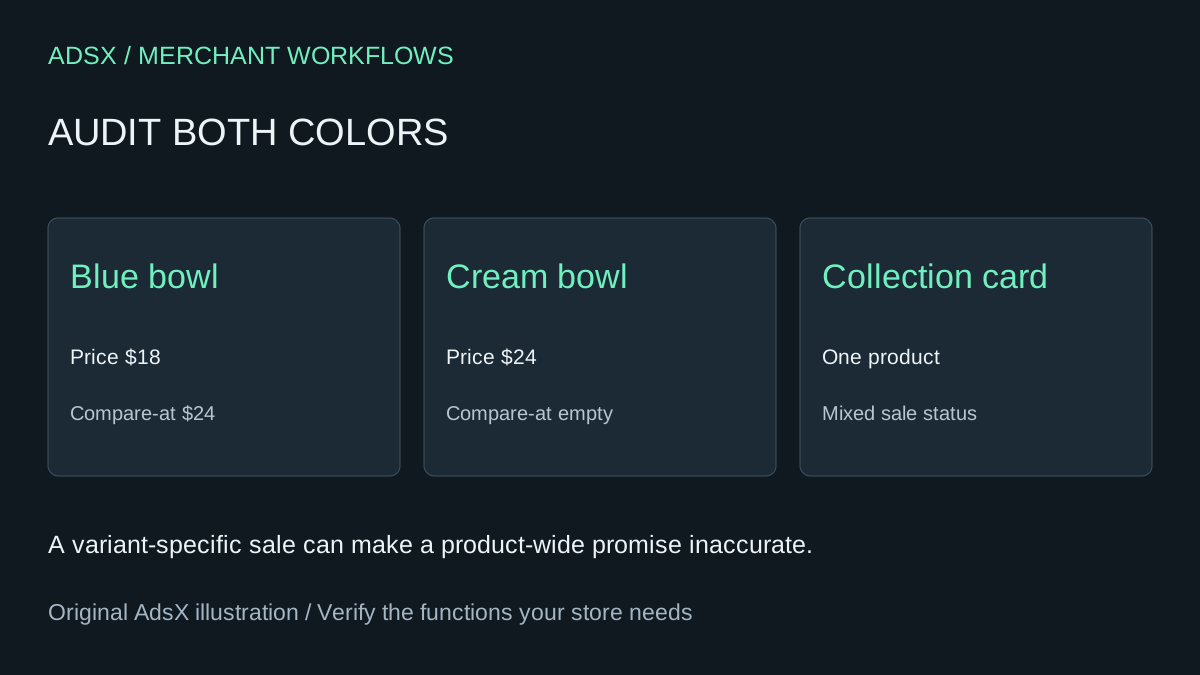
The blue bowl shows $18 beside a crossed-out $24 on its product page. In the collection grid the bowl looks full price. Before opening the theme editor, check what the cream bowl costs. The grid has to describe a product with both colors.
Original AdsX illustration.
Check the intended promotion
Write a row for every variant showing its current price, compare-at price, and whether it belongs in the promotion. Preserve an empty value as empty. Shopify distinguishes an empty compare-at field from zero. If only blue is discounted, a crossed-out $24 on every color would mislead someone buying cream. Keep the real prices and decide whether the card needs language such as “Selected colors on sale.”
If both colors should be $18, check the approved offer and correct only the inconsistent record. The selling price goes in Price and the higher original amount goes in Compare-at price. Shopify explains that conflicting compare-at values across variants can suppress the collection sale display even when the selected variant looks correct. Shopify’s sale-price troubleshooting
Follow a shopper from card to cart
Open the collection, click the card, select each color and add one to the cart. Record the visible badge, current price, crossed-out price and actual line price. Repeat on a phone, including quick add if the collection offers it. If the intended offer is a checkout code, record the code and its eligibility separately. A checkout discount operates at a different step from a catalog markdown. Shopify’s discount FAQ
When variant data is consistent and the expected price survives checkout, compare the same collection in a duplicate theme preview with its standard card settings. If only the custom card fails, ask for an estimate to repair that component. A badge app is worth evaluating when the team also needs scheduled labels or product-specific messaging. It cannot decide which prices the merchant meant to promote.
For a hypothetical $15 monthly badge subscription, the annual fee is $180. A two-hour card change at $60 per hour plus one hour of retesting at the same rate also costs $180 in year one. The cheaper path depends on how often the theme changes and who maintains the promotion rules. Confirm those inputs before treating a new badge as a savings opportunity.
Try the worksheet prompt
Illustrative prompt, not execution-tested.
Review fictional rows of variant, price, compare-at and intended sale scope. Preserve blank versus zero. Flag conflicts, propose truthful card copy and list card-to-cart checks. Do not invent original prices or apply updates.
Copy the prompt from the merchant library. For related work, see Audit Shopify Unit Prices Before a Multipack Promotion.