The warehouse counts 24 ceramic cups. Shopify shows 11 available, and a buyer wants 12. Before staff change the available count to match the shelf, ask which cups have already been promised and which still need inspection.
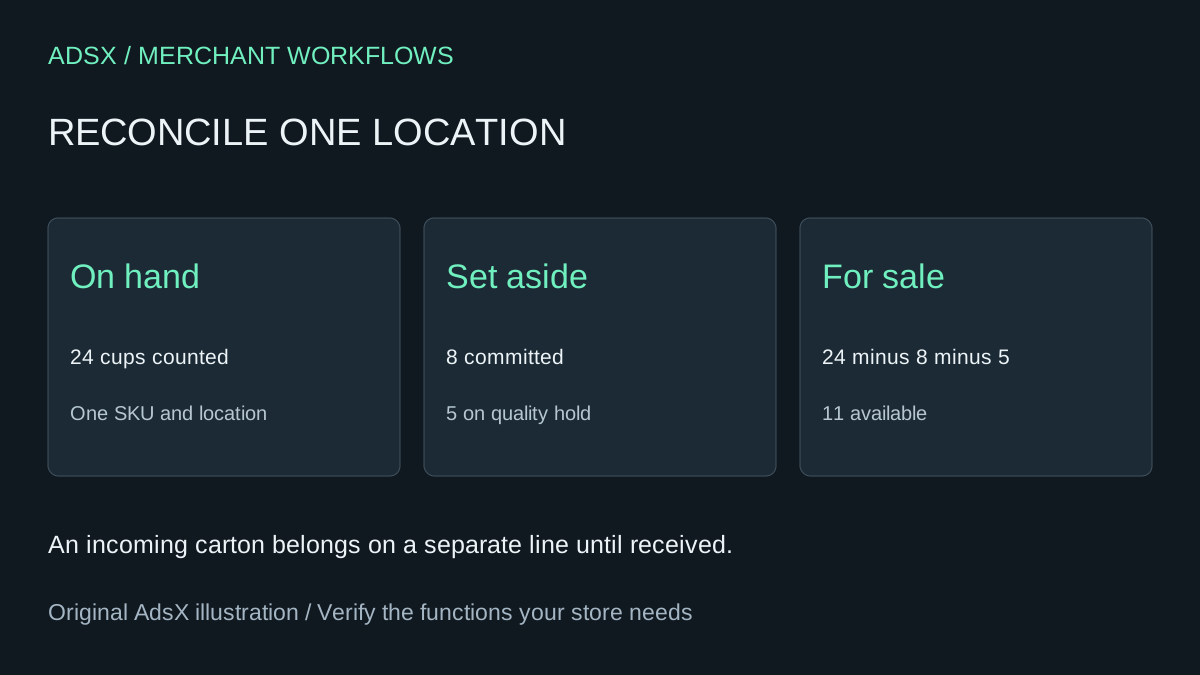
Original AdsX illustration.
Rebuild the shelf count
Start with one tracked variant at one fulfillment location and record the time of the count. Suppose eight cups belong to unfulfilled orders, five are held for inspection and eleven can ship. All 24 are physically present. The difference between the shelf and the sellable count is fully explained. A carton of twelve on its way from the supplier changes neither number until received. Shopify inventory state definitions
The useful comparison is physical count versus on hand, followed by available plus committed plus unavailable versus on hand. When the first comparison fails, recount and check receipts, picks and location. When the first passes, investigate the allocation. An order placed between the snapshot and the count can change available and committed even while the cups remain on the shelf.
Release just the cups that passed
Say three of the five held cups pass inspection. Move those three from quality control to available. The expected result is 14 available, eight committed and two held. The total on hand remains 24. Entering three newly received cups instead would overstate what is in the building. If a warehouse app owns the hold, check which system should release it so a later sync does not reverse the adjustment. Shopify’s guide to moving unavailable inventory
Give the person approving the release a count sheet with SKU, location, inspection result, quantity, time and adjustment owner. Keep rejected items set aside until their disposition is recorded. For an occasional discrepancy, a worksheet can remove sorting work. A paid warehouse system may still justify its cost when staff need lot history, mandatory sign-off or automatic release across locations. An AI calculation can identify a mismatch, but it cannot establish that a physical item passed inspection.
Try the worksheet prompt
Illustrative prompt, not execution-tested.
Using fictional counts for one SKU and location, reconcile on hand against available, committed and unavailable. List incoming separately. Model releasing only the inspected quantity, show before and after totals, and flag unexplained differences. Never post inventory adjustments.
Copy the prompt from the merchant library. For related work, see Shopify Purchase Orders: Receive Partial Supplier Deliveries.