The buyer wants to know how many Sunday Cups sold last quarter. The report also shows Studio Cup, the name used before the spring catalog refresh. Adding the two title rows sounds reasonable until someone points out that a second product briefly used the same name.
Original AdsX illustration.
Choose the dimension that answers the question
Shopify distinguishes the current product title from the title at the time of sale. The historical title helps answer what buyers saw. The current title helps merchandisers recognize the catalog today. In a report covering a rename, inspect which dimension is selected before interpreting two rows as two products. Shopify analytics field definitions
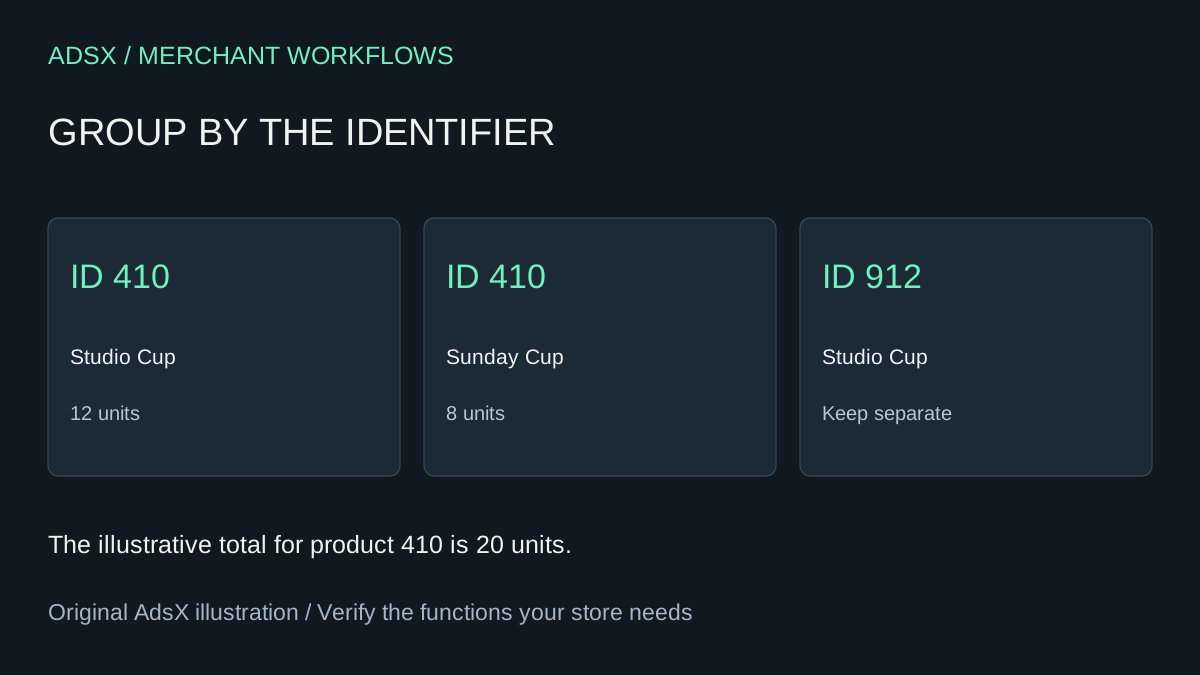
Build a small crosswalk with product ID, variant ID when relevant, historical title and current title. Use the same reporting period, sales channel, metric and currency on both sides. In our fictional example, product 410 sold 12 units as Studio Cup and eight as Sunday Cup. Combining those rows gives 20. Product 912 also used Studio Cup but belongs on its own row. Matching by title alone would attach its sales to the wrong design.
Reconcile the totals before adopting a new label
Export the report with historical titles and preserve the original columns. Ask an assistant to group by identifier and retain every distinct label as a review field. Check that units and net sales sum to the original totals. If the export lacks identifiers, look for a report configuration that supplies them. Hold ambiguous names for manual review. A similar spelling or matching price is weak evidence of identity. Shopify report dimensions and grouping
When one item was discontinued and a successor launched under a new ID, decide what the report measures. Buying teams may want a family total to forecast demand for the next design. Catalog operations may need separate totals to trace actual orders. Save the explicit family mapping and both IDs if you choose to combine them.
Finish by testing one transaction before and one after the rename. The current-title view should answer the buyer’s catalog question while the historical view still lets support recognize the item described on an old order.
Try the worksheet prompt
Illustrative prompt, not execution-tested.
Group these fictional sales rows by stable product ID and preserve historical and current names. Show units and net sales before and after grouping. Flag reused titles, missing IDs and successor products. Never merge on spelling alone.
Copy the prompt from the merchant library. For related work, see Why a Shopify Barcode Scan Finds Two Variants.