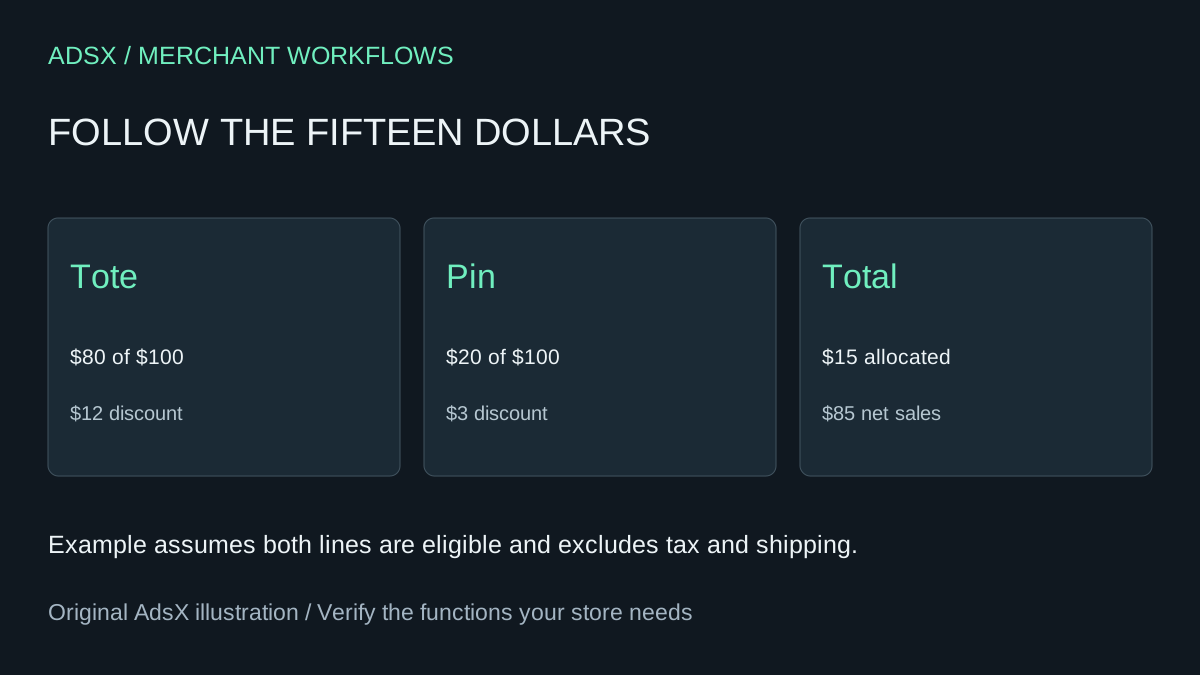
A tote and a pin sell together for $100 before a $15 basket discount. The sales team assigns the whole $15 to the tote because it was the promoted product. Finance sees a smaller deduction on the tote and a deduction on the pin. Both teams are looking at the same order, but only one calculation reconciles by line.
Original AdsX illustration.
Start with the eligible merchandise
Shopify explains that discounts applying to every product in an order are allocated proportionally in sales reporting. Pull one order with an uncomplicated discount and record the line quantities, extended prices and actual discounts. For the $80 tote and $20 pin, the tote represents four fifths of the eligible value. Multiply $15 by 0.8 to get $12. The pin receives the remaining $3. The net lines are $68 and $17. Shopify sales report definitions
Check the discount configuration before reusing that denominator. A product-specific promotion or a shipping discount has a different scope. If a report repeats the order total beside every line, count the $15 once for the order. Summing that repeated column would incorrectly show $30 in savings. Shopify amount-off discounts
Work back from the observed amounts
Give an assistant a few sanitized lines and the observed order-level total. Ask for each eligible line’s share, the calculated amount, the amount Shopify recorded and the difference. Use extended prices when there are multiple units. For cents that do not divide evenly, preserve the platform’s recorded allocations and flag rounding differences. A worksheet that forces agreement by altering one product’s price will hide a real scope error.
Suppose the pin is returned. The merchandise line in this simple example contributed $17 to net sales. Use the order’s actual refund details to reconcile the return, including applicable taxes and other adjustments. The illustration is a way to spot an implausible $20 merchandise reversal. It gives support no authority to set the customer’s refund.
Use the reconciled net lines for product-level analysis. If marketing wants to attribute the entire promotion budget to the tote campaign, keep that attribution in a separate management calculation with its own definition.
Try the worksheet prompt
Illustrative prompt, not execution-tested.
Given anonymized line subtotals, quantities, discount scope and recorded allocations, calculate each eligible share and residual. Count the order discount once. Flag rounding and missing eligibility. Report observed versus expected amounts without modifying prices or issuing refunds.
Copy the prompt from the merchant library. For related work, see Trace Shopify Net Sales When a Refund Lands Next Month.