The report shows two weeks of inventory left. Your supplier says delivery takes ten days. That looks comfortable until you learn that the next order cutoff is four days away. A reorder alert needs to cover the whole interval until goods become available.
Original AdsX illustration.
Translate a report value into a buying decision
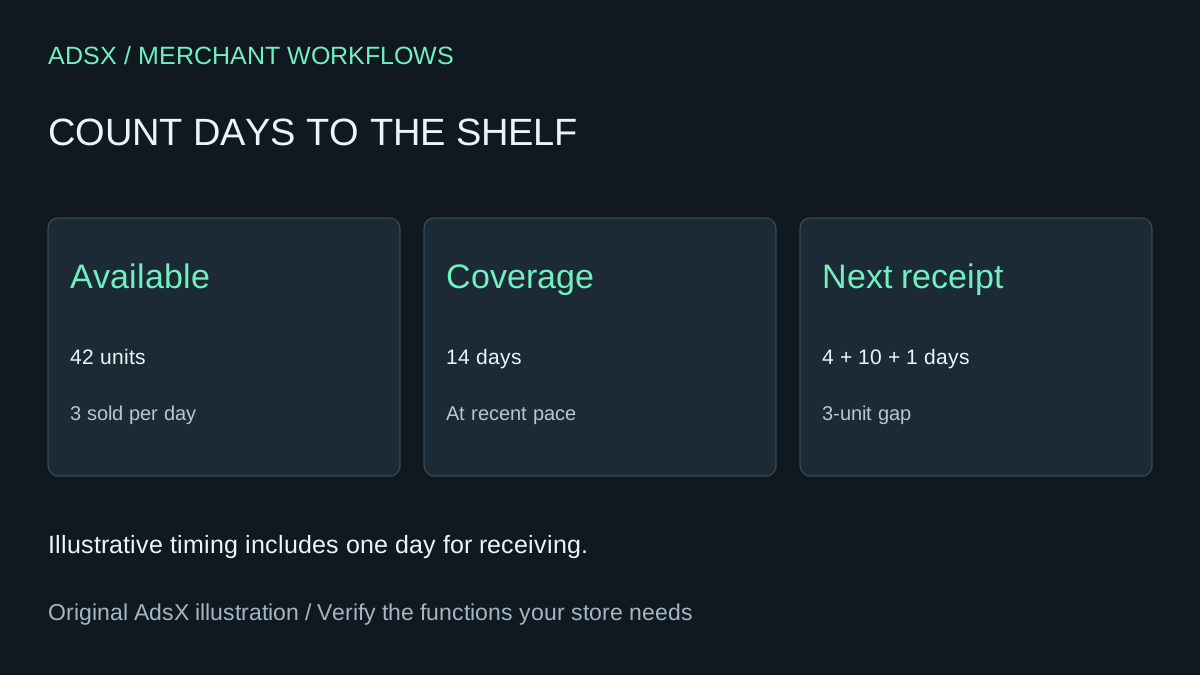
Shopify’s inventory reports use the last 28 days of sales for average items sold per day in the days-remaining calculation. At 84 units sold in 28 days, the recent daily average is three. With 42 units available, the simple coverage estimate is 14 days. Use the same variant and inventory scope throughout your worksheet. Shopify inventory reports
In this example, four days until ordering plus ten days in transit plus one day to receive the shipment gives 15 days. Expected demand is 45 units, leaving a three-unit shortfall before replenishment. Receiving tomorrow’s confirmed transfer of six sellable units would change the decision. Record its expected arrival date separately since incoming inventory is unavailable for sale until received. Shopify inventory states
Ask for exceptions before creating a purchase order
An assistant can calculate the gap row by row and flag the SKUs that need a supplier call. Give it the order cutoff, supplier lead time, receiving delay and confirmed arrivals. Ask what happens at four units a day as well as three. At the higher pace the 15-day requirement becomes 60 units and the gap grows to 18. An alert should show both the assumed pace and the timing behind the number.
Inspect days when the product was unavailable. A long stockout suppresses observed sales, so a rate based on the whole window can understate demand. A recent promotion can pull the estimate the other way. For a variant with zero sales, flag the estimate as indeterminate and review launch history before making a purchase decision.
The three-unit gap measures exposure before delivery. Ordering three extra units on the same late truck cannot cover those earlier days. The immediate options include advancing the order, moving stock from another location or confirming a faster receipt. Set the replenishment quantity separately for the next selling period.
Try the worksheet prompt
Illustrative prompt, not execution-tested.
For each fictional SKU compute recent daily sales, coverage days and expected demand through the next usable receipt. Include order cutoff and receiving delay. Show gaps at baseline and faster demand. Keep dates of incoming units separate and flag stockouts or zero observed sales. Do not place orders.
Copy the prompt from the merchant library. For related work, see Use AI to Choose Which Shopify SKUs to Count First.