A seasonal pause is a schedule and a cost decision, not just a plan change. Before switching a Shopify store to Pause and Build, decide when you want orders to stop, which expenses continue, and who will handle existing customers while the checkout is unavailable.
This guide uses public Shopify documentation reviewed October 19, 2026. The budget example is fictional, and no merchant plan was changed.
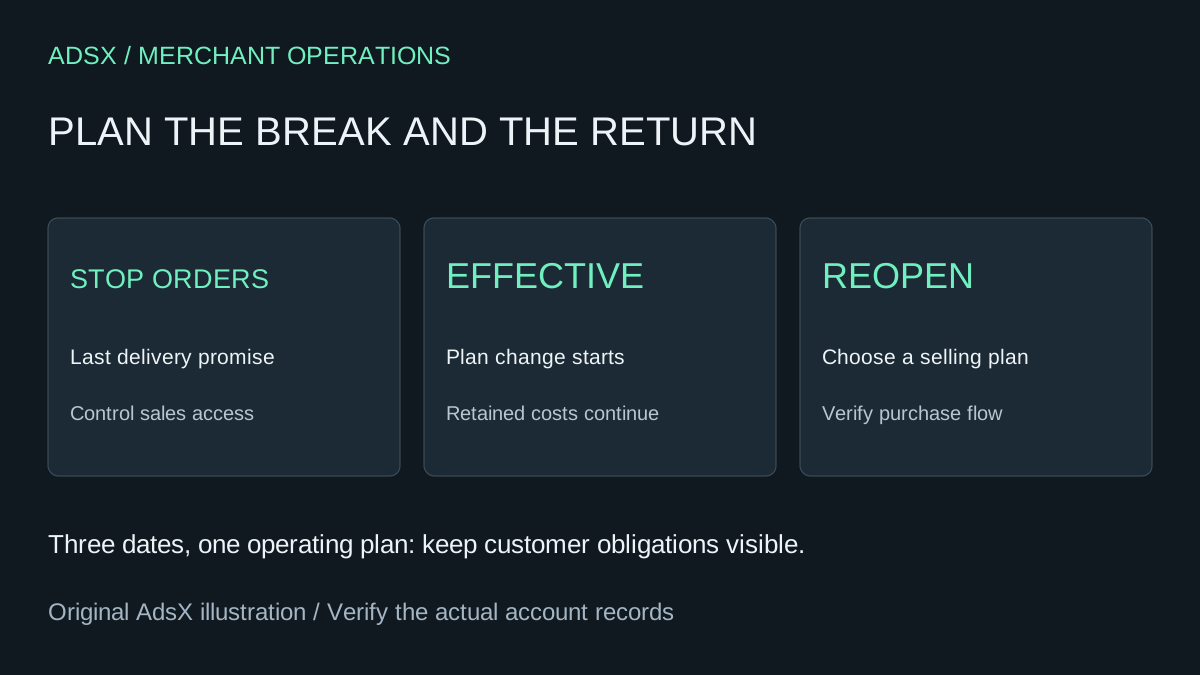
Original AdsX explanatory illustration.
Separate the three dates
Shopify's Pause and Build guidance says a plan change is scheduled for the end of the current billing cycle. The store can continue accepting orders until that effective date. After the change, checkout is deactivated across sales channels, while the owner can continue working in the admin.
Write down three dates rather than treating them as interchangeable:
| Date | Decision |
|---|---|
| Last date for new orders | When the business can still promise delivery |
| Plan change effective date | When the scheduled subscription change takes effect |
| Reopening date | When the store is ready to accept and fulfill new purchases |
For a fictional summer-goods business, the last order date might be September 20 while the billing cycle ends September 28. That eight-day gap needs a deliberate sales-access plan. A note saying “paused September 20” would be misleading if checkout still accepts purchases.
Shopify's vacation guidance distinguishes short-term storefront private mode from a longer Pause and Build period. Restricting storefront access does not stop recurring subscription charges. Review other sales channels separately rather than assuming a storefront password controls every route to purchase.
Calculate the costs that actually continue
The pause documentation says apps remain active and must be addressed individually. Reopening requires choosing a new plan. Check the exact price, billing currency, taxes, and effective dates shown for your store before approving a change.
Build a small budget from current bills and provider terms. Include domains and services billed outside Shopify; a plan screen cannot summarize every business expense.
Here is an illustrative two-month pause budget using invented inputs, not a Shopify price quote:
| Expense | Example assumption | Two-month total |
|---|---|---|
| Paused-store subscription | $10 per month | $20 |
| Retained support app | $15 per month | $30 |
| External storage/service | $5 per month | $10 |
| Reopening setup work | One $80 allowance | $80 |
| Total planning allowance | Before taxes or other obligations | $140 |
If the business ignores the retained services and reopening work, it might budget only $20 and underestimate the example by $120. Replace every row with your actual obligations. Do not assume uninstalling an app erases an already incurred charge or preserves every piece of its configuration.
Our Shopify app-cost audit helps classify what to keep, cancel, or investigate. Save the information needed to restore essential workflows before removing a service.
Close the operational loop on existing orders
A sales pause should not leave a customer guessing about an order already placed. Review outstanding fulfillments, returns, refunds, and scheduled services. Assign one person to monitor exceptions throughout the break.
For each open item, record the promised outcome and next review date. A fulfilled order with an unresolved return is still an operating responsibility. Avoid using the absence of new sales as evidence that all customer work is complete.
If the storefront remains visible, make its message specific: whether purchases are unavailable, when you expect to reopen, and how existing customers can reach support. Do not promise a reopening date that depends on stock or staffing you have not confirmed.
Reopen with an acceptance check
Before choosing the selling plan and making the store available, confirm product availability, prices, shipping promises, and the services you retained or restored. Check a representative purchase journey using your test-order checklist.
Review any temporary storefront message and access setting. A paid plan does not prove that an old closed-for-season message has disappeared. Likewise, a visible Buy button does not prove that payment, shipping, and fulfillment are ready.
Record the new plan's billing start, any credits shown, and the apps that resumed charging. Compare the first actual bill with the budget rather than assuming the forecast was exact.
Decide whether a pause fits the business
Shopify lists eligibility requirements including owner access, a paid plan after the trial, and exclusions for Plus. Verify the available options in your own account.
A pause is most useful when there is a credible reopening plan and a reason to retain the store. If the business still needs to sell on another channel or deliver ongoing services, map those requirements before disabling checkout. Choose the operating state that matches what customers can actually expect.