A fulfillment hold should have a reason, an owner, and a condition for release. If an order has more than one hold, resolving one issue does not establish that every other issue is resolved. Review the hold list before letting the order return to the packing queue.
This is an operational checklist based on public documentation reviewed October 18, 2026. The example is fictional; no live order holds were placed or released.
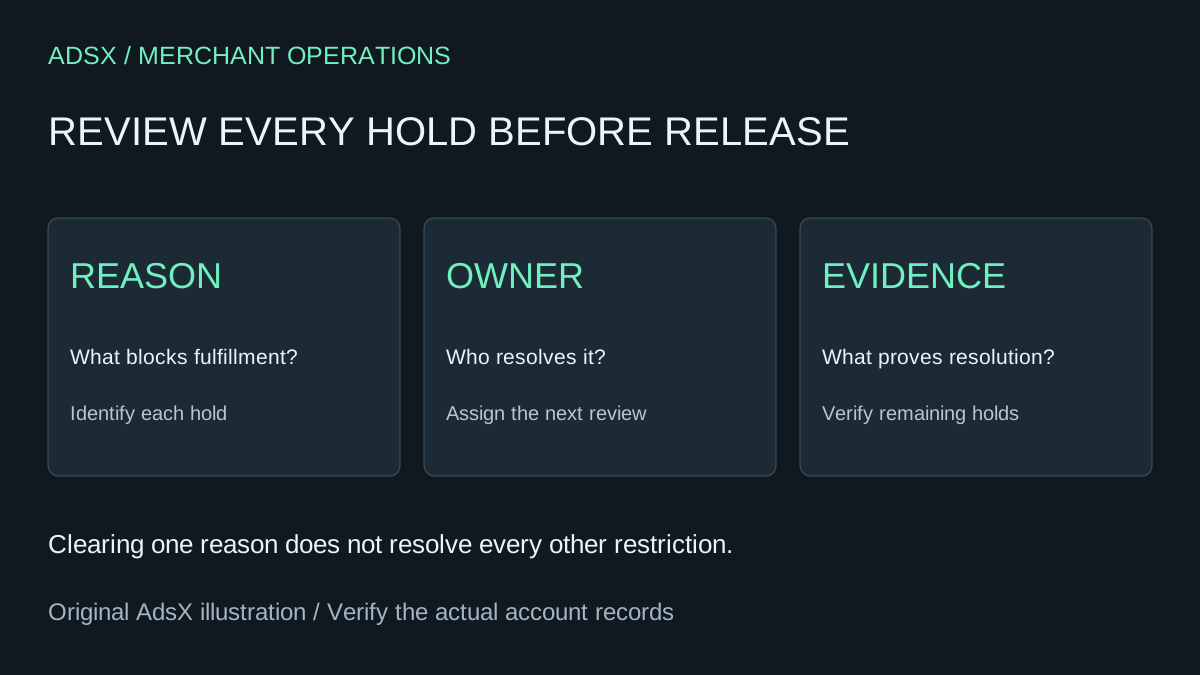
Original AdsX explanatory illustration.
Identify the fulfillment that is blocked
Shopify's fulfillment-hold documentation describes manual holds and system holds created by apps or services. Multiple holds can apply to the same fulfillment. While a hold blocks fulfillment, inventory can remain reserved.
Start with the order reference and the specific fulfillment group. A multi-location order may require separate attention for different items. Avoid a vague note such as “order fixed” when you have resolved only one part of the work.
A draft quote with reserved inventory is a different workflow. Our draft-order reservation guide covers stock promises before an order proceeds. This article concerns why fulfillment of an existing order is paused.
Give each reason a release condition
For a fictional apparel order, imagine a manual hold because the team needs to confirm a size substitution, plus a separate system hold from a connected service. Use a record like this:
| Hold | Owner | Evidence needed before release |
|---|---|---|
| Size substitution | Customer-service lead | Approved item and updated fulfillment instructions |
| Connected-service review | Responsible service or integration owner | Review resolved through the service's documented process |
The table does not assume that either condition has been met. It keeps the person investigating the issue from mistaking their own completed task for approval to remove every restriction.
Add the time placed, next review time, and a short note about the source record. If the owner is absent, name a backup. A queue of holds without review dates can hide orders that are ready to move and orders that still need urgent attention.
Resolve the issue before clearing the label
Shopify says a single manual hold can be released directly, while multiple holds allow a selection of which to release. Once no items remain on hold, the order's fulfillment status can become Unfulfilled. That status is not confirmation that a parcel has shipped.
Review the actual order after the release. Confirm the intended items returned to the appropriate workflow and any remaining holds are understood. Then hand off to the person or service responsible for fulfillment. Do not send a shipment confirmation merely because a hold disappeared.
For the size-substitution example, the release record might say: “Customer approved the navy medium; packing instructions updated; manual substitution hold released.” It should not say that the connected service approved its own review unless you have that evidence too.
Treat system holds as a separate responsibility
Shopify warns that overriding a system hold can conflict with the agreement with the service that placed it. Review that service's process or contact its support before overriding. A visible override control is not evidence that bypassing the hold is appropriate.
If a hold seems stale, gather the order reference, hold reason, timestamps, and relevant service status. Give that evidence to the responsible team. Repeatedly clearing and recreating holds can make the history harder to interpret without fixing the underlying integration or decision.
Review automation scope carefully
Shopify's Flow release action reference says the action releases all holds on the fulfillment order. It requires a fulfillment-order ID in the workflow context. That differs from a manual review where a staff member selects a particular hold.
Before automating a release, write down what proves every relevant condition is satisfied. If a workflow observes only that inventory arrived, it has not necessarily established that an unrelated review is complete. Design and test the rule around the full release decision, not just the event that is easiest to detect.
A useful test set contains a single manual hold, multiple holds, and an unrelated unresolved condition. Record the expected outcome for each before running tests in an appropriate environment. Our Shopify test-order checklist can help organize the evidence.
Review the queue as an operating habit
Track how long holds remain open, the reasons that recur, and cases reopened after an incorrect release. Separate waiting time from the time your team spends investigating. A long wait may need a clearer customer handoff; repeated corrections may need a better release checklist.
The goal is not to make the hold count reach zero at any cost. It is to explain each blocked fulfillment and release it when the required evidence is present.