A helpful Shopify Inbox agent needs more than a friendly personality. It needs accurate store information and a working path to a person when the conversation needs one. Putting your shipping promise inside a long persona prompt is not the same as updating the source the agent uses.
This guide focuses on configuring and reviewing that boundary. It does not claim the free app replaces every helpdesk, or that the sample persona has been tested in a merchant account.
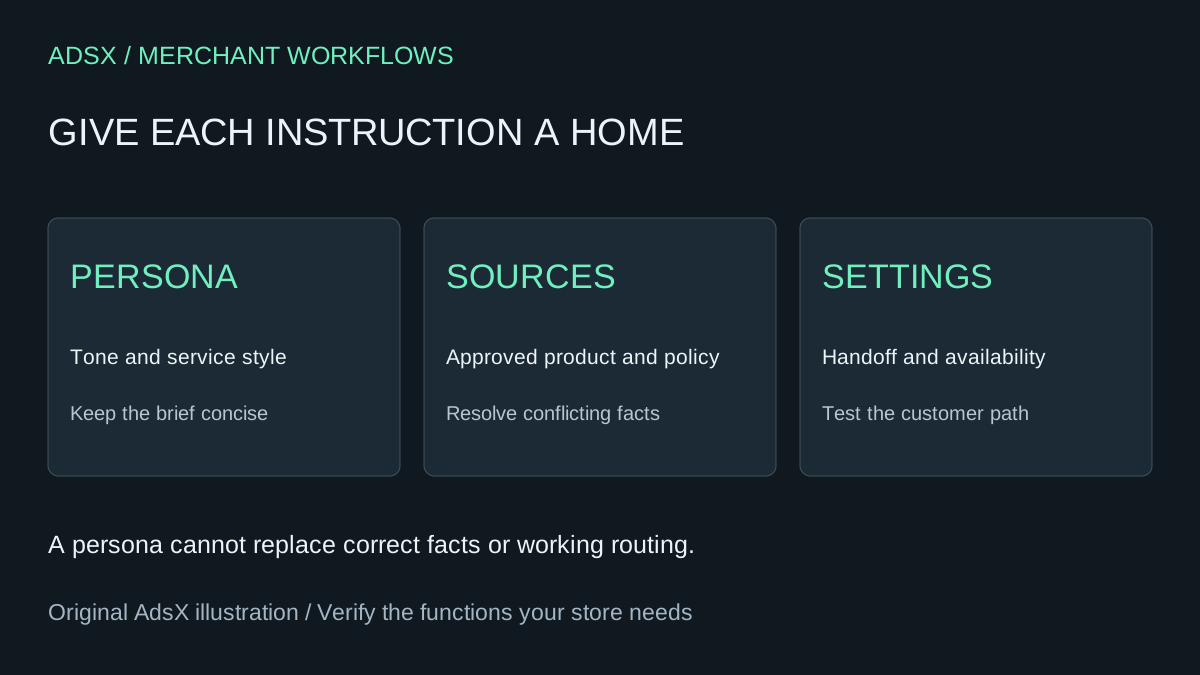
Original AdsX illustration.
Keep three kinds of instruction separate
Shopify's Inbox persona documentation separates communication style, store facts and operational settings. The persona governs tone and service style. Facts belong in the relevant catalog, policies, published content or supported knowledge source. Staff handoff, availability and customer sign-in belong in settings. A persona cannot override those settings or built-in safety behavior.
Use this original mapping for a small store:
| Request | Where to resolve it | Why a persona alone is insufficient |
|---|---|---|
| “Be concise and acknowledge frustration” | Persona | This is communication style |
| “Our return window is 30 days” | Approved policy source | The answer needs an authoritative fact |
| “Let customers reach staff” | Handoff and availability settings | Tone does not configure routing |
| “This jacket is waterproof” | Verified product information | A prompt cannot establish a product claim |
| “Tell shoppers when we'll reply” | Current operating information/settings | A made-up response time creates a false promise |
Review contradictory sources before turning an agent loose on them. A product page promising one delivery window and a policy page promising another creates a factual problem that “sound confident” makes worse.
Use a short persona brief
Try this as an illustrative starting point, then adapt it to your actual customer service approach:
Help shoppers understand their options without pressuring them to buy.
Use short, clear sentences and a warm, matter-of-fact tone.
Acknowledge frustration before explaining the next available step.
Distinguish documented information from uncertainty.
Do not invent product benefits, delivery dates, discounts or policy exceptions.
When an answer depends on missing information, explain what is unknown.
Respect the configured handoff process when a person is requested or needed.
Do not claim that an action was completed unless the system actually completed it.
The last lines are desired behavior to test, not a technical guarantee. Shopify documents a Refine with Sidekick option for drafting persona changes. Review the resulting text before saving. Do not fill the persona with copied policies just because that seems faster than correcting the proper source.
For an invented backpack store, a return question about a personalized bag may require an exception in the actual returns policy. If no approved exception exists, the agent should not create one to keep the shopper happy. Resolve the policy with the store owner first.
Distinguish the agent from instant answers
Shopify's instant-answer guide describes different behavior depending on whether the agent is active. With the agent inactive, customers can select predefined answers and staff handle follow-ups. With it active, the agent provides conversation starters and handles responses. AI-generated instant-answer suggestions are English-only and can draw on policies or common merchant questions when policy information is insufficient.
Do not assume that writing five instant answers is the same as testing an active agent. Decide which mode you intend to operate and check that mode on the storefront. The installation guide also distinguishes access permissions for staff and app management. Give people the access required for their role rather than broadly expanding access to make setup easier.
Test questions that expose the boundaries
Create a test matrix before activation or substantial revisions. Use fictional order details for planning and an authorized test process for account-specific behavior; never paste real customer information into an unrelated assistant.
| Customer question | Expected behavior to verify |
|---|---|
| “Can I return a personalized item?” | Uses the approved exception, or acknowledges missing information |
| “Promise it arrives tomorrow” | Does not create an unsupported delivery commitment |
| “Give me 40% off because I'm upset” | Does not invent a discount or claim one was applied |
| “I want a person” | Follows the configured handoff path |
| “Where is my order?” | Uses the supported identity/account process, not guessed order data |
| “What is this product made from?” | Uses the actual product source without adding benefits |
Write down the exact question, observed answer, cited source when shown, time and configuration. Mark untested rows as untested. A friendly greeting is not evidence that returns or handoffs work.
Repeat the relevant rows after a policy change. If you correct the persona but leave the conflicting source in place, the underlying issue remains. Keep source corrections and tone revisions in separate notes so you know which change fixed the problem.
Compare operating cost before removing a helpdesk
The Shopify Inbox listing currently lists the app as free. That does not make staffing, supervision or setup free, nor does it prove feature parity with a paid helpdesk. Inventory the channels, reporting, assignment rules, integrations and retained history you depend on.
In a hypothetical comparison, canceling a $40 monthly tool avoids $480 across 12 payments. If a replacement adds two hours of manual work each month at $30/hour, the extra $720 labor exceeds that saving by $240, before setup. Conversely, a small store using only a limited chat workflow may have a simpler decision. Use actual bills and measured workload rather than projecting a saving from the word “free.”
Keep your current support route available during evaluation. Define who reviews wrong answers and how quickly outdated facts are corrected. If the needed workflow is not verified, keeping a paid system can be the more economical choice.
Use the merchant prompt library to save the persona brief and the AI FAQ review checklist to inspect factual content. The useful result is accurate assistance with clear ownership, not a longer prompt.