Disclosure: AdsX may earn a commission from qualifying Shopify referrals through signup links. Examples and worksheets are original editorial planning aids, not observed merchant results. Sources checked November 28, 2026.
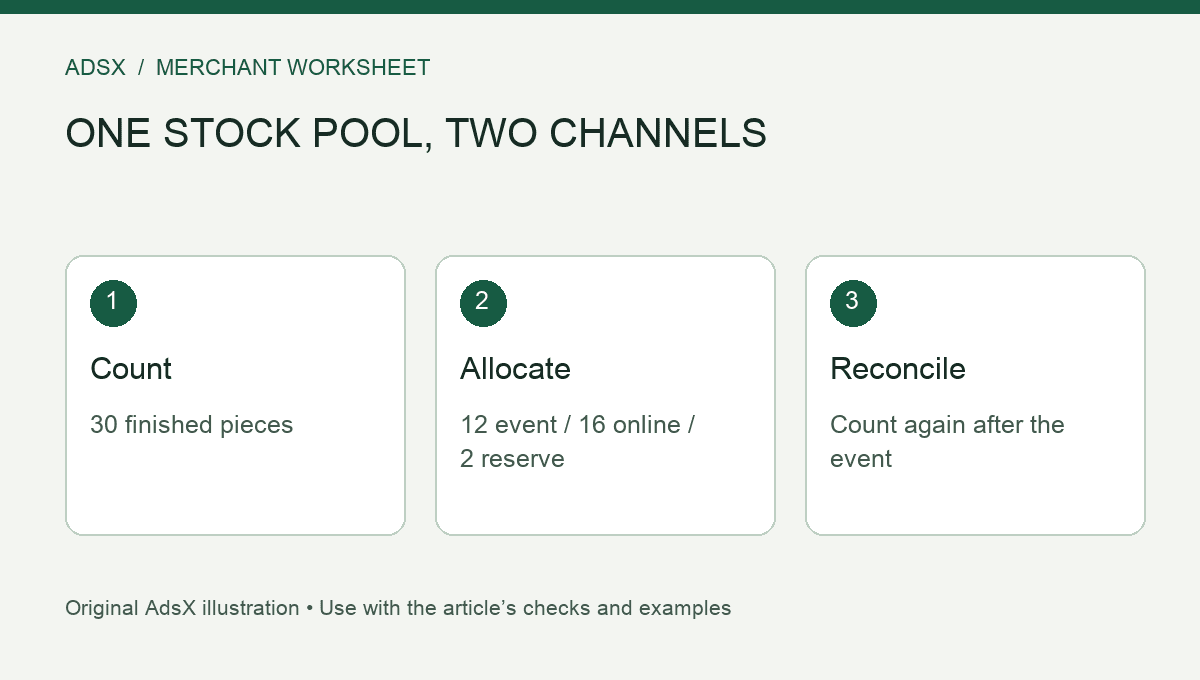
Original AdsX explanatory illustration.
A craft-fair customer can inspect the item, take it home, and ask you a question in person. An online customer needs photos, a delivery promise, and a way to get help. Moving online is therefore more than putting your market-stall catalog on a website.
Start with the products you can describe and fulfill consistently. Keep a written division between event stock and stock available online until your sales systems reliably share inventory. This guide is for an existing maker adding online orders, rather than someone choosing a product for the first time.
Decide how the two channels will share stock
Imagine a maker with 30 finished ceramic mugs. An initial plan reserves 12 for Saturday's fair, 16 for online orders, and two for breakage or replacements. These are illustrative numbers, not a Shopify recommendation. The important check is that the quantities sum to the physical stock and that every sold unit reduces the correct pool.
There are two workable operating models:
| Model | What it requires | Main failure to prevent |
|---|---|---|
| Separate channel allocations | A physical count and an owner for each adjustment | Advertising the same last piece online and at the fair |
| Connected Shopify sales | Correct products, inventory locations, and a tested POS workflow | Assuming a sale at any register automatically updates Shopify |
Shopify POS supports in-person selling and synchronization with Shopify inventory and orders. A different card reader or a handwritten cash-sale log does not become connected simply because you launched a Shopify site. Check supported hardware, payments, subscriptions, and country availability before replacing your existing register.
Choose locations around real handling
A location should represent where you actually hold, sell, or fulfill stock. Shopify explains the role of locations in its POS location documentation. Avoid creating elaborate location structures to compensate for an unclear counting process.
Write down who moves stock to the event, who records cash sales, and who reconciles leftovers. A transferred box is not necessarily available for online fulfillment. Before advertising a weekend delivery promise, confirm that someone can access the online allocation while the rest of the team is at the fair.
For unique handmade pieces, photograph and identify the actual item. For repeatable products, separate variants only where buyers make a meaningful choice. Our SKU naming worksheet gives you a compact way to keep the same identity across labels, packing, and listings.
Reprice the work the website adds
Suppose a mug sells for $32 and costs $11 to make. At the fair, the difference is not all profit: stall fees, transport, labor, and payment costs still apply. Online, assume another $2 for packaging, $7 seller-funded postage, and $1.25 payment cost. The illustrative contribution before labor and fixed costs is $10.75, not $21.
If the buyer pays $5 shipping, include that revenue and the actual shipping expense separately. Do not count the shipping charge as free margin. Test the packed item's dimensions and protection before choosing the price. A mug that survives a handover at a booth may not survive a parcel network in the same wrapping.
Use the Shopify startup cost calculator to compare the added online costs with the event business. The decision may be to sell pairs online, offer pickup, or begin with products that are easier to pack. Those are merchandising decisions, not guaranteed margin improvements.
Build the smallest useful online catalog
For each launch item, collect a clear front view, a scale reference, material details, dimensions, included pieces, and any variation the customer should expect. Explain handmade differences without using them to excuse undisclosed damage. Give one realistic dispatch window that fits your production and event schedule.
Then use Start a Shopify Store for the account-to-checkout setup. Complete a test purchase path for the online allocation, and separately verify what an in-person sale does to available stock. An attractive theme cannot substitute for this check.
Reconcile the first event after going online
At the end of Saturday, record opening event stock, sales, damaged pieces, and remaining stock. Compare that with the online inventory and open orders before releasing leftovers for sale. Keep uncertain items unavailable until you count them.
Only widen the catalog once you can explain every unit and fulfill the first online orders on time. The useful first milestone is a repeatable stock handoff, not the number of products uploaded.