Removing a Shopify store password changes who can browse your storefront. It does not prove that your payment settings, delivery options, or product information are ready. Before opening the doors, check access and ordering separately, then confirm what a visitor sees without your admin session.
This guide focuses on the move from private to public access. For the broader ordering workflow, use our test-order checklist. Shopify's public documentation was reviewed on October 14, 2026; the examples below are planning scenarios, not results from a store we launched.
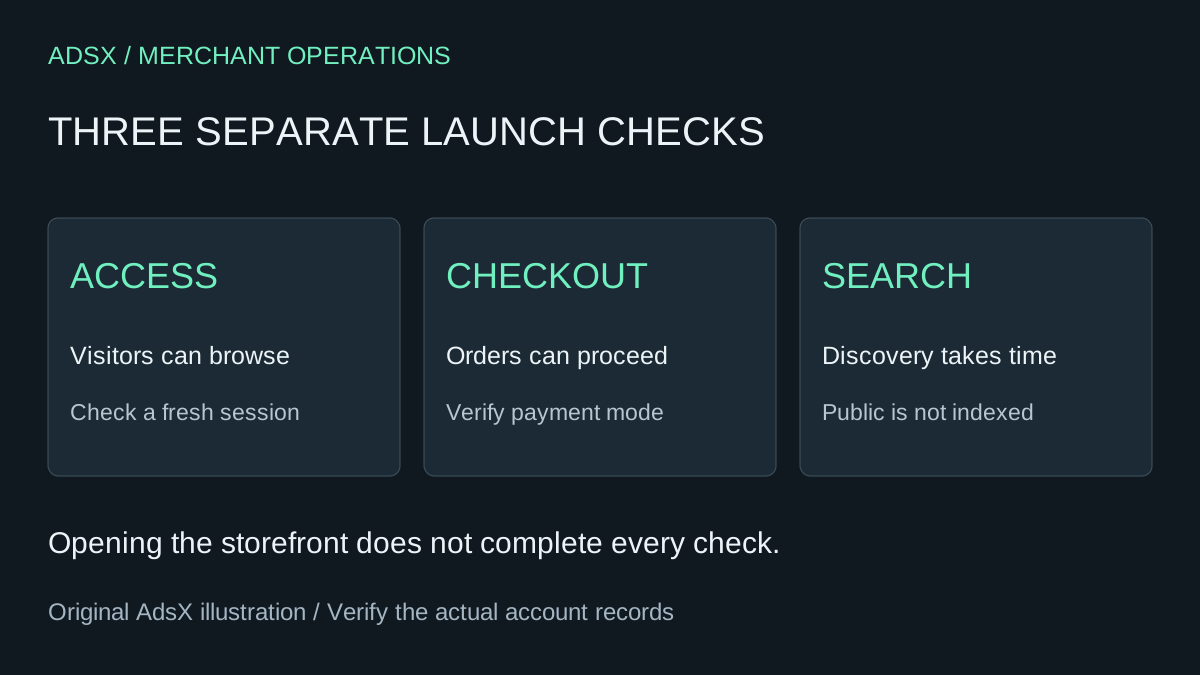
Original AdsX launch-check illustration.
Understand what private mode controls
Shopify's private-mode documentation says private mode hides online-store pages from visitors and search engines behind a landing page. You can give selected visitors a storefront password. That password should be different from the one used to sign in to your Shopify admin.
Think of a maker asking two friends to review a candle store. They need to see whether a scent description makes sense and whether the delivery promise is clear. They do not need access to the merchant's customer records, payment configuration, or account settings. A storefront review and administrative collaboration are different jobs.
Give reviewers a short task list instead of asking whether the site “looks good”:
- Find the candle's size and expected burn time.
- Explain which item they would choose as a gift and why.
- Find the delivery and return information without help.
- Identify any sentence that sounds like a promise the business cannot yet meet.
Record the page and exact problem. “Delivery is confusing” is less actionable than “the product page says dispatch tomorrow, but the policy says five business days.”
Can you launch before the trial ends?
Shopify's launch instructions require selecting a subscription plan, adding the store's business address, and configuring a payment method with test mode off. They also state that choosing a plan during a free trial does not start subscription charges before that trial expires.
That means “still in the trial” and “has not selected a plan” should not be treated as interchangeable states. Review the actual offer and dates shown in your account; do not assume every signup receives the same trial duration. Our trial evaluation scorecard helps decide whether the platform fits before you commit to continued use.
For the candle seller, the useful decision is whether the store can take and fulfill an order today. A countdown alone cannot answer that. If stock is not ready or the shipping promise remains uncertain, keep the store private while resolving the specific problem.
Change access, then inspect as a visitor
In the documented desktop workflow, open Online Store, choose the Private access menu, then select Public. The first opening uses Launch store; later changes can show Update. Private-mode preferences are also available under Online Store > Preferences.
Do the visitor check in a fresh browser session that is not signed into the store's admin. A preview you can see while working is not enough evidence that an ordinary visitor reaches the same page.
| Check | Evidence to record | If it fails |
|---|---|---|
| Homepage opens | Public address and visible page title | Recheck access and domain routing |
| A product opens directly | Product URL, price, and availability | Check publication and product settings |
| Delivery information agrees | Product, cart, and policy wording | Reconcile the promise before promotion |
| Checkout is ready | Completed test checklist and payment mode | Fix the ordering configuration |
| Mobile navigation works | Route from home to product to cart | Resolve the blocked step |
These are suggested acceptance checks. They are not Shopify certification requirements or a guarantee of conversion.
Public access and search discovery are separate
A public storefront can still have no meaningful search traffic. Removing the password allows visitors to reach the site; it does not guarantee that a search engine has crawled a product, selected its canonical URL, indexed it, or ranked it for a useful query.
Keep a simple launch record with the opening date, primary domain, representative product URLs, and remaining issues. When you later review search reporting, compare it with that record instead of attributing every change to the password switch. Avoid repeatedly toggling access while trying to measure discovery.
If you need to make the store private again, the same access menu supports that change. First decide how existing customers will get order help. Hiding the storefront should not leave a buyer guessing how to reach the business.
A small launch decision you can actually make
For the candle store, a sensible release note might read: “Three products are ready, the dispatch promise is consistent, the test order is reconciled, and a fresh visitor can reach each product.” A missing decorative section can wait. A missing delivery option for the intended customer cannot.
If you are still choosing a platform, start with the Shopify startup-cost calculator and first-month checklist. Build a store you can operate before spending time on launch-day polish.
Affiliate disclosure: AdsX may earn a commission from qualifying Shopify referrals. If the platform fits your plan, review Shopify’s current trial offer and confirm the terms shown for your signup.