Product tabs often contain three different things: a store-wide policy, product-specific information, and content supplied by another app. Those should not be migrated in the same way. An AI-written accordion can display text; it does not automatically replace shared-tab rules or a reviews integration.
This guide helps a merchant replace a small set of display-only tabs with compatible theme blocks or a limited custom section. The prompts are untested implementation briefs. They require your actual theme and approved content before they can become a working replacement.
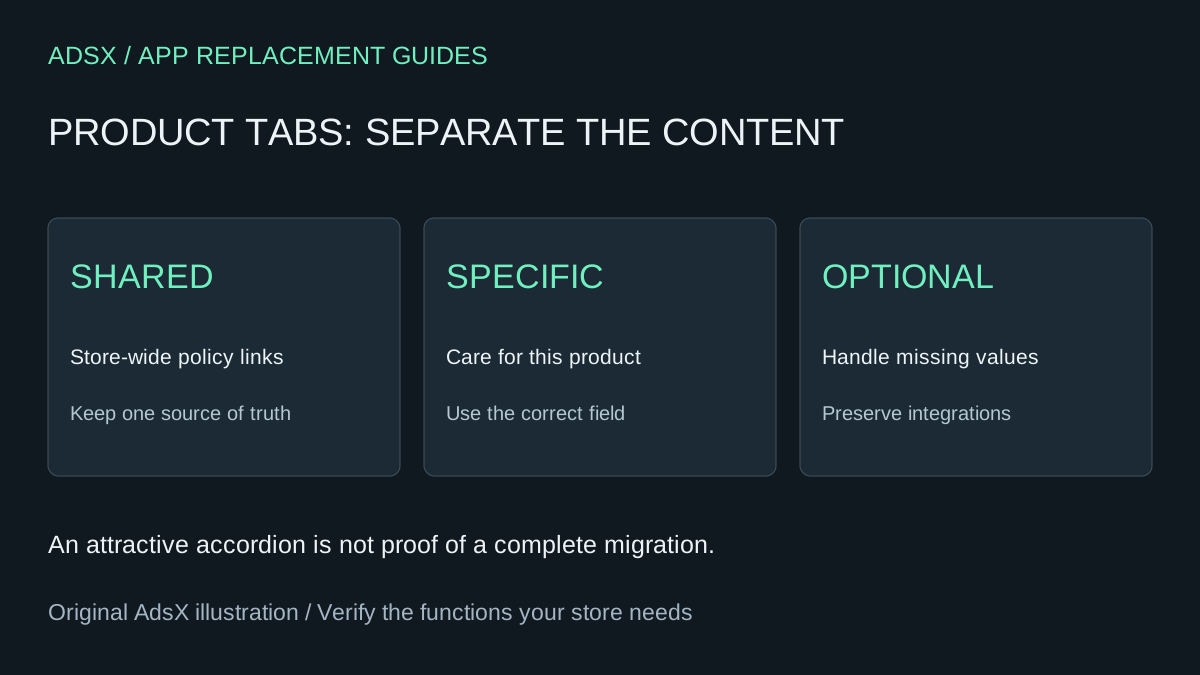
Original AdsX illustration.
How much could replacing Tabs Studio save?
The Tabs Studio listing, checked November 1, 2026, shows a free plan, Essential at $3 per month, and Plus at $6 per month. The free plan includes tabs from headings and one active shared tab. It may already cover a small store.
For planning, 12 monthly payments are $36 for Essential or $72 for Plus. Those are gross subscription costs. At an illustrative $40 hourly labor value, a one-hour setup plus half an hour of annual review costs $60: a $24 first-year loss versus Essential, or a $12 benefit versus Plus, before any added tools. Two hours of work cost more than either subscription budget before upkeep.
The small dollar difference is useful information. Replacing the app may still simplify a store you already maintain yourself, but outsourcing a custom rebuild purely to save $3 per month is hard to justify. Use your actual billing cycle, taxes and time costs in the build-versus-buy prompt.
Sort the content before touching the layout
Make an inventory with one row per visible tab. Record where its text lives, which products show it, and who updates it.
| Example content | Candidate storage | Review question |
|---|---|---|
| Store-wide returns summary | Existing policy page or shared theme content | Does the link reach the current policy? |
| Care instructions for this item | Product metafield | Does this product have its own approved instructions? |
| Warranty for selected products | Product field or explicit template assignment | What happens when it is absent? |
| Customer reviews | Existing review provider | Is an integration being removed accidentally? |
For example, a wool sweater may require hand washing while a cotton tee has different instructions. Typing one care paragraph directly into a shared product template risks showing it on both. Shopify’s theme troubleshooting guidance explains this common problem and the use of product metafields with dynamic sources.
Prompt 1: create the content map
Use a general assistant with an export or manually collected inventory:
Review these product tabs and approved content sources: [inventory]. Classify each as shared policy, product-specific text, conditional content, or another app’s output. Propose a content map for a Shopify theme. Flag missing source text and conflicting rules. Do not rewrite policy terms, infer care instructions, copy reviews, or change product records. Return a mapping table for review.
Keep a copy of all content owned by the app before removing it. If the export is incomplete, resolve that before rebuilding the display.
Prompt 2: inspect native blocks first
Inspect this unpublished Shopify theme and the proposed content map. Determine whether its existing collapsible rows can connect to compatible product metafields. Identify exact settings and field types from the theme and current documentation. Do not assume every block accepts every metafield type. Explain how blank values and shared content will behave. Prefer configuration over code and do not publish or change shared product data.
Shopify’s dynamic-source documentation describes the connection between compatible field types and theme settings. A resource’s context matters: a product field must resolve for the product being viewed.
Prompt 3: request a limited accordion
If the existing blocks cannot express your display requirements, use a coding agent:
In this unpublished theme, build the smallest product accordion for the approved field mapping. Render product-specific content from the current product, keep shared policy links separate, and omit optional rows with no content. Use semantic details/summary where suitable, visible focus styles and existing theme typography. Preserve rich text safely through Shopify’s supported rendering. Do not duplicate the full product description, recreate review integrations, or add external scripts. Provide file changes, preview checks and rollback instructions. Do not publish.
An accordion is a deliberate simpler interaction, not a promise to match a horizontal tab widget. If that design difference matters, price the extra implementation and accessibility work before proceeding. More copyable prompts are in the merchant library.
Check product differences, not just one attractive preview
Review the wool sweater, the cotton tee, and an item without optional content. Confirm the correct care text, the absence of empty headings, and unchanged policy links. Use keyboard controls and a narrow screen. Check for duplicate descriptions and review content disappearing after the old app is disabled in preview.
Keep Tabs Studio if its conditions, shared editing workflow, integrations or support are worth more than the small subscription. If the replacement passes, record the field definitions and ownership, then follow the app removal guide. Confirm content survives removal and that the next invoice reflects the intended change.