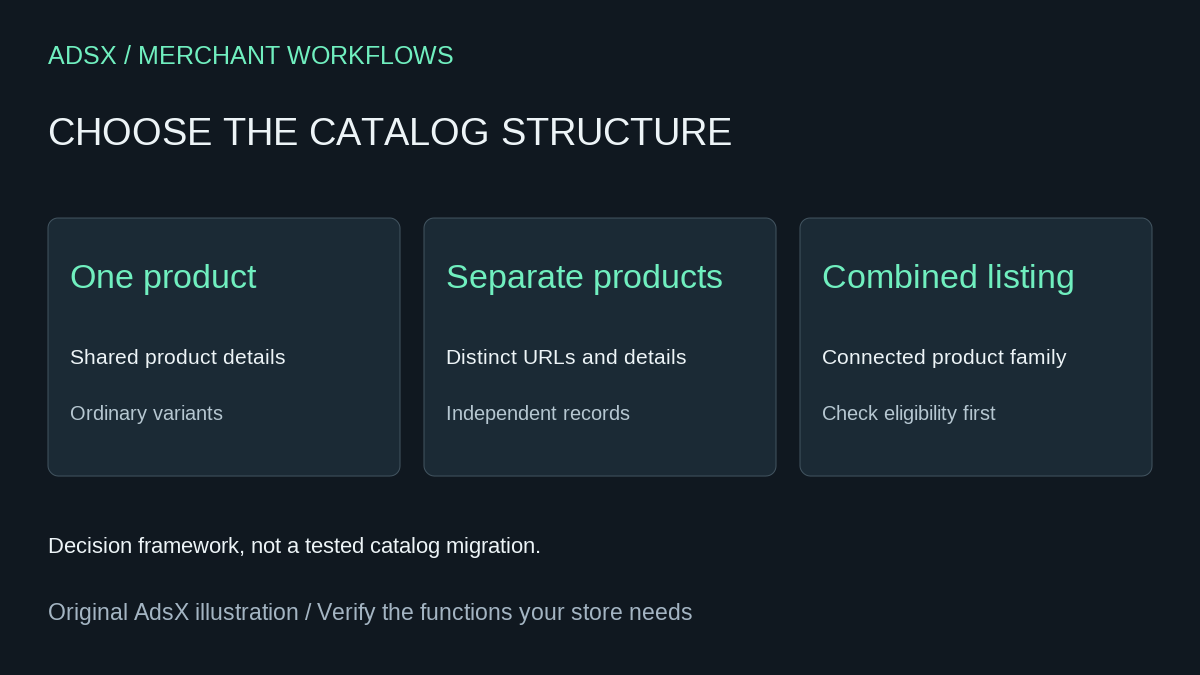
Three colors of the same shoe do not automatically need three separate products. But a merchant may already maintain a distinct description, URL and gallery for each color. Combined Listings addresses that product-family structure; a gallery app addresses a different problem.
Original AdsX illustration.
Start with what must remain distinct
Write down which differences belong to the merchandise and which exist only for presentation. For a fictional shoe range, sizes may share a description, while each color has its own photography. That alone might be handled with ordinary variants and a gallery solution. If each color also has an established product page and different descriptive content, preserving separate records could matter.
Make an inventory of product identifiers, URLs, option names, media, app dependencies and sales channels. Ask AI to summarize the required structure from those facts. Do not ask it to merge records based only on similar titles.
Check the native app's fit
Shopify Combined Listings connects separate child products under a parent listing. It is available on Plus and enterprise commerce plans and displays on the online storefront. Shopify lists compatibility limits, including bundles and subscription products, and warns that product-page apps may need testing. Free Shopify themes require version 15.0.0 or later; other themes may need changes. Shopify Combined Listings
Those requirements are decision gates. A merchant selling a subscription shoe-care package should not assume that a catalog structure suitable for one-time shoe sales also works for that package. An off-store channel needs its own review rather than a promise that the connected storefront presentation carries everywhere.
Give the theme reviewer a specific acceptance case
The storefront must update the correct product information as shoppers move between family members. Shopify's developer guidance exposes a product URL on option values for Combined Listings and describes loading the corresponding content. This is more than changing the color of a selected swatch. Shopify theme support guidance
For the shoe example, select the green child from the blue child's page. Verify the expected gallery, title, price, size choices and cart merchandise. Follow direct child links and repeat on mobile. Include unavailable size combinations and any review, sizing or personalization app the store actually uses.
A pass means the observed result matches the recorded expectation. It does not prove every child product or app is compatible. Retain unresolved cases before deciding to expand beyond the pilot family.
Compare operating costs before restructuring
Consider three choices: retain ordinary variants, keep independent products, or connect a family with an eligible solution. Estimate setup, theme work, app compatibility review and ongoing catalog maintenance for each. Do not recommend a platform-plan upgrade solely because it unlocks this one feature without comparing the full cost.
If a hypothetical pilot requires four hours at $50 per hour, its initial review budget is $200 before implementation or future maintenance. That is a planning estimate, not observed labor. A simpler variant gallery may solve the actual need for less effort; use the gallery app comparison when the requirement is only media filtering.
Keep the first AI output as a decision brief. Product deletion, URL changes and catalog migration require a separate approved implementation plan with preserved identifiers and rollback arrangements.
Try the worksheet prompt
Illustrative prompt, not execution-tested.
Review supplied product families, identifiers, URLs, option names, unique content, media, sales channels, plan and app dependencies. Compare ordinary variants, independent products and eligible Combined Listings. Flag plan/theme/channel and subscription/bundle constraints for verification. Produce a pilot acceptance matrix for child selection, content, price, size, cart identity, direct links and mobile. Estimate supplied labor separately from subscriptions. Do not merge, delete, publish or invent compatibility.
Copy the prompt from the merchant library. For related work, see Shopify Shows the Wrong Variant Image: Build an AI Audit Before Buying an App.